Most sales teams know personalization works. The data is clear: personalized cold emails achieve 10-20%+ response rates while generic templates barely break 1%. Some teams with advanced personalization systems even see reply rates jump from 9% to 18% or higher.
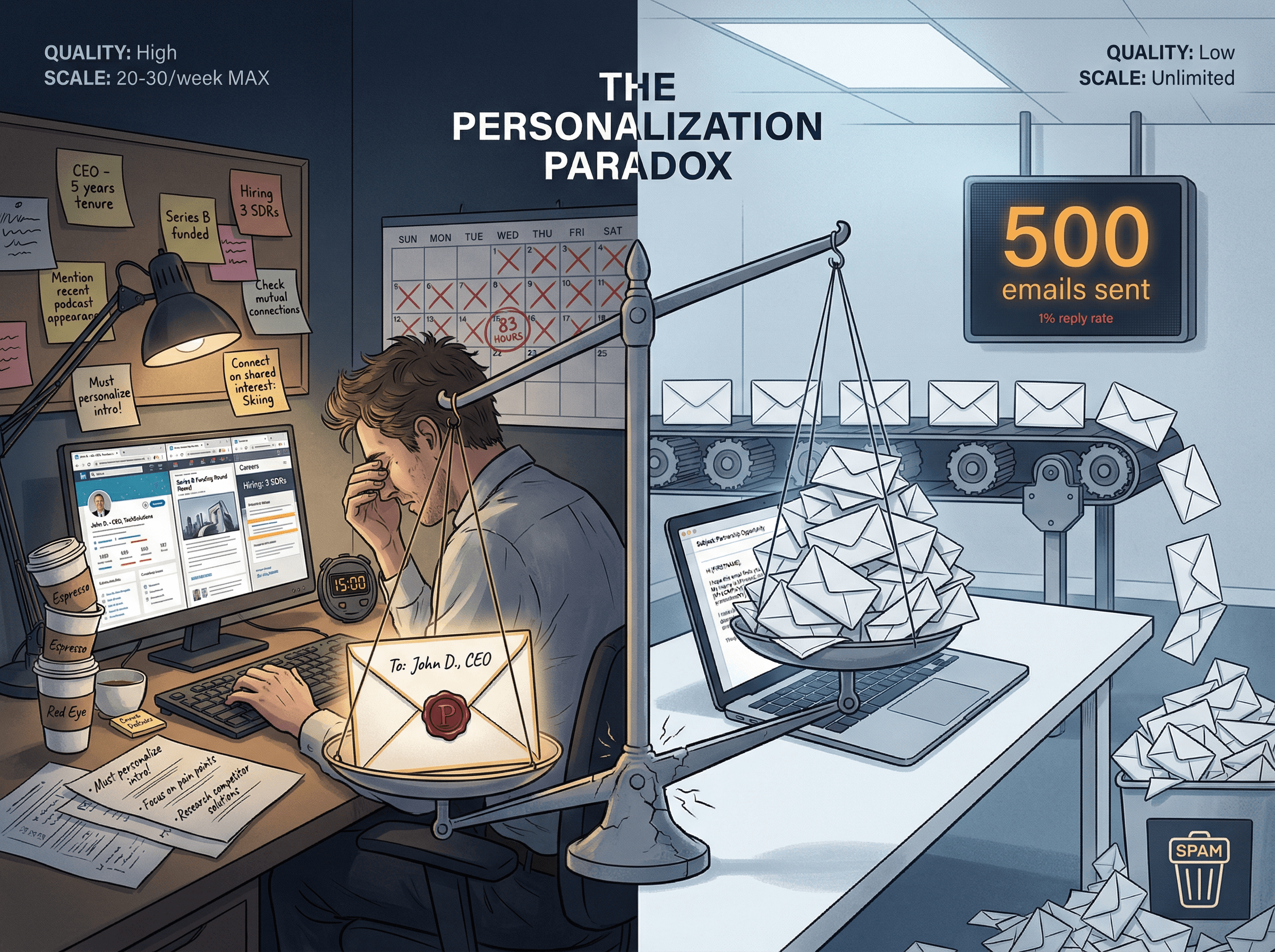
But there's a problem. Writing truly personalized emails takes 5-15 minutes per prospect. If you're targeting 500 prospects monthly, that's 83 hours of work just on email personalization. No sales team has that kind of time.
This creates what we call the personalization paradox. Manual personalization doesn't scale past 20-30 prospects weekly. Generic templates scale but get ignored. And 74% of sales teams are now using technology to personalize at scale, which means your prospects can spot template emails from a mile away.
You can't choose between automation and personalization. You need both.
This blog breaks down the exact system we (and top-performing sales teams) use to achieve 10-20%+ reply rates at volumes of 500-1,000+ monthly prospects. You'll learn the 5 levels of personalization, when to use each, and how to build a personalization engine that delivers real results without burning out your team.
Why Personalizing Cold Emails at Scale Is So Hard
Let's be honest about what makes this challenging.
The time problem is real. If you're manually personalizing 500 emails monthly at 10 minutes each, you're spending 83+ hours on email writing alone. That's more than two full work weeks. Most sales teams don't have that bandwidth, and even if they did, their time is better spent on actual selling.
The quality problem compounds it. Rushed personalization feels worse than no personalization. Prospects can tell when you've spent 30 seconds skimming their LinkedIn profile versus actually understanding their business. That fake familiarity kills credibility faster than a generic template.
The infrastructure problem sneaks up on you. Even if you solve the time and quality issues, sending 500+ personalized emails monthly requires serious deliverability engineering. Shared IP pools, warming protocols, domain management, spam complaint monitoring. Most teams don't realize this until their carefully personalized emails land in spam folders.
Plus, there's the data problem. Personalization requires verified, structured information about each prospect. Not vibes. Not assumptions. Actual facts about their role, company, challenges, and triggers. Gathering and maintaining that data at scale is a full-time job.
And here's what makes it harder: most teams have zero systematic approach. They're making it up as they go. Some reps use templates, others write custom emails, nobody has a clear definition of "good enough personalization," and there's no consistent quality bar.
The core challenge: You need a system that delivers personalization quality at automation scale. Not one or the other.
That's what this blog teaches you to build.
5 Levels of Cold Email Personalization (And When to Use Each)
Not all personalization is created equal. Understanding the levels helps you choose the right approach for each situation.
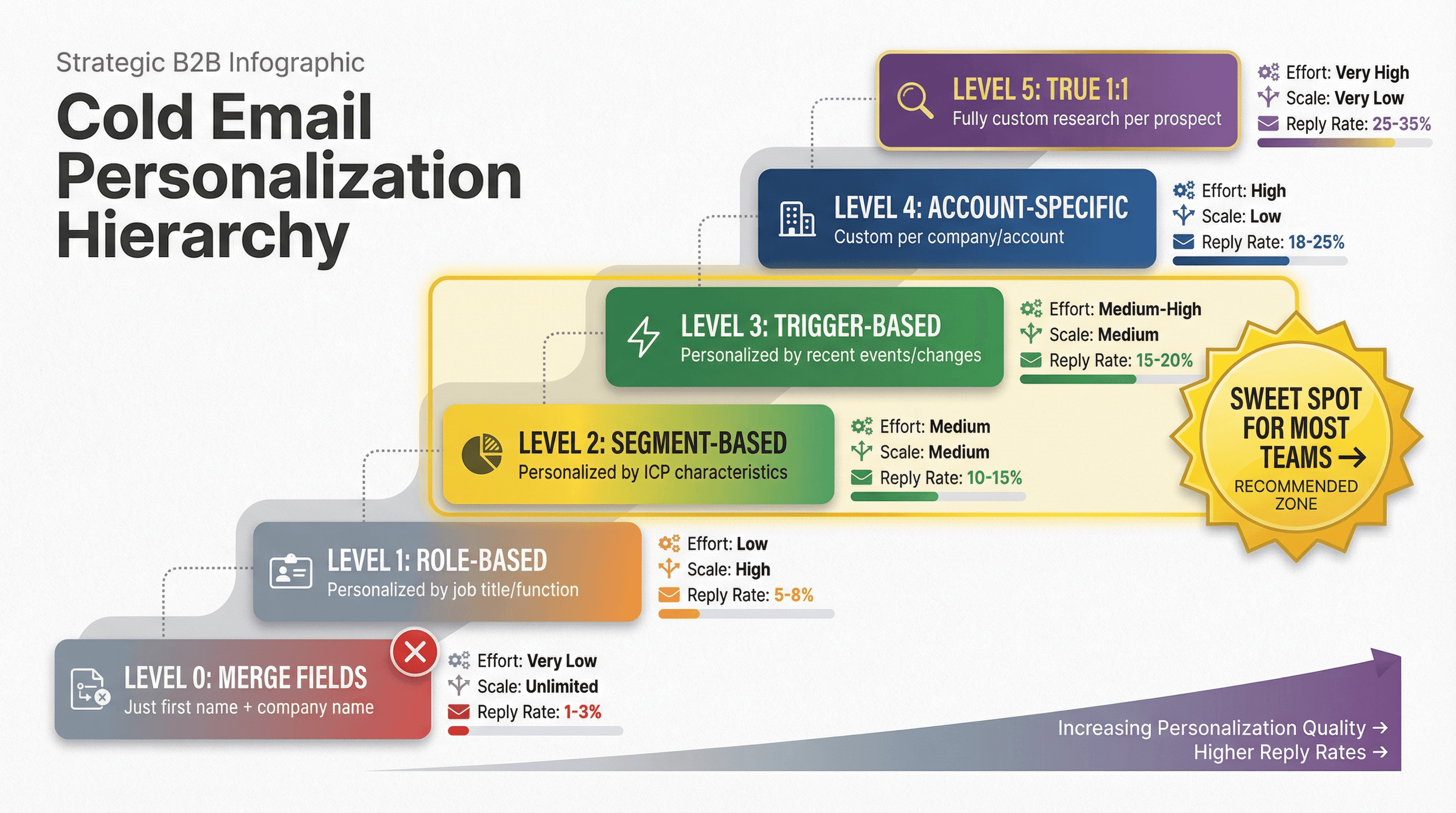
Level | What It Is | Effort | Scale | Typical Reply Rate | When to Use |
|---|---|---|---|---|---|
Level 0: Merge Fields | Just first name and company name | Very Low | Unlimited | 1-3% | Never as your only personalization |
Level 1: Role-Based | Personalized by job title/function | Low | High | 5-8% | Large segments with similar roles |
Level 2: Segment-Based | Personalized by ICP characteristics | Medium | Medium | 10-15% | Sweet spot for most teams |
Level 3: Trigger-Based | Personalized by recent events/changes | Medium-High | Medium | 15-20% | When you have verified trigger data |
Level 4: Account-Specific | Custom per company/account | High | Low | 18-25% | ABM approach for high-value accounts |
Level 5: True 1:1 | Fully custom research per prospect | Very High | Very Low | 25-35% | Top 10-20 accounts only |
Here's how to think about this:
Most teams waste time at Level 0-1, wondering why their reply rates are terrible. They jump to Level 5 for a few prospects, burn out, then give up on personalization entirely.
The real money is in Level 2-3. That's where you get 10-20% reply rates at hundreds of prospects monthly. It requires structure, data, and systems (which we'll cover in the next section), but it's absolutely doable.
Reserve Level 4-5 for your top accounts. A SaaS company targeting 50 enterprise accounts? Use Level 4-5. A consulting firm targeting 500 mid-market companies? Level 2-3 is your sweet spot.
The mistake isn't using templates or using AI. The mistake is using them without the structure and data that makes personalization actually personal.
How to Build a Cold Email Personalization System (7 Steps)
This is the actual system used by teams achieving 10-20%+ reply rates at volume. It's not magic. It's a structured process that turns data into personalized messages systematically.
This is the actual system used by teams achieving 10-20%+ reply rates at volume. It's not magic. It's a structured process that turns data into personalized messages systematically.
Step 1: Define Your Relevance Rules
Start by defining 10-20 explicit rules for why a prospect would care about your solution. Not vibes. Not "they're in our ICP." Specific, concrete logic.
Your relevance rules should cover:
• ICP criteria: Company size, industry, tech stack, growth stage, business model
• "Why now" triggers: Hiring patterns, funding announcements, expansion signals, technology changes, leadership transitions
• Pain indicators: Publicly visible challenges that your solution addresses
For example, if you sell to SaaS companies:
→ Rule #1: SaaS companies with 50-200 employees scaling outbound (indicated by SDR/BDR job postings)
→ Rule #2: B2B SaaS using Salesforce + Outreach but getting sub-5% reply rates (indicated by review mentions or job postings about "improving email performance")
→ Rule #3: Recently funded Series A/B SaaS companies (last 6 months) building sales teams
Build 10-20 of these. They become the foundation for everything else.
Step 2: Collect Verified Data (Not Assumptions)
Personalization only works if it's true and relevant. One false claim kills credibility for the entire email. This means you need verified, structured data about each prospect.
The data you need falls into three categories:
Person data (role, tenure, team size, responsibilities)
Company data (size, revenue, industry, tech stack, business model)
Trigger data (job postings, funding, news, leadership changes)
The critical word is verified. Don't assume someone's role based on their title. Don't claim they just got funding unless you can cite the source. Don't reference tech stack unless you've verified it.
This is where services like Outbound System provide massive value through their 9-step waterfall enrichment process. They combine multiple data sources (Sales Navigator, Hunter, Clearbit, ZoomInfo) with verification passes to ensure the data is clean before any emails go out.
If you're doing this yourself, plan to use at least 2-3 data sources and cross-verify anything you'll reference in an email. Learn more about waterfall enrichment methodology and how to build high-quality prospect lists.
Critical rule: If you can't verify it, don't use it.
Step 3: Segment Strategically (10-30 Segments, Not 500)
Now that you have relevance rules and verified data, create segments. But not too many.
10-30 segments is the sweet spot. Fewer than 10 and you're too generic. More than 30 and you can't learn which messaging actually works.
Segment by:
• Role KPI (what they care about achieving)
• Business model (how their company makes money)
• Constraints (regulatory requirements, budget limitations, team size)
• Triggers (what changed recently that makes them care now)
For example, you might have segments like:
→ CFOs at $10-50M revenue companies with complex multi-entity accounting
→ VPs of Sales at Series A SaaS companies building outbound teams (0-10 SDRs currently)
→ RevOps leaders at enterprise B2B companies using Salesforce + Outreach with low engagement rates
Each segment gets its own messaging focused on the specific outcome they care about. Read our comprehensive guide on email outreach segmentation strategies for more detailed frameworks.
Step 4: Map Value Hypotheses Per Segment
Each segment needs a specific outcome hypothesis. Not features. Not capabilities. Outcomes.
Match the outcome to what that segment actually cares about:
• CFOs care about: Cost reduction, audit risk, financial accuracy, close speed
• CROs care about: Pipeline predictability, rep productivity, forecast accuracy
• VPs of Sales care about: Ramp time, quota attainment, team efficiency
• RevOps leaders care about: Data quality, tool adoption, process efficiency
The value hypothesis must be specific to the segment. Generic value props like "improve efficiency" don't work. "Reduce month-end close from 15 days to 5 days for multi-entity manufacturers" works because it's specific and measurable.
Step 5: Generate with AI + Rules (Not AI Alone)
Now you're ready to use AI for personalization. But AI needs structure and constraints.
The right approach: AI generates from structured, verified fields with explicit constraints.
The wrong approach: AI writes entire emails from vibes.
Here's how to do it correctly:
Ask AI for single lines (not full emails)
Provide only verified facts (no creative license)
Add explicit constraints ("Use only these three data points," "No assumptions," "If you can't verify it, don't mention it")
Force the AI to cite its sources (which fields it used)
Add validation steps (automated checks for unverified claims, sensitive data, fake familiarity, over-precision)
For example: "Write a first line for an email to [Name], [Title] at [Company], using only these facts: [recent Series A funding of $X], [hiring for 5 SDR roles], [currently using Outreach]. The line should reference the funding and hiring as 'why now' context. Do not make assumptions about challenges or use superlatives."
This approach lets AI scale your personalization while maintaining quality and authenticity. Learn more about using AI for sales prospecting without losing the human touch.
Step 6: Run QA Checks (Automated + Human Sampling)
Quality control at scale requires both automated and human checks.
Automated checks (run on every email before sending):
• Missing personalization fields
• Domain mismatches (person domain doesn't match company)
• Forbidden phrases (overly familiar, unverified claims, creepy personal details)
• Claim detection (flagging anything that might be assumption vs. fact)
Human sampling (quality bar maintenance):
• Review 10 emails per segment before launch
• Sample 1-2% of ongoing emails weekly
• Reply-driven QA: Tag replies by reason (wrong person, not relevant, too salesy, creepy, unsubscribe)
Use the human feedback to improve your AI prompts and segment definitions. Kill bad segments fast. If a segment isn't delivering 8%+ reply rates after 100 sends, either fix the messaging or kill the segment entirely. Double down on winners. If a segment is hitting 15-20% reply rates, send more volume there and document what's working.
Step 7: Measure What Actually Matters
Apple Mail Privacy Protection (MPP) makes open rates unreliable. MPP inflates and distorts open metrics to the point where they're meaningless for measuring email performance.
Stop tracking opens. Start tracking these metrics:
Metric | Target | Why It Matters |
|---|---|---|
Delivered rate | 98%+ | Measures data quality and sender reputation |
Spam complaints | Below 0.3% | Critical threshold for maintaining domain health |
Reply rate | 10-20%+ | Total replies divided by emails delivered |
Positive reply rate | 3-8%+ | Interested replies divided by emails delivered |
Meetings booked | 2-5% of sends | The only metric that actually matters for pipeline |
Pipeline generated | Track per 1,000 sends | Measures revenue impact, not just activity |
Reply quality matters more than reply quantity. A 15% reply rate with 2% positive replies is worse than a 10% reply rate with 5% positive replies.
Critical insight: Personalized emails improve deliverability because they generate more engagement and fewer spam complaints. Quality personalization compounds through better inbox placement.
For more on why you shouldn't track open rates and what metrics actually predict success, read our detailed analysis.
Cold Email Structure That Gets 10-20% Reply Rates
Every personalized email at scale needs this exact 4-part structure. It works because it matches how prospects actually process cold emails.
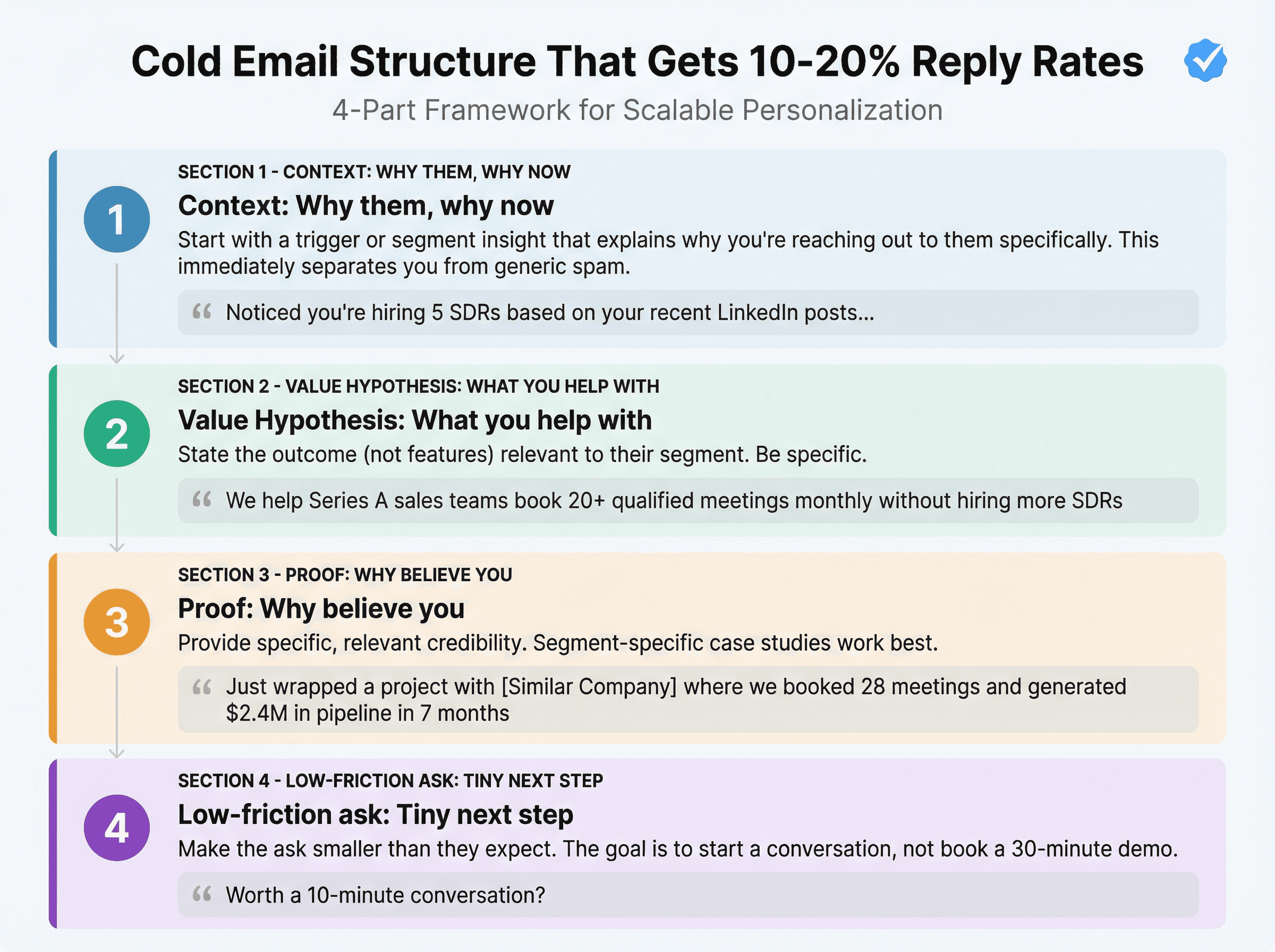
1. Context: Why them, why now
Start with a trigger or segment insight that explains why you're reaching out to them specifically. This immediately separates you from generic spam.
Examples:
"Noticed you're hiring 5 SDRs based on your recent LinkedIn posts..."
"Most Series A SaaS VPs I work with face the same challenge around this stage..."
"Saw the announcement about your $15M Series B last week..."
2. Value hypothesis: What you help with
State the outcome (not features) relevant to their segment. Be specific.
Examples:
"We help Series A sales teams book 20+ qualified meetings monthly without hiring more SDRs"
"Most of our clients see their SDR ramp time drop from 90 days to 30 days"
"We've helped similar-sized teams go from 3% to 15% reply rates in 60 days"
3. Proof: Why believe you
Provide specific, relevant credibility. Segment-specific case studies work best.
Examples:
"Just wrapped a project with [Similar Company] where we booked 28 meetings and generated $2.4M in pipeline in 7 months"
"Three other Series A SaaS companies in your space are using our system"
"Here's what [Role] at [Similar Company] said: [specific quote]"
4. Low-friction ask: Tiny next step
Make the ask smaller than they expect. The goal is to start a conversation, not book a 30-minute demo.
Examples:
"Worth a 10-minute conversation?"
"Want to see the exact playbook we used?"
"Should I send you the case study?"
This structure scales because each component is driven by your segment data and rules. You're not writing from scratch every time. You're assembling proven components customized to each segment. For detailed copywriting tactics, explore our cold email copywriting guide.
7 Cold Email First-Line Patterns That Get Replies
The first line is the most important. These 7 patterns work because they immediately establish relevance.
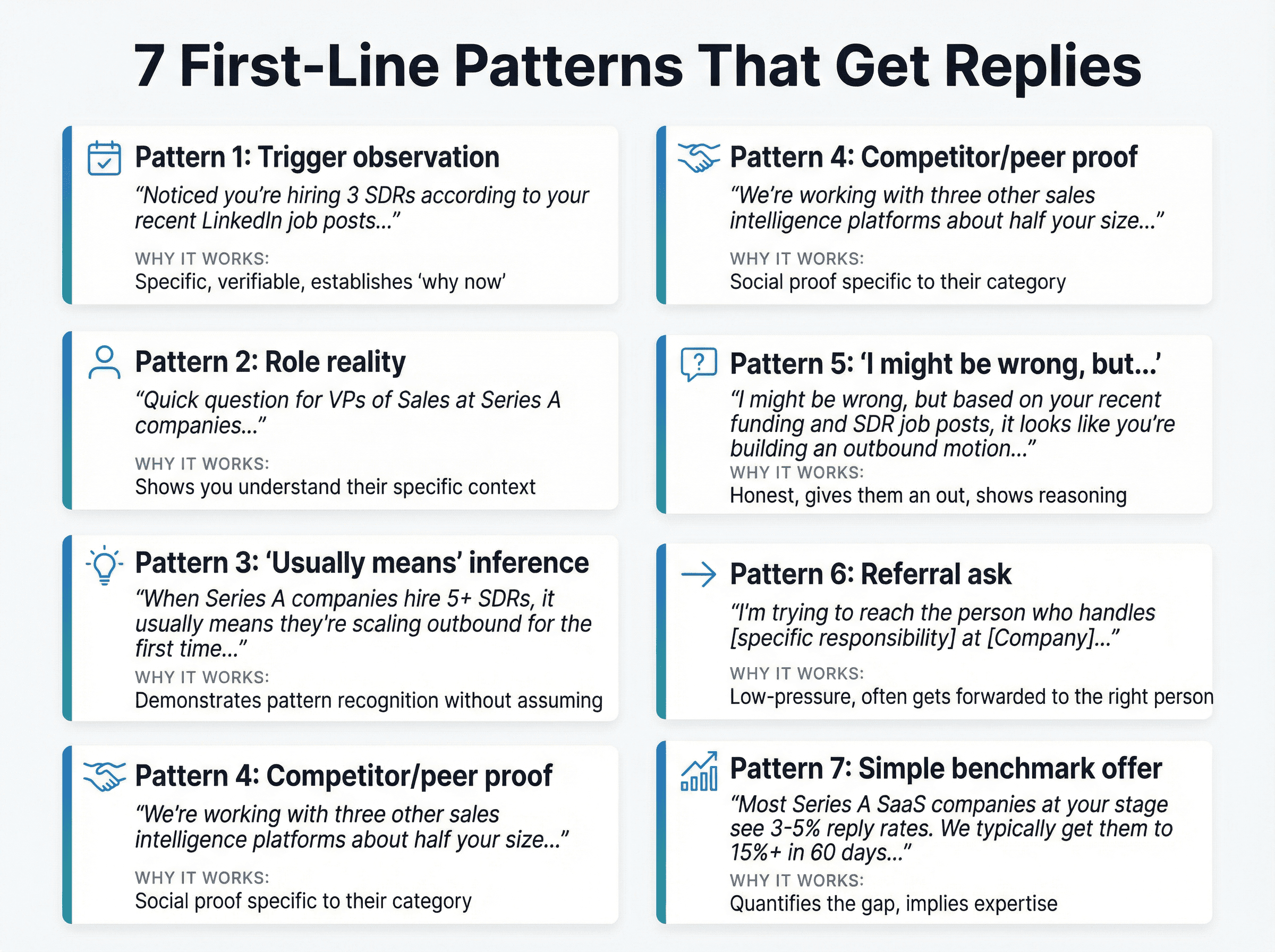
Pattern 1: Trigger observation
"Noticed you're hiring 3 SDRs according to your recent LinkedIn job posts..."
Why it works: Specific, verifiable, establishes "why now"
Pattern 2: Role reality
"Quick question for VPs of Sales at Series A companies..."
Why it works: Shows you understand their specific context
Pattern 3: "Usually means" inference
"When Series A companies hire 5+ SDRs, it usually means they're scaling outbound for the first time..."
Why it works: Demonstrates pattern recognition without assuming
Pattern 4: Competitor/peer proof
"We're working with three other sales intelligence platforms about half your size..."
Why it works: Social proof specific to their category
Pattern 5: "I might be wrong, but..."
"I might be wrong, but based on your recent funding and SDR job posts, it looks like you're building an outbound motion..."
Why it works: Honest, gives them an out, shows reasoning
Pattern 6: Referral ask
"I'm trying to reach the person who handles [specific responsibility] at [Company]..."
Why it works: Low-pressure, often gets forwarded to the right person
Pattern 7: Simple benchmark offer
"Most Series A SaaS companies at your stage see 3-5% reply rates. We typically get them to 15%+ in 60 days..."
Why it works: Quantifies the gap, implies expertise
Use these patterns as starting points, but customize them with your verified data and segment insights. The pattern provides structure; your data makes it personal. See 50+ more first-line examples that generate replies.
10 Cold Email Personalization Mistakes to Avoid
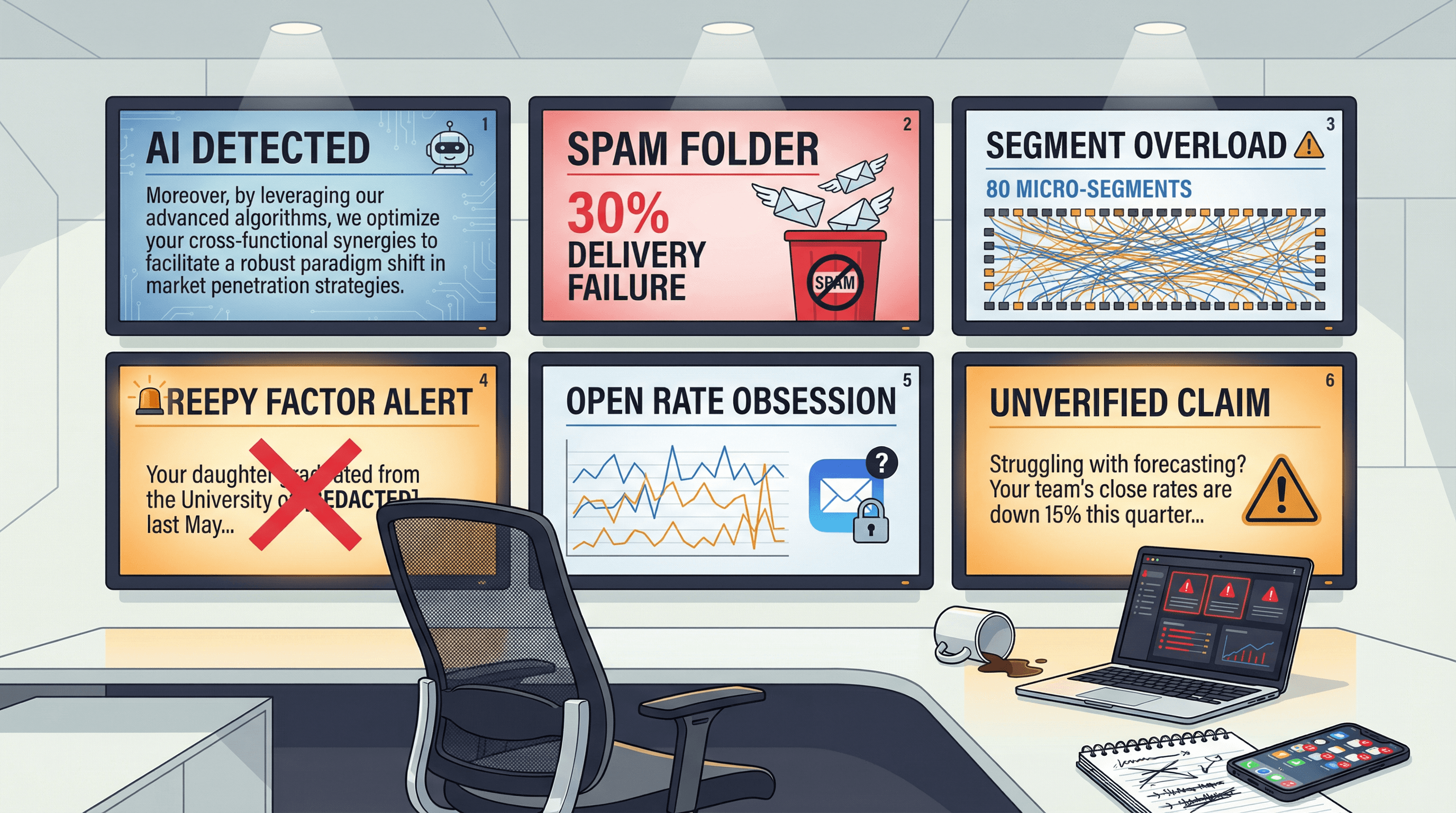
Even with a good system, teams make predictable mistakes. Here's what kills most personalization efforts:
1. Personalization that's true but irrelevant
"I saw you went to Michigan State..." when they're trying to decide on accounting software. Who cares? Personalization must connect to business value.
2. Relevant but unverified
"Looks like you're struggling with forecasting accuracy..." when you have no actual evidence. One wrong assumption destroys trust.
3. Too personal (creepy factor)
"I see your daughter just graduated high school..." Stop. Stick to professional context available on LinkedIn or company sites.
4. AI writes like AI
Overly formal, uses words like "moreover" and "leverage," sounds nothing like how humans email. Humans use contractions. Robots don't.
5. Too many segments, no learning
Having 80 micro-segments means you never get enough data to know what works. Consolidate to 10-30 and actually learn.
6. One segment, endless volume
The opposite problem. Sending 10,000 identical emails isn't personalization at scale. It's just a bigger template.
7. Personalize the opener but not the offer
"Hey [Name], noticed you're at [Company]... here's our generic pitch for everyone." The opener promise must match the value prop.
8. Chase opens instead of replies
Thanks to Apple Mail Privacy Protection (MPP), open rates are unreliable. You're optimizing for a broken metric.
9. Ignore deliverability
Amazing personalization doesn't matter if 30% of your emails hit spam. Infrastructure and data quality enable personalization to actually reach inboxes. Learn how to fix emails going to spam.
10. Scale mistakes
Launching to 5,000 prospects with untested messaging. Always start with 50-100 per segment, learn, iterate, then scale what works.
Avoid these failures and you're already ahead of 80% of teams attempting personalization at scale. For comprehensive best practices, see our guide to cold email best practices.
Cold Email Infrastructure for Personalization at Scale
Great copy doesn't matter if it hits spam folders. Here's what actually enables scale.
Deliverability in 2026: What Changed
Email providers tightened requirements significantly. If you're sending 5,000+ emails daily, you need:
SPF, DKIM, and DMARC authentication configured correctly (Gmail, Yahoo, and Outlook all require this now)
One-click unsubscribe in every email (mandatory, not optional)
Spam complaint rate below 0.3% (above this threshold and your domain reputation tanks)
Opt-out honor time: Yahoo requires 2 days, CAN-SPAM allows up to 10 days, but faster is better for reputation
Here's the interesting part: personalized emails improve deliverability. They generate more engagement (opens, replies, forwards) and fewer spam complaints. Quality personalization creates a virtuous cycle of better inbox placement leading to better results.
But that only works if you have the infrastructure to send the volume without hurting domain reputation. Read our complete guide to email deliverability best practices and email sender reputation management.
Why Most Teams Can't DIY This
Scaling to 500+ personalized emails monthly requires:
Multiple domains for volume distribution (you can't safely send 10,000 emails monthly from one domain)
350-700 separate inboxes to distribute load and mimic natural human sending patterns (not 1 inbox sending 500 emails per day, which screams automation)
Warming protocols that take 2-4 weeks before an inbox is production-ready (learn how to warm up email domains)
Ongoing reputation monitoring (bounce rates, spam complaints, engagement signals)
Dedicated infrastructure management (domain configuration, inbox rotation, warmup scheduling)
Most teams realize this halfway through their first campaign and give up. The technical complexity of deliverability engineering at scale is why agencies like Outbound System exist.
The Outbound System Approach
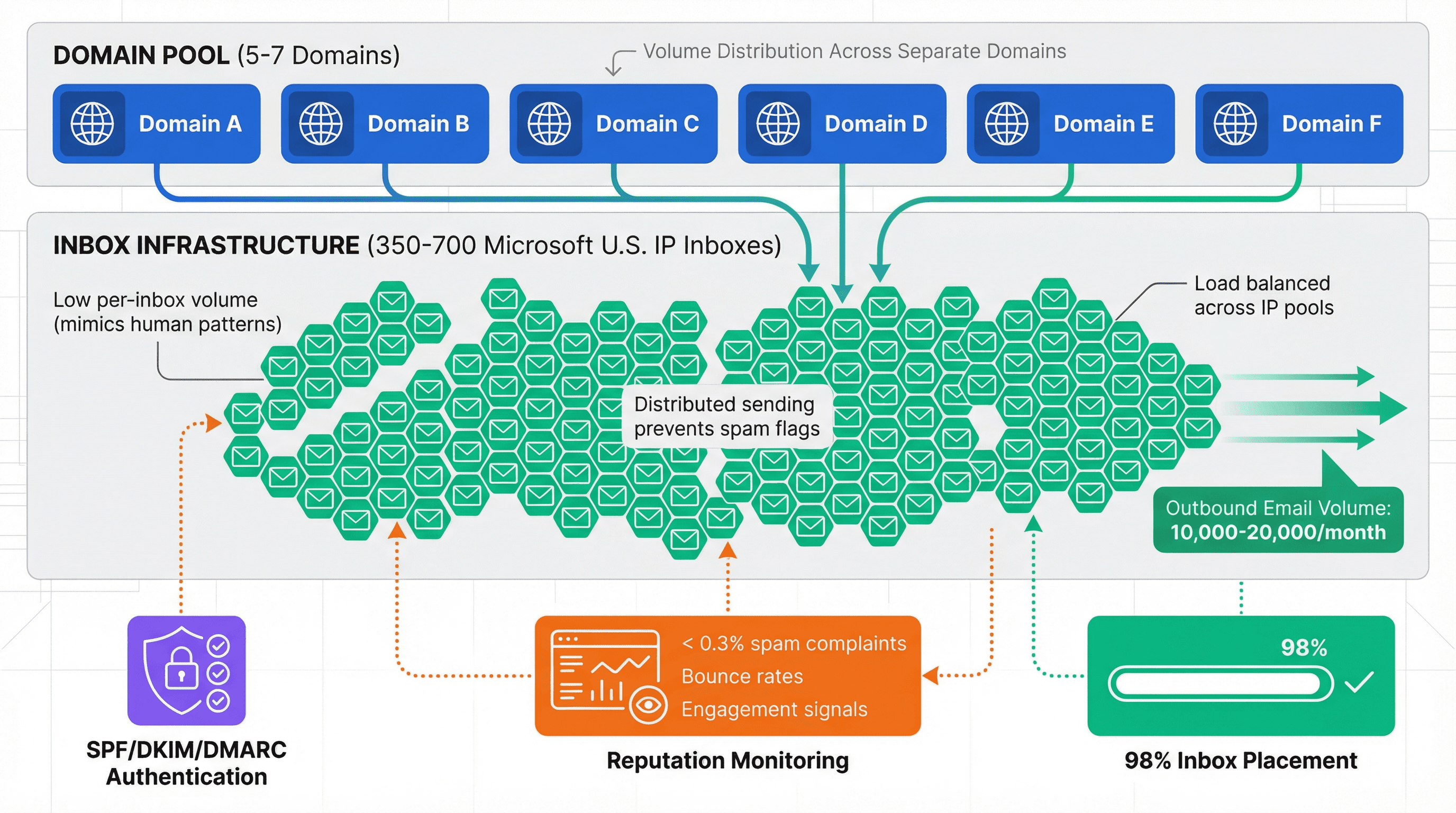
Outbound System handles the entire infrastructure and personalization system as a done-for-you service.
The Outbound System platform combines infrastructure management, data enrichment, and personalization into a complete done-for-you service.
Here's what they provide:
• 350-700 Microsoft U.S. IP inboxes (depending on tier) to distribute load and maintain reputation (read about Microsoft Azure infrastructure advantages)
• 9-step waterfall enrichment combining multiple data sources (Sales Navigator, Hunter, Clearbit, ZoomInfo) with verification passes
• Triple-verified email data to minimize hard bounces and improve reply probability
• AI personalization with human copywriting (AI handles scale, humans ensure quality)
• 98% inbox placement through proper infrastructure and data quality
• 6-7% average response rates across their client base
Their pricing is transparent with month-to-month contracts:
Plan | Monthly Price | Emails per Month | Contract |
|---|---|---|---|
Starter | $1,499/month | Up to 15,000 | Month-to-month |
Growth | $2,499/month | Up to 30,000 | Month-to-month |
Scale | $3,999/month | Up to 60,000 | Month-to-month |
Both plans include unlimited campaigns, A/B testing, real-time metrics, unified inbox, CRM integrations, and a dedicated account strategist.
Transparent, month-to-month pricing with no long-term commitments—infrastructure and personalization systems included.
For context: one of their clients (enterprise GenAI SaaS company) booked 28 qualified meetings in 7 months, generating $2.4M in pipeline. An M&A advisory firm client generated $200K+ in realized net profit over 2 years.
These results come from combining proper infrastructure with systematic personalization. Neither component works without the other. Explore detailed case studies to see real client results.
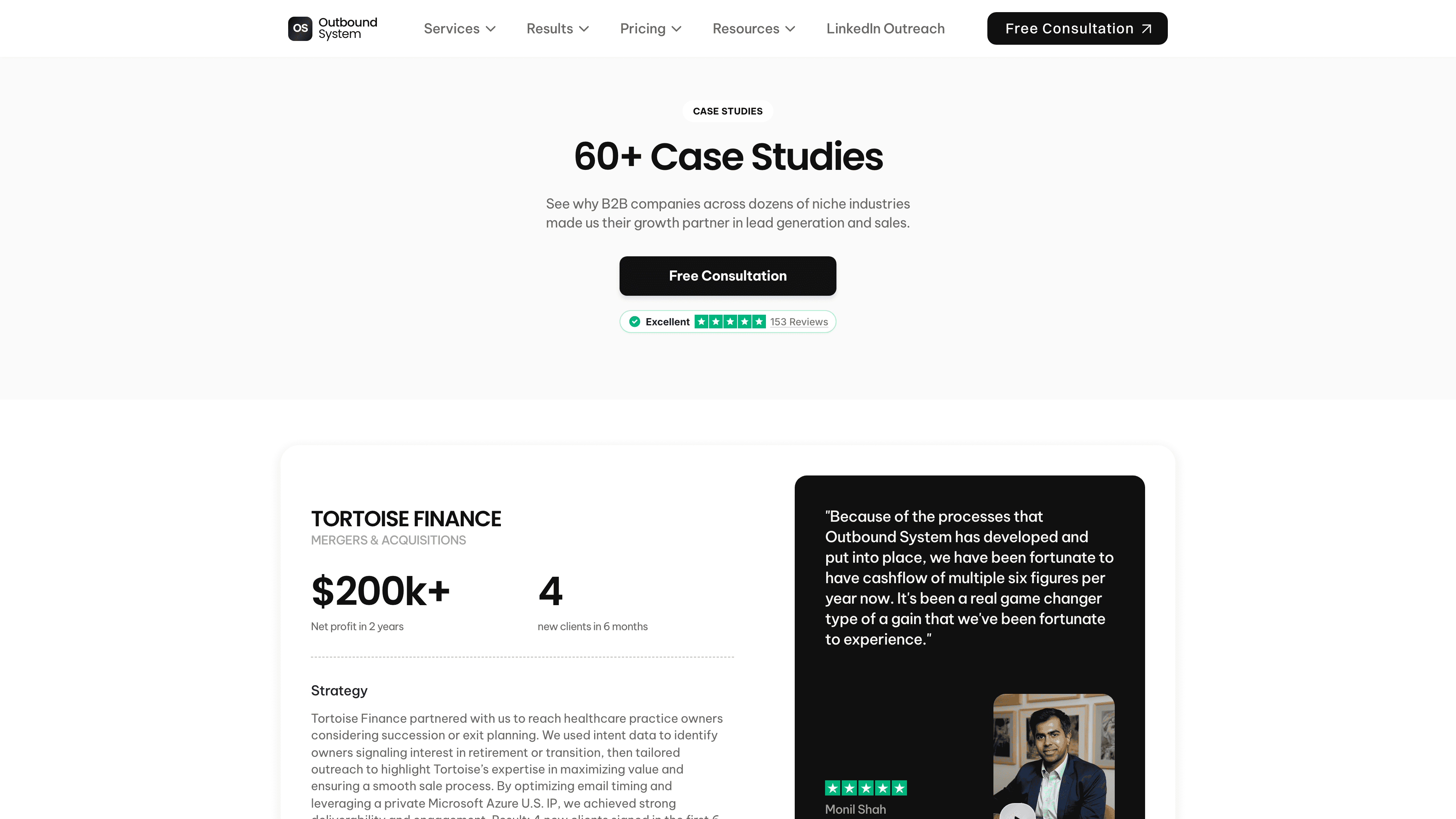
The case studies library shows specific results across multiple industries and company sizes, providing proof of the methodology at scale.
Should You DIY Cold Email Personalization or Hire an Agency?
Here's how to make this decision honestly.
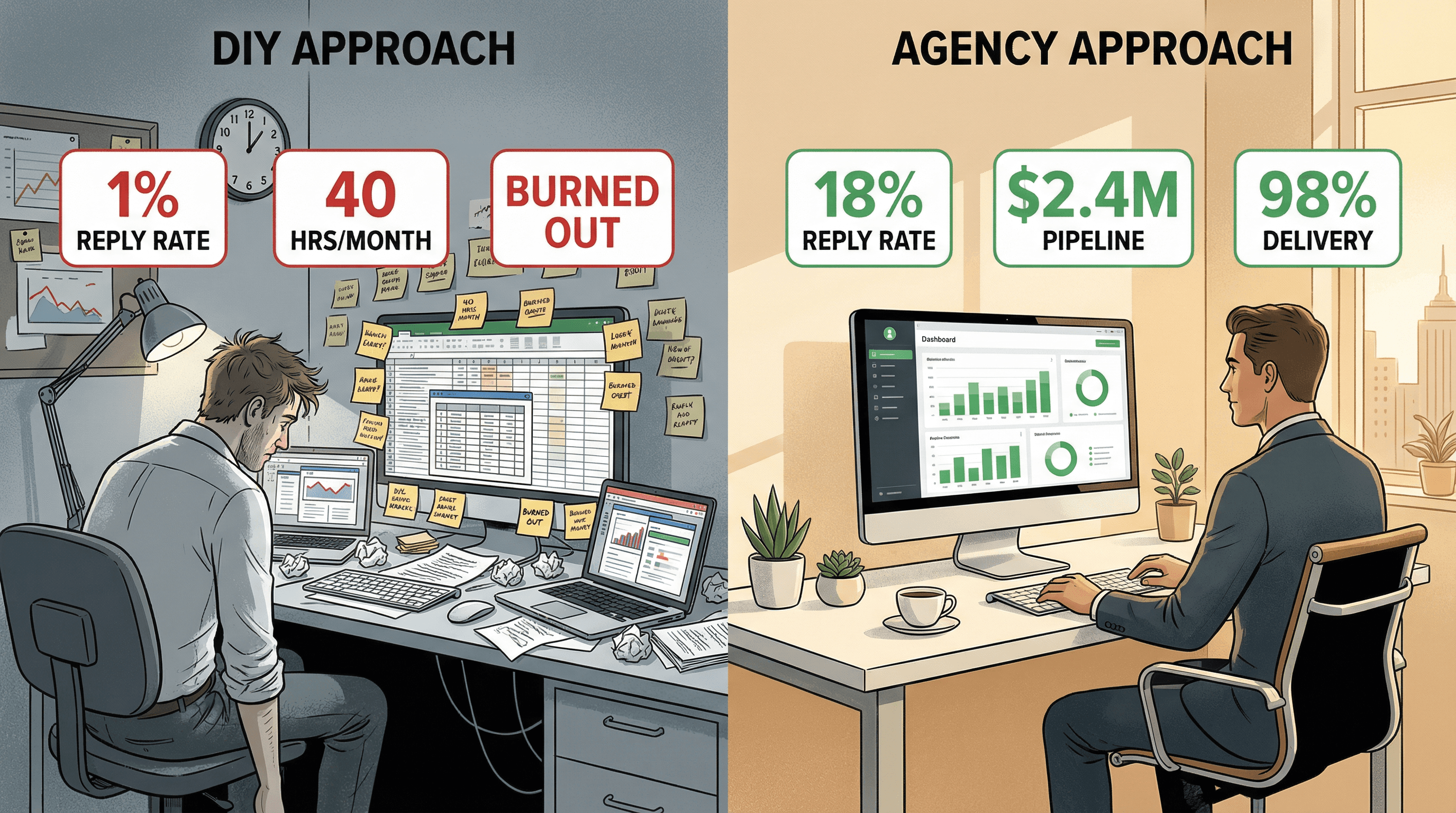
Factor | DIY Makes Sense | Agency Makes Sense |
|---|---|---|
Monthly volume | Fewer than 100-200 prospects (infrastructure overhead not worth it) | 500+ prospects (infrastructure becomes critical) |
Technical expertise | Have team members who can handle deliverability engineering | Lack in-house deliverability expertise (most teams do) |
Control needs | Want complete control over messaging and data handling | Want to focus team on closing deals, not managing infrastructure |
Time investment | Have 20-40 hours monthly for infrastructure, enrichment, campaign management | Value predictable monthly costs over hidden time investments |
Learning curve | Willing to learn through mistakes (expect 2-3 months trial and error) | Need proven performance quickly (agencies have systems built and tested) |
The hidden costs of DIY:
Infrastructure isn't the hard part. Time is. Building segments, enriching data, writing personalization rules, QA sampling, monitoring deliverability, optimizing campaigns. These tasks consume 20-40 hours monthly even after you have systems in place.
ROI calculation: If your team's fully loaded cost is $100-150/hour, that's $2,000-6,000 monthly in opportunity cost. Outbound System starts at $1,499/month with infrastructure, data, and systems included.
Plus, agencies have pattern recognition from running hundreds of campaigns. They know which segments work, which first-line patterns generate replies, which value props resonate. You're buying compressed learning time.
The best teams outsource infrastructure and personalization operations so they can focus on what actually drives revenue: conversations and closing.
For a detailed cost comparison, read our analysis of cold email agency costs and agency vs in-house SDR economics.
How to Implement Cold Email Personalization in 4 Weeks
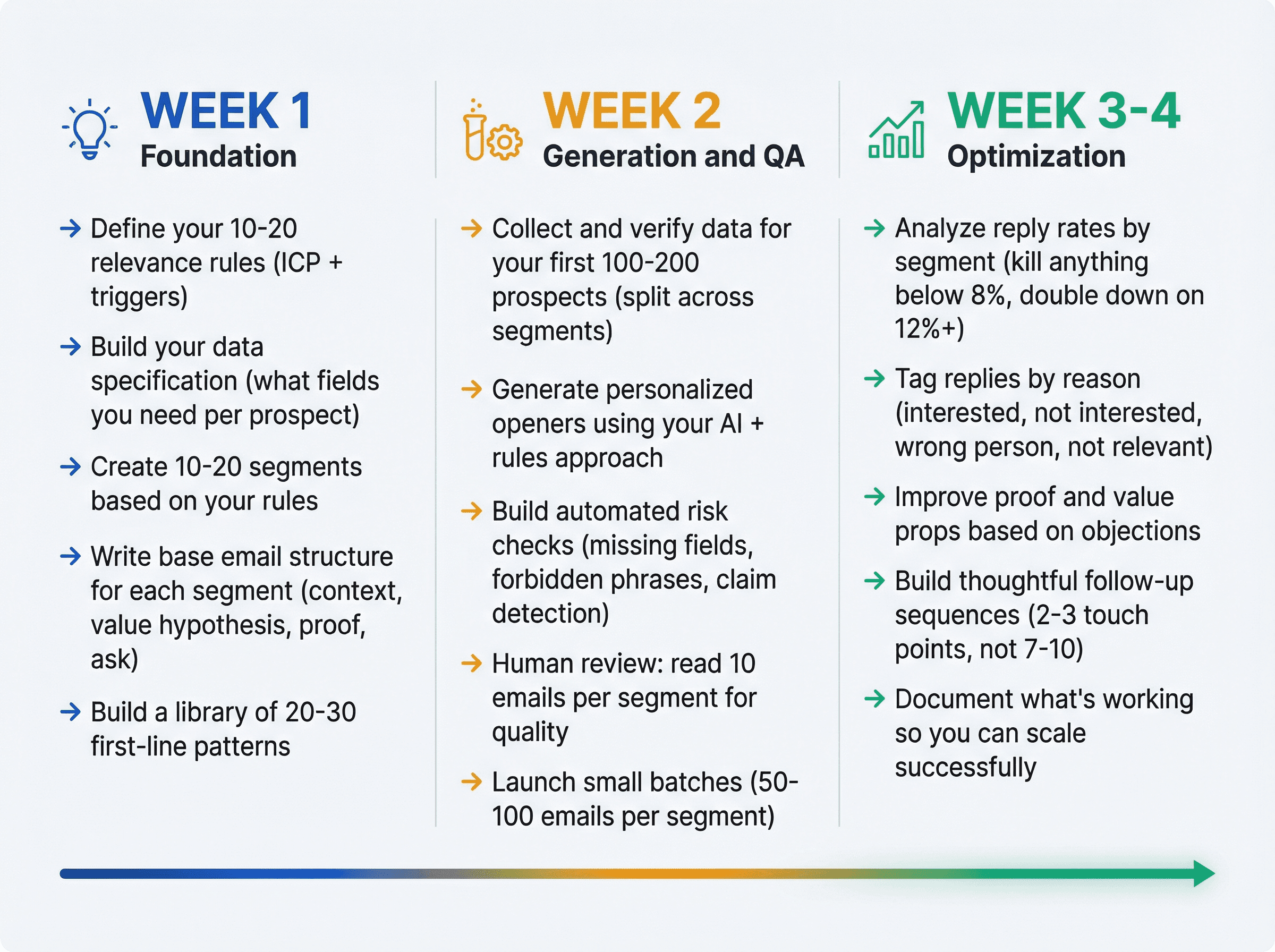
If you're building this yourself, here's the realistic timeline:
Week 1: Foundation
→ Define your 10-20 relevance rules (ICP + triggers)
→ Build your data specification (what fields you need per prospect)
→ Create 10-20 segments based on your rules
→ Write base email structure for each segment (context, value hypothesis, proof, ask)
→ Build a library of 20-30 first-line patterns
Week 2: Generation and QA
→ Collect and verify data for your first 100-200 prospects (split across segments)
→ Generate personalized openers using your AI + rules approach
→ Build automated risk checks (missing fields, forbidden phrases, claim detection)
→ Human review: read 10 emails per segment for quality
→ Launch small batches (50-100 emails per segment)
Week 3-4: Optimization
→ Analyze reply rates by segment (kill anything below 8%, double down on 12%+)
→ Tag replies by reason (interested, not interested, wrong person, not relevant)
→ Improve proof and value props based on objections
→ Build thoughtful follow-up sequences (2-3 touch points, not 7-10)
→ Document what's working so you can scale successfully
Start small. Learn fast. Scale what works.
Don't launch to 5,000 prospects on day one. That's how you burn domains, hurt reputation, and learn nothing about what actually drives replies.
Cold Email Personalization FAQs
Q: How much personalization is "enough" to see results?
Level 2 (segment-based personalization) with verified data typically achieves 10-15% reply rates. That's the ROI sweet spot for most teams. You don't need true 1:1 research for every prospect. You need relevant, verified insights applied systematically.
Q: Can AI really write personalized cold emails that don't sound like AI?
AI generating from structured, verified fields + explicit constraints + human QA works well. You'll typically see 12-18% reply rates with this approach.
AI alone writing from vibes produces obvious AI content that prospects delete immediately (think "hope this email finds you well" and excessive use of "moreover"). Reply rates stay sub-5%.
The difference is structure and constraints. AI is a tool, not a strategy.
Q: How many emails can I send per month without hurting deliverability?
10,000-20,000 emails monthly is achievable if you have proper infrastructure: multiple domains, 350+ inboxes distributing load, warmed sending reputation, and clean triple-verified data.
Beyond 20,000 monthly, you need agency-level infrastructure (Outbound System runs 350-700 Microsoft U.S. IP inboxes specifically for this). Trying to send 30,000+ emails from 50 inboxes will tank your domain reputation. Learn more about safe sending volume limits.
Q: What tools do I actually need to personalize at scale?
Data enrichment: Sales Navigator, Hunter, Clearbit, or ZoomInfo (use at least 2 for verification)
AI generation: ChatGPT API, Claude, or sales platform AI features (with proper prompting and constraints)
Sending infrastructure: Sales engagement platform (Outreach, Salesloft, Apollo) or dedicated cold email tool (Instantly, Smartlead)
Deliverability: Multiple domains, inbox warming tools, reputation monitoring
CRM integration: Salesforce, HubSpot, or Pipedrive to track results
Or use a done-for-you system like Outbound System that includes all of this (infrastructure, enrichment, AI, human QA, optimization) for $1,499-$3,999/month.
Q: How long does it take to see results from personalized cold email?
2-4 weeks for initial data and campaign launch if you have systems built.
4-8 weeks to optimize segments, identify winning patterns, and reach consistent 10-15%+ reply rates.
3-6 months to fully dial in messaging, build efficient follow-up sequences, and generate predictable pipeline.
Teams that start with agencies like Outbound System see results faster (14-day setup, first meetings within 30 days) because the infrastructure and systems already exist.
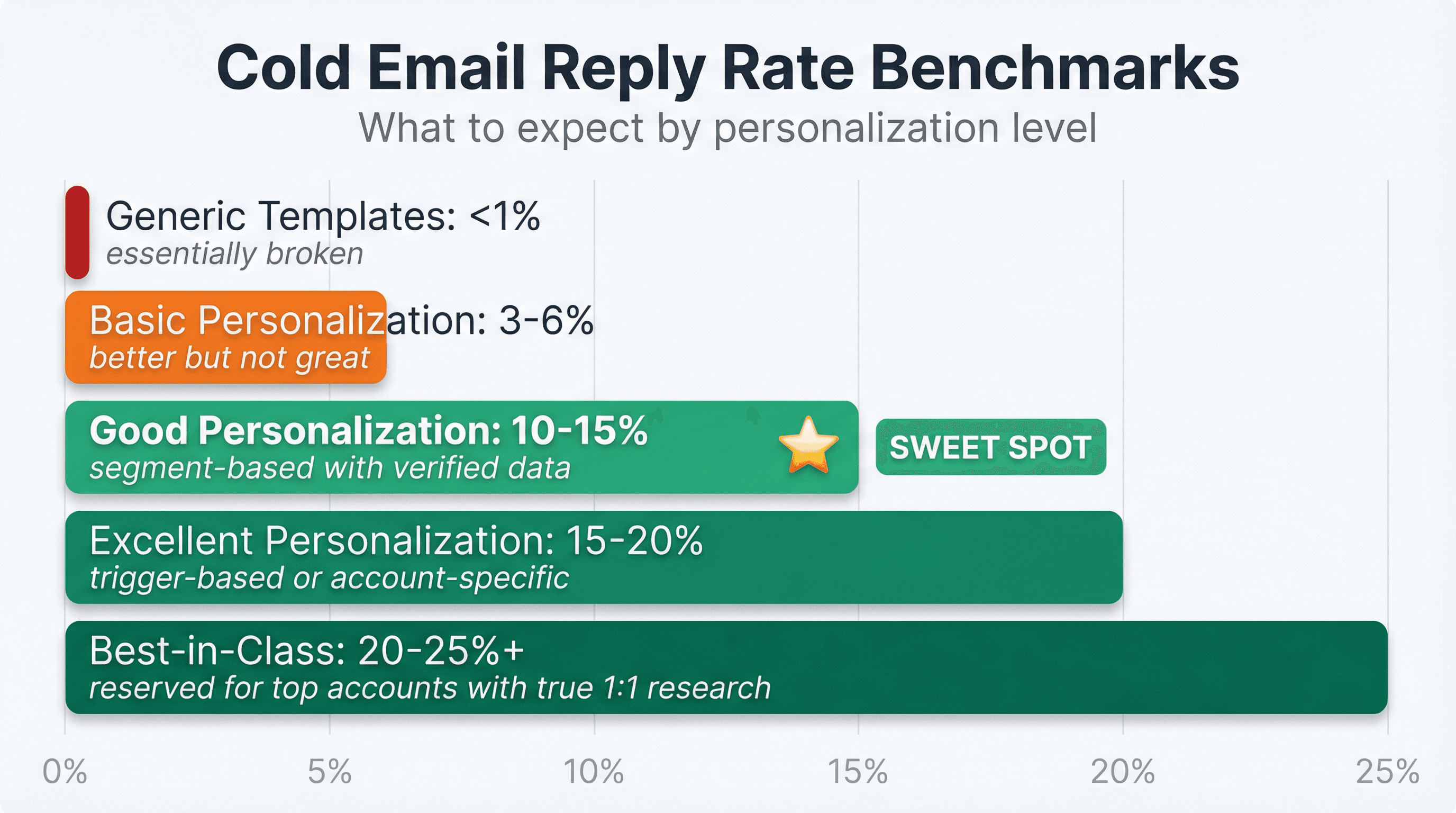
Q: What's a "good" cold email reply rate?
Generic templates: Sub-1% (essentially broken)
Basic personalization: 3-6% (better but not great)
Good personalization: 10-15% (segment-based with verified data)
Excellent personalization: 15-20% (trigger-based or account-specific)
Best-in-class: 20-25%+ (reserved for top accounts with true 1:1 research)
Context matters. B2B SaaS typically sees higher reply rates than professional services. Enterprise targets reply less than mid-market. But if you're consistently below 8%, something is broken (messaging, data quality, deliverability, or all three).
Q: Should I still track open rates?
No. Apple Mail Privacy Protection (MPP) inflates and distorts open metrics. iOS mail clients pre-load images, which triggers "opens" whether the prospect read your email or not.
Track these instead:
• Reply rate (total replies / emails delivered)
• Positive reply rate (interested replies / emails delivered)
• Meetings booked per 1,000 sends
• Pipeline generated per campaign
• Spam complaint rate (must stay below 0.3%)
Opens are vanity metrics. Replies and meetings are revenue metrics.
Q: What's the biggest mistake teams make with cold email personalization?
Using unverified data. One false claim ("I see you're struggling with X" when they're not, "Noticed you just got funding" when that was 18 months ago) kills credibility for the entire email.
Second biggest mistake: personalizing the first line but not the value prop. "Hey [Name], noticed you work at [Company]... here's our generic pitch" wastes the personalization and feels manipulative.
Third biggest: Scaling mistakes before learning what works. Sending 5,000 emails with untested messaging burns domains and generates no useful data. Start with 50-100 per segment, optimize, then scale winners.
How to Scale Cold Email Personalization (Without Burning Out)
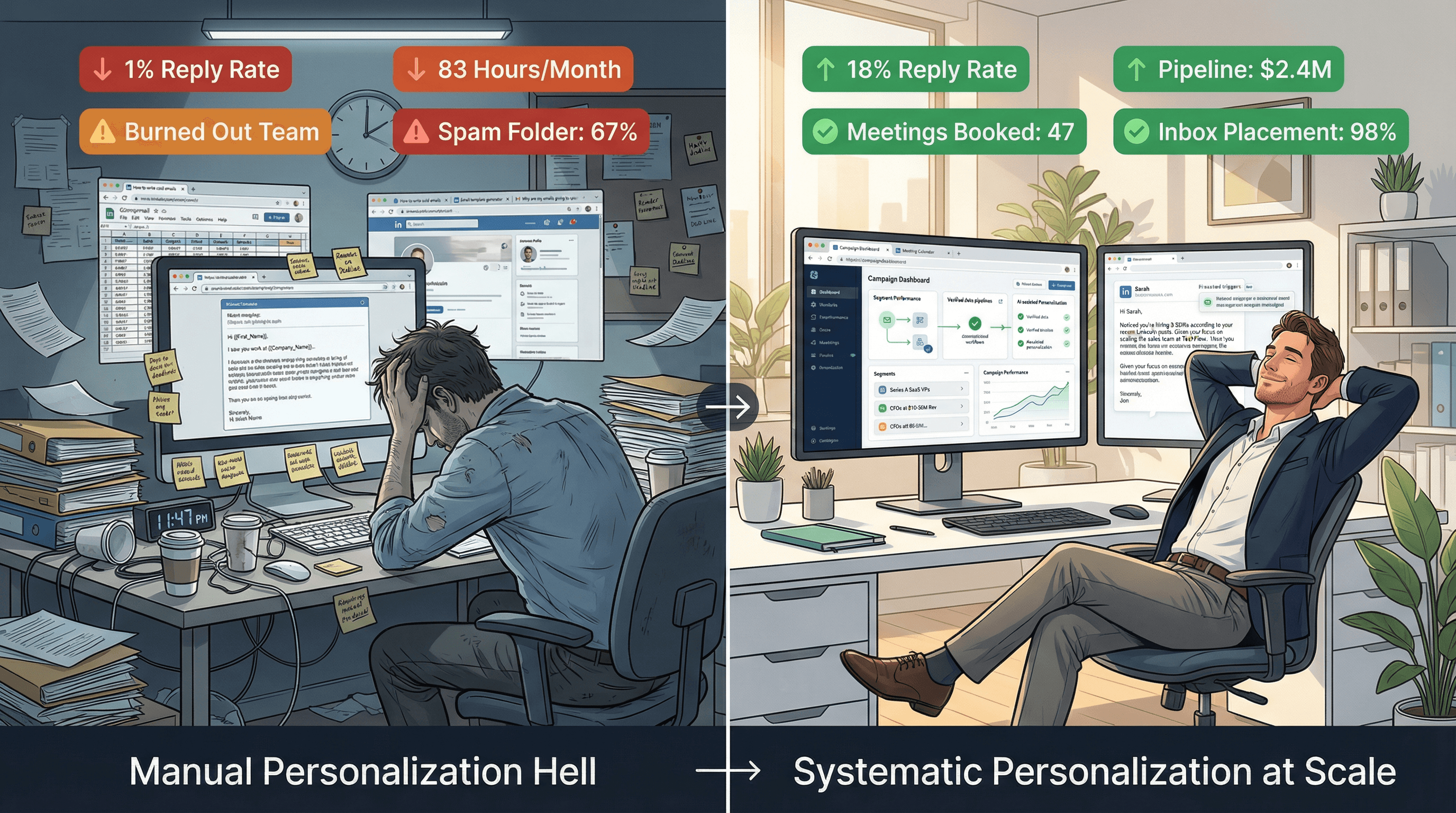
The data is conclusive. Personalization works. Generic templates get 1% reply rates. Good personalization gets 10-20%+. That difference is the gap between struggling to book meetings and having a predictable pipeline.
Manual personalization doesn't scale. Writing 5-15 minutes per email for 500 monthly prospects isn't realistic. You need a system: relevance rules, verified data, strategic segments, AI with constraints, automated QA, and proper infrastructure.
You can build this yourself using the framework in this blog:
→ Start with 10-20 relevance rules
→ Collect and verify data from multiple sources
→ Create 10-30 segments based on role, business model, and triggers
→ Use AI from structured fields with explicit constraints
→ Run automated checks plus human sampling
→ Measure replies and meetings, not opens
→ Scale what works, kill what doesn't
Or you can use Outbound System to get the entire system without the setup: 350-700 Microsoft U.S. IP inboxes, 9-step data enrichment, AI + human personalization, 98% inbox placement, month-to-month contracts starting at $1,499/month.
Either way, the choice isn't between automation and personalization. It's between systematic personalization that scales and staying stuck with 1% reply rates.
Get started today. Your pipeline depends on it. Book a free consultation to discuss your specific personalization challenges.