If you're hunting for Lemlist alternatives, you're probably facing one of these problems: the per-seat pricing is killing your budget as you scale, you need more than 3-5 email accounts without paying $200+ monthly, or you're tired of paying extra for basic features like warm-up and verification that should just come built-in.
You're not alone. Teams switch off Lemlist constantly, and usually for the same reasons: cost per inbox gets insane at scale, limited flexibility when you need dozens of sending accounts, and those sneaky add-on fees that turn a $69 plan into a $150+ monthly commitment real fast.
This guide breaks down 15 proven alternatives (we're talking tools that actually work in 2026, not theoretical options). Some cost a fraction of Lemlist. Others give you way more power. A few are completely different approaches that might solve your problem better than any tool ever could.
Why Do Teams Search for Lemlist Alternatives?
Lemlist does personalization really well. The image and video customization features are legitimately impressive, and the multichannel sequencing (email, LinkedIn, calls) gives you more touchpoints than basic cold email tools.
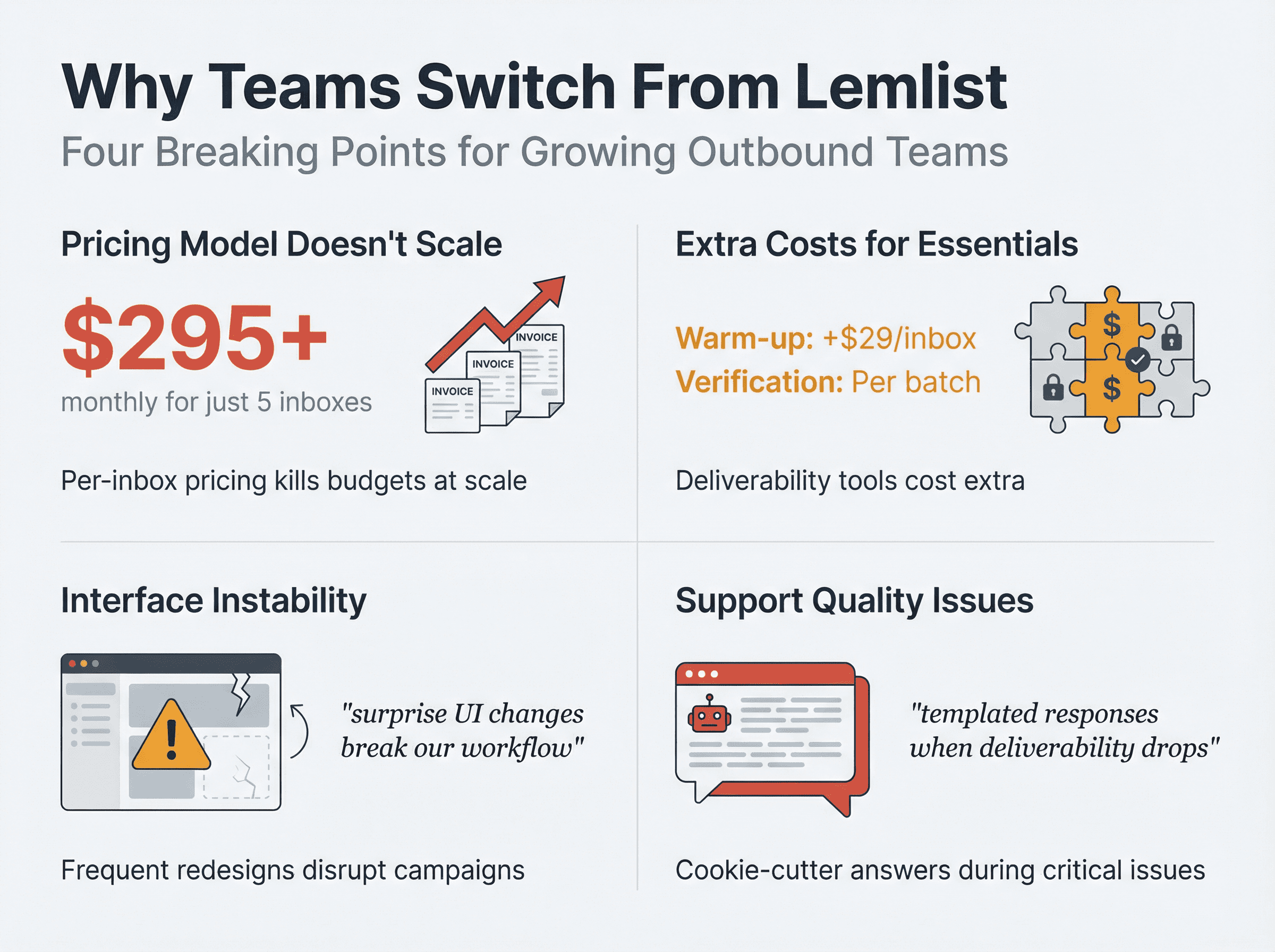
But here's where it falls apart for growing teams:
The pricing model doesn't scale. You're paying per user, per inbox. Need 5 inboxes? That's potentially $295+ monthly on the Email Pro plan alone. Want to run serious volume across 20-30 inboxes? You're looking at thousands per month, which is absurd when competitors give you unlimited accounts for under $100.
Warm-up and verification cost extra. Lemlist's email warm-up service runs about $29 per inbox monthly. Their email verifier charges per batch. These aren't optional nice-to-haves in 2026. They're essential for deliverability, and paying add-ons for each inbox makes the total cost explode.
The interface keeps changing. Users mention this constantly in reviews. When you're running campaigns that generate revenue, surprise UI changes that break your workflow are incredibly frustrating. You need stability, not experiments.
Support feels scripted. Multiple reviews cite slow responses and cookie-cutter answers when you're trying to troubleshoot actual campaign issues. When deliverability drops or sequences break, you need real help fast, not templated responses.
Lemlist works great for small teams using 1-2 inboxes who value creative personalization. But if you're trying to scale outbound, manage multiple campaigns, or just want better value without sacrificing results, there are way better options out there.
Cold Email Deliverability Requirements in 2026
Before we dive into alternatives, let's address the elephant in the room: deliverability rules changed drastically in 2024-2025, and most people are still operating with outdated information.
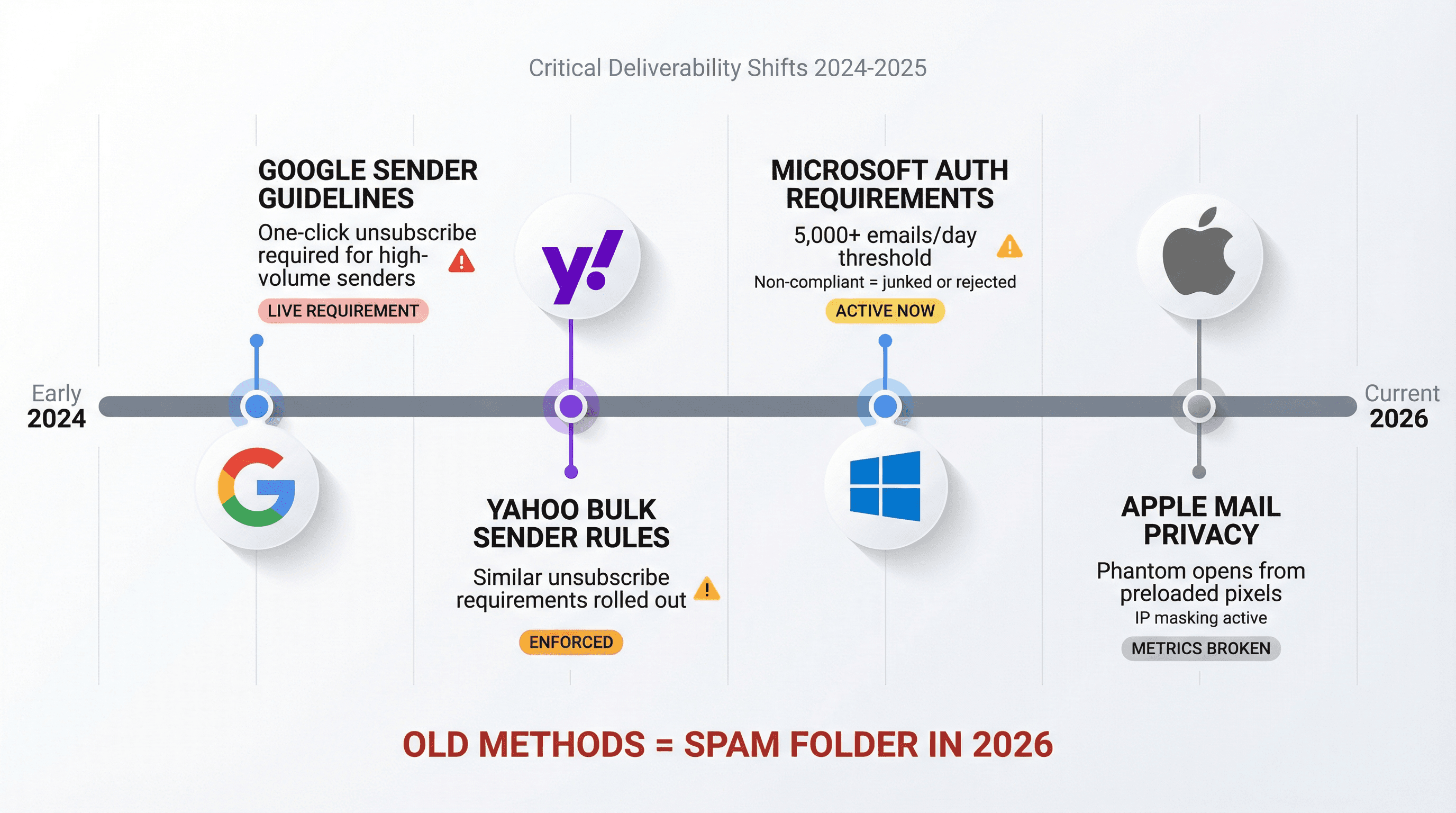
Here's what actually happened:
Google updated their sender guidelines to require one-click unsubscribe for high-volume senders. Yahoo rolled out similar requirements in their bulk sender best practices. Microsoft announced stricter authentication requirements for domains sending over 5,000 emails daily, with non-compliant messages getting junked or rejected entirely.
Critical deliverability shift: These aren't theory. These are live requirements affecting your inbox placement right now. The tools and techniques that worked 18 months ago might be actively hurting your campaigns today.
Also (and this might sting): your open rates are probably lying to you. Apple's Mail Privacy Protection preloads email pixels and masks IP addresses, which means a huge percentage of your "opens" are phantom opens that never actually happened. If you're choosing tools based on open rate metrics, you're optimizing for the wrong thing.
Focus on replies, meetings booked, and actual deliverability indicators (inbox placement tests, spam folder checks, domain health monitoring). Those metrics tell you what's really working. For a deep dive into modern deliverability, check out our guide on email deliverability best practices for 2025.
What to Look for in Lemlist Alternatives (2026 Checklist)
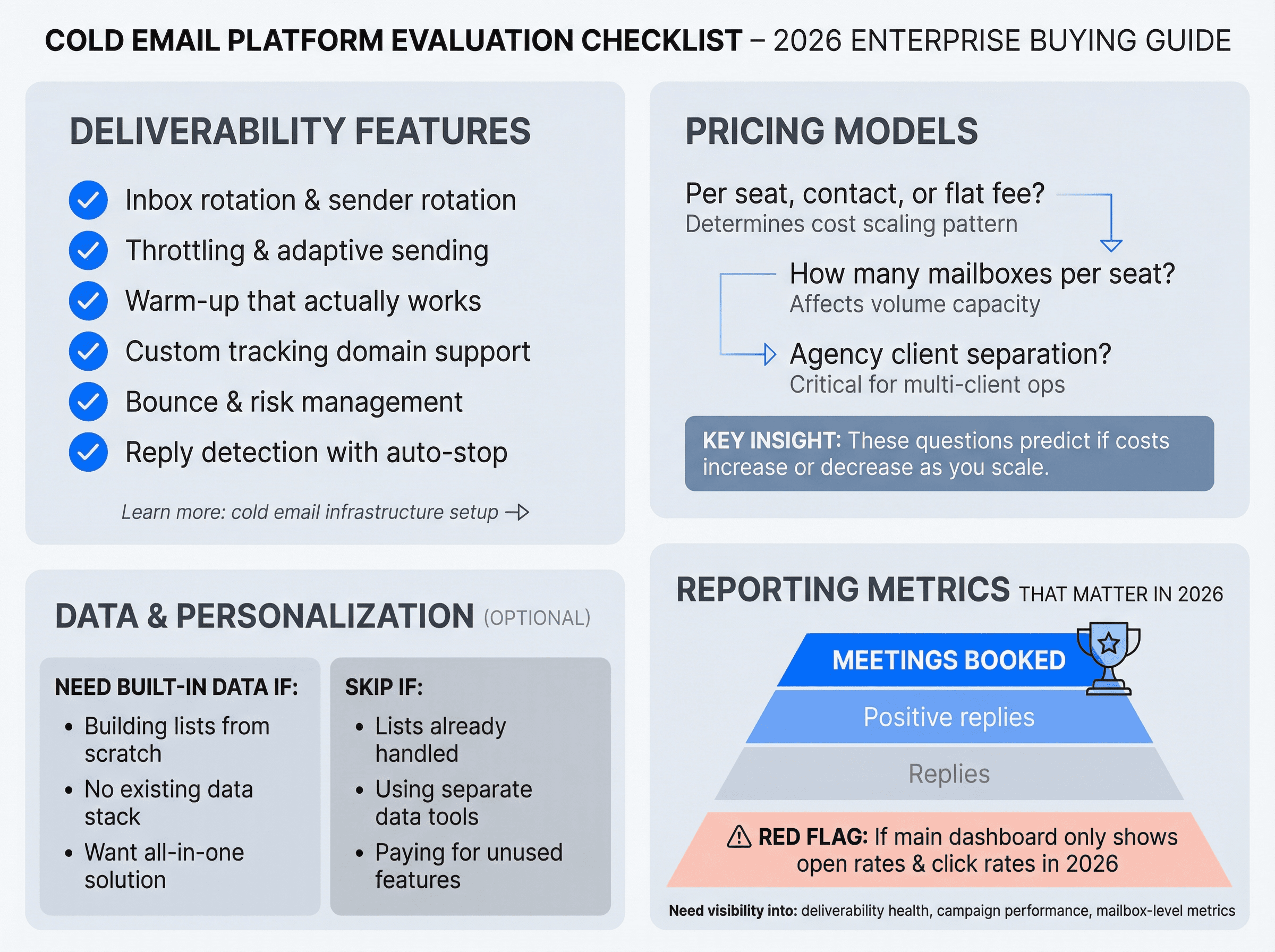
Use this as your baseline checklist:
Essential Deliverability Features
→ Inbox rotation and sender rotation – Distribute sending across multiple accounts to keep per-inbox volume low
→ Throttling and adaptive sending – Automatically slow down when engagement drops or bounces spike
→ Warm-up that actually works – Not fake engagement networks, but legitimate reputation building
→ Custom tracking domain support – Or the option to disable tracking entirely for maximum deliverability
→ Bounce and risk management – Real-time verification, suppression lists, catch-all detection
→ Reply detection with auto-stop – Pause sequences immediately when someone responds
Learn more about proper cold email infrastructure setup to understand what truly matters for deliverability.
Pricing Models That Scale
Ask yourself: Are you paying per seat, per contact, or flat fee? How many mailboxes can you connect per seat? Does the tool support agency client separation? Do you get a unified inbox to manage replies across all accounts?
These questions determine whether a tool becomes more affordable or more expensive as you scale.
Built-in Data and Personalization (Optional)
Some teams need built-in databases and lead finders. Others have their lists handled and just need sending infrastructure. Figure out which camp you're in before evaluating tools that bundle data (you might be paying for features you don't use).
Reporting Metrics That Matter in 2026
Replies matter. Positive replies matter more. Meetings booked matter most.
If a tool's main dashboard shows you nothing but open rates and click rates, that's a red flag in 2026. You need visibility into deliverability health, campaign-level performance, and mailbox-level metrics so you can spot problems before they tank your domain reputation.
Lemlist vs Best Alternatives: Pricing Comparison (Dec 2025)
Here's what actually matters when comparing tools. No fluff, just the decision-critical info:
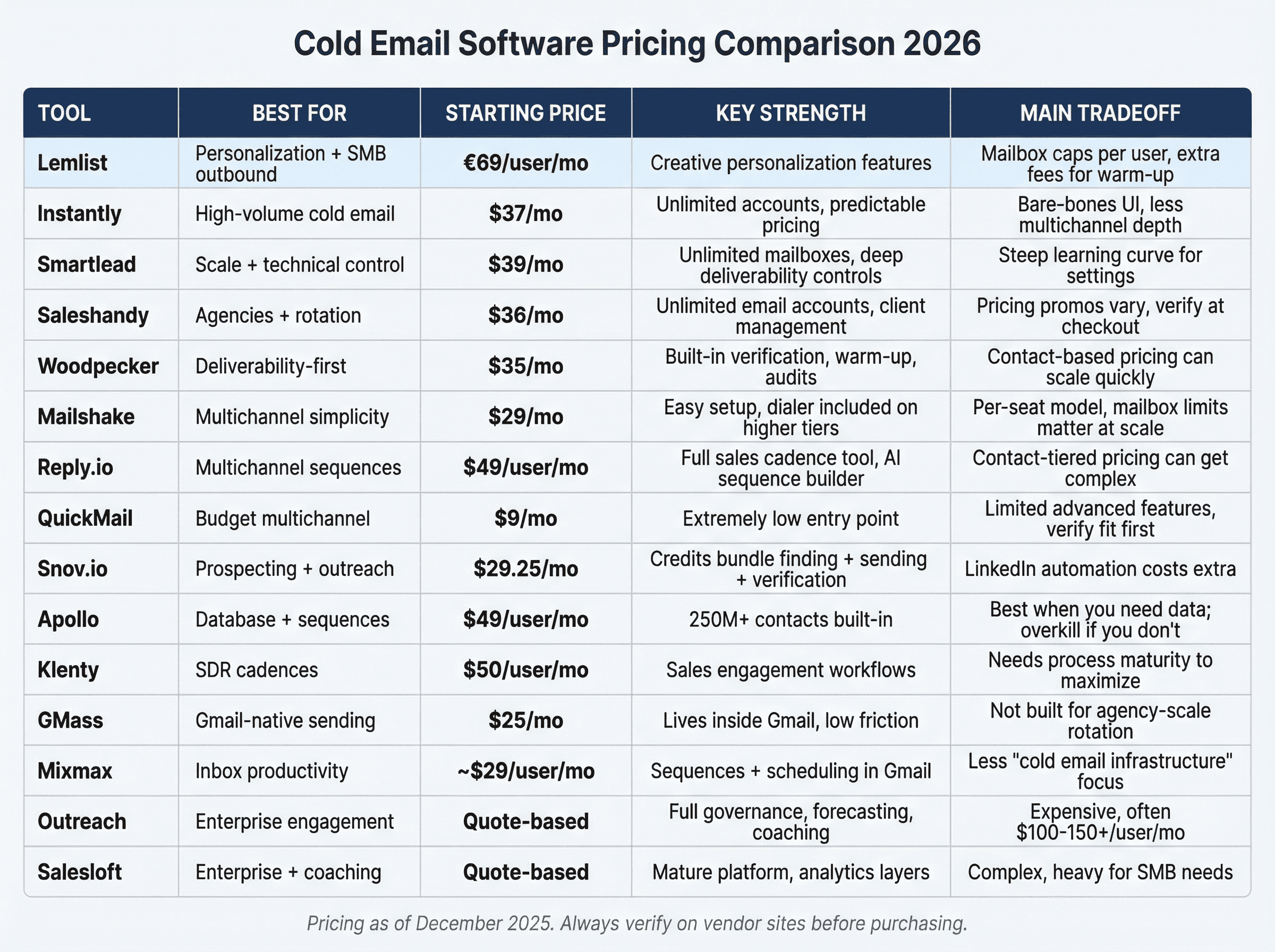
Tool | Best for | Starting price | Key strength | Main tradeoff |
|---|---|---|---|---|
Lemlist | Personalization + SMB outbound | €69/user/mo | Creative personalization features | Mailbox caps per user, extra fees for warm-up |
Instantly | High-volume cold email | $37/mo | Unlimited accounts, predictable pricing | Bare-bones UI, less multichannel depth |
Smartlead | Scale + technical control | $39/mo | Unlimited mailboxes, deep deliverability controls | Steep learning curve for settings |
Saleshandy | Agencies + rotation | $36/mo | Unlimited email accounts, client management | Pricing promos vary, verify at checkout |
Woodpecker | Deliverability-first | $35/mo | Built-in verification, warm-up, audits | Contact-based pricing can scale quickly |
Mailshake | Multichannel simplicity | $29/mo | Easy setup, dialer included on higher tiers | Per-seat model, mailbox limits matter at scale |
Reply.io | Multichannel sequences | $49/user/mo | Full sales cadence tool, AI sequence builder | Contact-tiered pricing can get complex |
QuickMail | Budget multichannel | $9/mo | Extremely low entry point | Limited advanced features, verify fit first |
Snov.io | Prospecting + outreach | $29.25/mo | Credits bundle finding + sending + verification | LinkedIn automation costs extra |
Apollo | Database + sequences | $49/user/mo | 250M+ contacts built-in | Best when you need data; overkill if you don't |
Klenty | SDR cadences | $50/user/mo | Sales engagement workflows | Needs process maturity to maximize |
GMass | Gmail-native sending | $25/mo | Lives inside Gmail, low friction | Not built for agency-scale rotation |
Mixmax | Inbox productivity | ~$29/user/mo | Sequences + scheduling in Gmail | Less "cold email infrastructure" focus |
Outreach | Enterprise engagement | Quote-based | Full governance, forecasting, coaching | Expensive, often $100-150+/user/mo |
Salesloft | Enterprise + coaching | Quote-based | Mature platform, analytics layers | Complex, heavy for SMB needs |
(Pricing as of December 2025. Always verify on vendor sites before purchasing.)
1. Instantly – Best for High-Volume Cold Email at Scale
Choose Instantly if you need to send thousands of cold emails monthly across many inboxes and you're tired of per-seat pricing that multiplies costs.
Why Teams Switch from Lemlist to Instantly
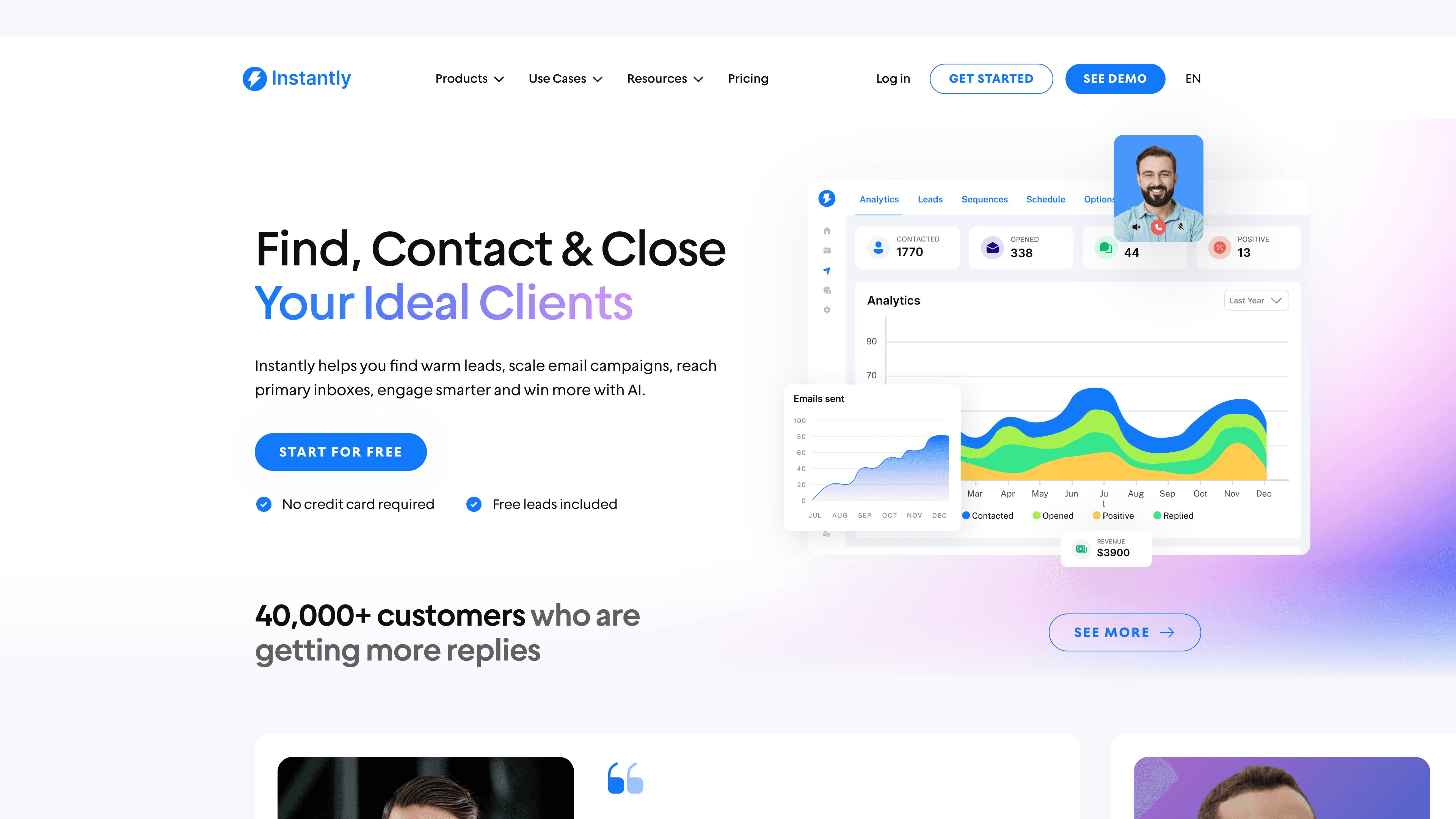
Lemlist caps you at a few mailboxes per account unless you pay for multiple seats. Instantly's pricing model is completely different: you pay for email volume, not seats. Even their Growth plan ($37/mo) supports unlimited email accounts with automatic warm-up included.
This is huge.
You can connect 10, 20, 50 email accounts and Instantly will warm them and rotate sending to protect your reputation. Something that would cost you $500-700+ monthly on Lemlist (multiple seats) costs you $37-97 on Instantly.
What You Get
① Unlimited email accounts and warm-ups – Connect as many inboxes as you need. All get automatic warm-up at no extra charge.
② Volume-based pricing – Growth plan includes ~5,000 emails/month. Higher tiers go to 100k+ emails/month. You scale by volume, not by adding expensive seats.
③ Deliverability toolkit – Built-in spam testing, reputation monitoring, domain health checks. Everything focused on keeping you out of spam folders even at scale.
④ Basic campaign features – Email sequences with delays, personalization tags, reply tracking. The UI is minimalist but functional.
The Honest Tradeoffs
Instantly doesn't have Lemlist's flashy image/video personalization. It's email-focused, not multichannel (no LinkedIn steps or calling tasks). The interface is deliberately bare-bones, which some users find lacking in advanced organization features.
Also, while Instantly emphasizes deliverability, sending huge volumes through new domains still requires careful management. Some reviews note performance can dip if you don't monitor and adjust sending schedules properly. The tool enables scale, but you still need to stay disciplined about warm-up practices and list quality.
For a detailed comparison of Outbound System vs Instantly, see our comprehensive breakdown.
Best for: Teams or agencies that need to send 10k+ emails monthly without paying per-user fees. If you're technically comfortable managing deliverability and want maximum volume on minimum budget, Instantly delivers. Less suitable if you need multichannel outreach or Lemlist's visual personalization features.
2. Smartlead – Best for Unlimited Mailboxes and Deliverability Control
Choose Smartlead if you're a technical founder or agency that needs unlimited inbox connections and granular control over every deliverability setting imaginable.
Why It Beats Lemlist for Scale Operations
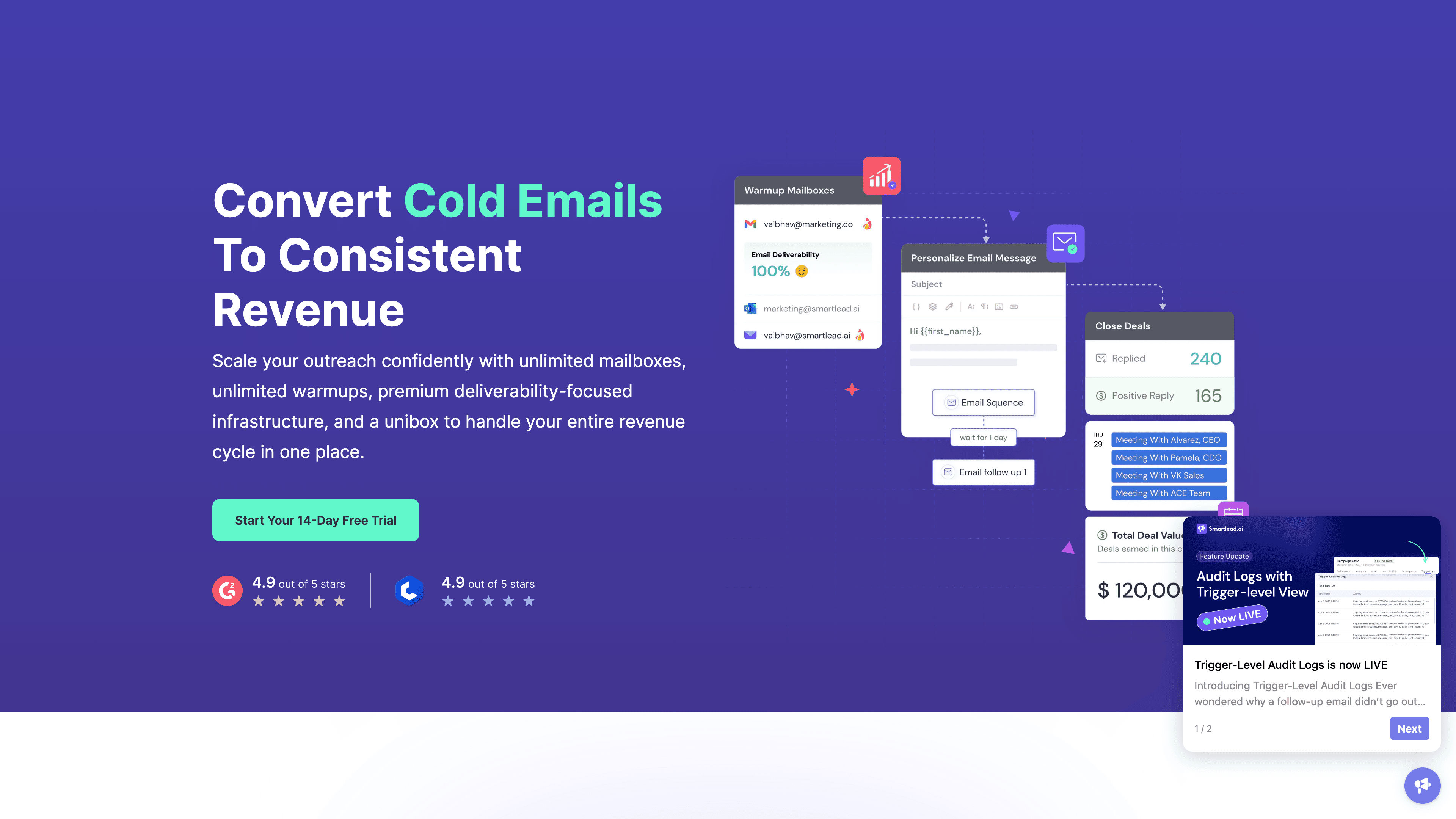
Like Instantly, Smartlead allows unlimited email accounts on all plans. But it goes further on the technical side: dynamic IP rotation, detailed DNS/SPF/DKIM monitoring, and basically every deliverability knob you could want to turn.
Pricing starts at $39-94/month for tens of thousands of emails. You can add unlimited inboxes, warm them all automatically, and manage everything from a unified interface. For agencies running dozens of client campaigns, this completely transforms the economics compared to Lemlist's per-seat model.
What Makes It Powerful
• Unlimited mailboxes with advanced management – No caps. Add as many as your operation needs.
• Deep deliverability controls – Dynamic IP rotation, infrastructure monitoring, reputation tracking at a granular level. Built for people who want to optimize every variable.
• Unified inbox and reply management – Even with 50 inboxes, you handle all replies from one interface.
• Strong API support – Technical teams can integrate Smartlead into their data pipelines and automate workflows.
The Learning Curve Reality
Smartlead feels technical. The interface and settings can overwhelm non-specialists. Lemlist's UI is more approachable for average sales reps, while Smartlead is geared toward ops experts who want full control.
Also, it doesn't include a built-in prospect database (neither does Lemlist, so this only matters if you're comparing to all-in-one tools like Apollo). And being newer, the community and template libraries are smaller than established platforms.
Best for: Agencies and growth marketers running massive campaigns who are comfortable with technical settings. If you need unlimited sending capacity and want to squeeze every bit of performance from your infrastructure, Smartlead is excellent. Not ideal for small teams wanting simplicity or guidance.
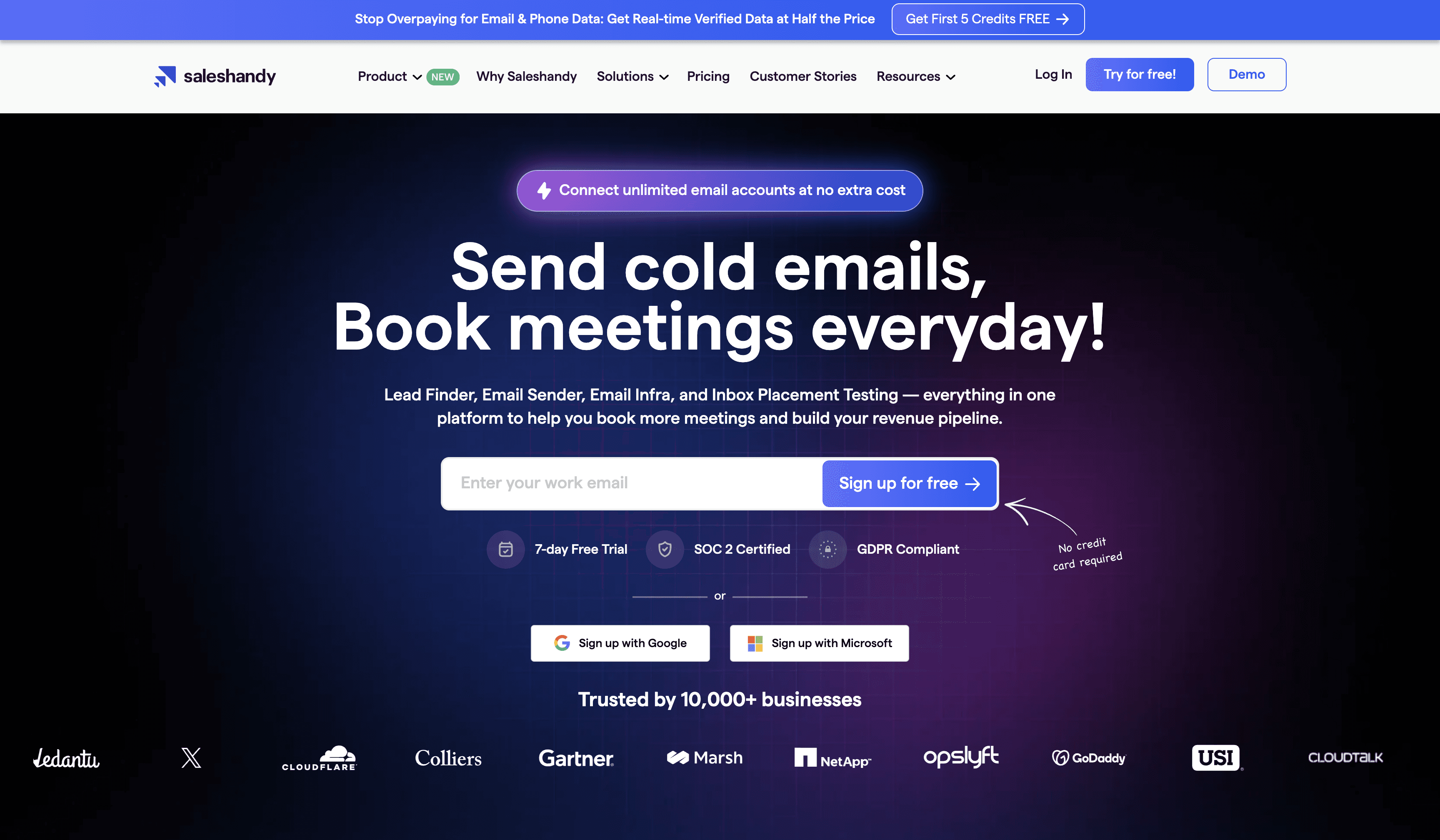
3. Saleshandy – Best for Multi-Client Agency Management
Choose Saleshandy if you run outbound for multiple clients and need agency-first controls without spending thousands monthly.
The Agency Value Proposition
Saleshandy's pricing emphasizes unlimited email accounts, inbox rotation, unified inbox management, and warm-up features. All the things agencies need to manage multiple client campaigns efficiently.
Plans start at $36/month and scale to $199-299/month for higher tiers. Even at the top tier, you're spending a fraction of what it would cost to manage that many campaigns with per-seat tools like Lemlist.
Key Features
→ Unlimited email accounts – Add all your client inboxes without worrying about per-account fees.
→ Unified inbox and rotation – See all replies in one place. Automatically rotate sending across accounts.
→ Built-in warm-up – All accounts get warmed via their partner integration (TrulyInbox).
→ Client management – Oversee everything centrally, give clients access to their results via branded dashboards.
What to Watch
Pricing pages sometimes show seasonal promos and multiple tiers. Always verify your exact price at checkout.
While the feature set is strong for agencies, the focus is primarily on email (less multichannel depth than tools like Reply.io or Mailshake that bundle LinkedIn and calling features in higher tiers).
Best for: Agencies that need to run email campaigns for multiple clients without the per-seat pricing nightmare. If you manage 5-10 client accounts and need cost-efficient infrastructure with strong deliverability features, Saleshandy delivers massive value.
4. Woodpecker – Best for Email Deliverability and Verification
Choose Woodpecker if you've struggled with emails hitting spam and you want a platform that prioritizes inbox placement above everything else.
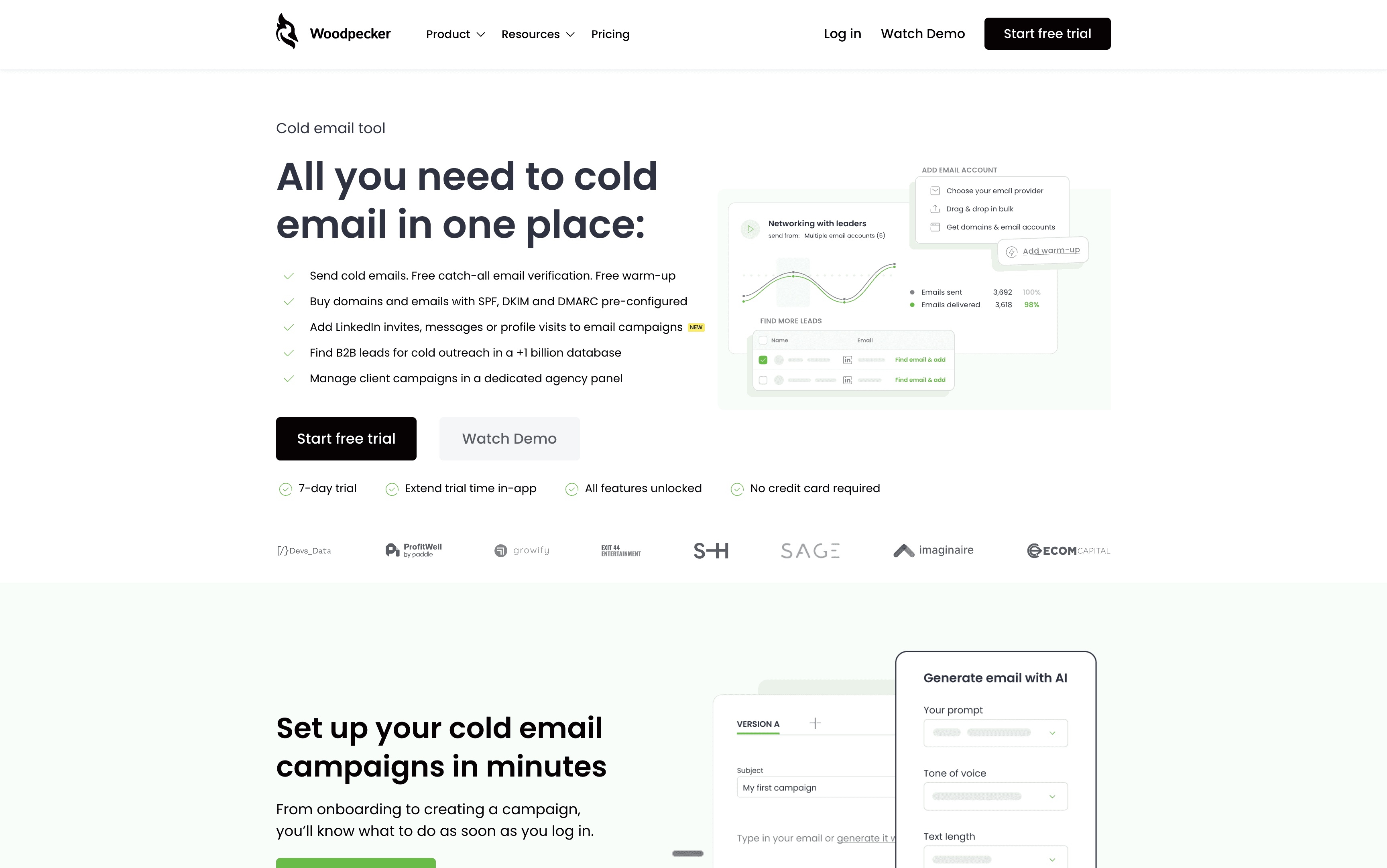
The Deliverability-First Philosophy
Woodpecker automatically verifies emails in your campaigns in real-time, including catch-all addresses. It has a 9-step verification process and will skip or pause contacts that turn invalid. This protects your sender reputation before problems start.
They also include integrated warm-up for free, plus "recovery mode" that slows sending if deliverability issues are detected. Basically, Woodpecker has built-in guardrails to protect your domain health.
Understanding how to fix cold emails going to spam becomes much easier with tools like this that emphasize verification.
What You Get
Feature | What It Does |
|---|---|
Automatic email verification | Real-time checks on every contact, including catch-all detection. Reduces bounces without paying per verification. |
Free warm-up and recovery mode | All accounts get warmed automatically. System slows sending if it detects deliverability drops. |
Multi-channel campaigns | Email sequences plus LinkedIn steps (via add-on). Coordinate touchpoints across channels. |
Agency features | White-label reporting, client management panel, strong data security (GDPR-focused, dedicated IP options for enterprise). |
The Pricing Model
Woodpecker uses prospect-based pricing (how many contacts you engage monthly) rather than strict per-user fees. Plans scale from small operations to thousands of contacts.
They also offer add-ons: LinkedIn automation ($29/mo per account), warm-up ($5/mo per inbox for extra capacity). Even with add-ons, the total cost often beats Lemlist's base price plus warm-up fees.
Tradeoffs to Consider
Woodpecker isn't built for sending millions of emails cheaply. They intentionally cap sending per inbox to preserve reputation. If you need hundreds of inboxes in parallel, this becomes expensive (same as Lemlist). Tools like Instantly would be better for extreme volume.
The UI is functional but less modern than Lemlist's interface. And some multichannel features (like LinkedIn automation) come as add-ons rather than being fully integrated into core plans.
Best for: Teams that prioritize deliverability and data quality above everything. If you've had spam folder issues before, Woodpecker is ideal. Also excellent for agencies needing multi-client management with GDPR compliance and white-label capabilities.
5. Mailshake – Best Multichannel Outreach for Small Teams
Choose Mailshake if you want straightforward, per-user plans with good multichannel features and a platform that just works without complexity.
Why Teams Like It
Mailshake's pricing starts at $29/mo and scales to $99/mo for their Sales Engagement plan (which includes LinkedIn automation and a sales dialer). The interface is clean, onboarding is quick, and most teams get campaigns running within hours.
All plans include unlimited warm-up, mail merge, unified inbox for replies, and A/B testing. There are no surprise add-on fees for basic features. Everything you need to run email outreach is included.
What You Get
• Email sequences and templates – Build automated follow-up campaigns with personalization. Includes template library and AI email writer on higher tiers.
• Multichannel steps – Add LinkedIn tasks and phone call steps to sequences. Higher tiers include a built-in sales dialer.
• Built-in warm-up and deliverability monitoring – No separate service needed. All inboxes warm automatically.
• Strong CRM integrations – Syncs with HubSpot, Pipedrive, Salesforce. Open/click tracking and optimization tools included.
The Cost Scaling Reality
Mailshake charges per user like Lemlist. If you need multiple reps or many inboxes, costs multiply (3 users = 3× the monthly price). There's no unlimited inbox option.
Also, while you can personalize text extensively, Mailshake doesn't have Lemlist's unique image/video personalization features. And mailbox limits per plan/user can matter when you're trying to scale volume.
Best for: Small to mid-sized sales teams with one or a few people sending cold emails. If you want multichannel capabilities (dialer, LinkedIn), strong support, and a mature platform without complexity, Mailshake is a top choice. Less ideal for agencies needing dozens of inboxes on a budget.
6. Reply.io – Best AI-Powered Multichannel Sequences
Choose Reply.io if you want Outreach-like sales engagement features (email, LinkedIn, calls, SMS) at a more accessible price point, with AI helping you build campaigns faster.
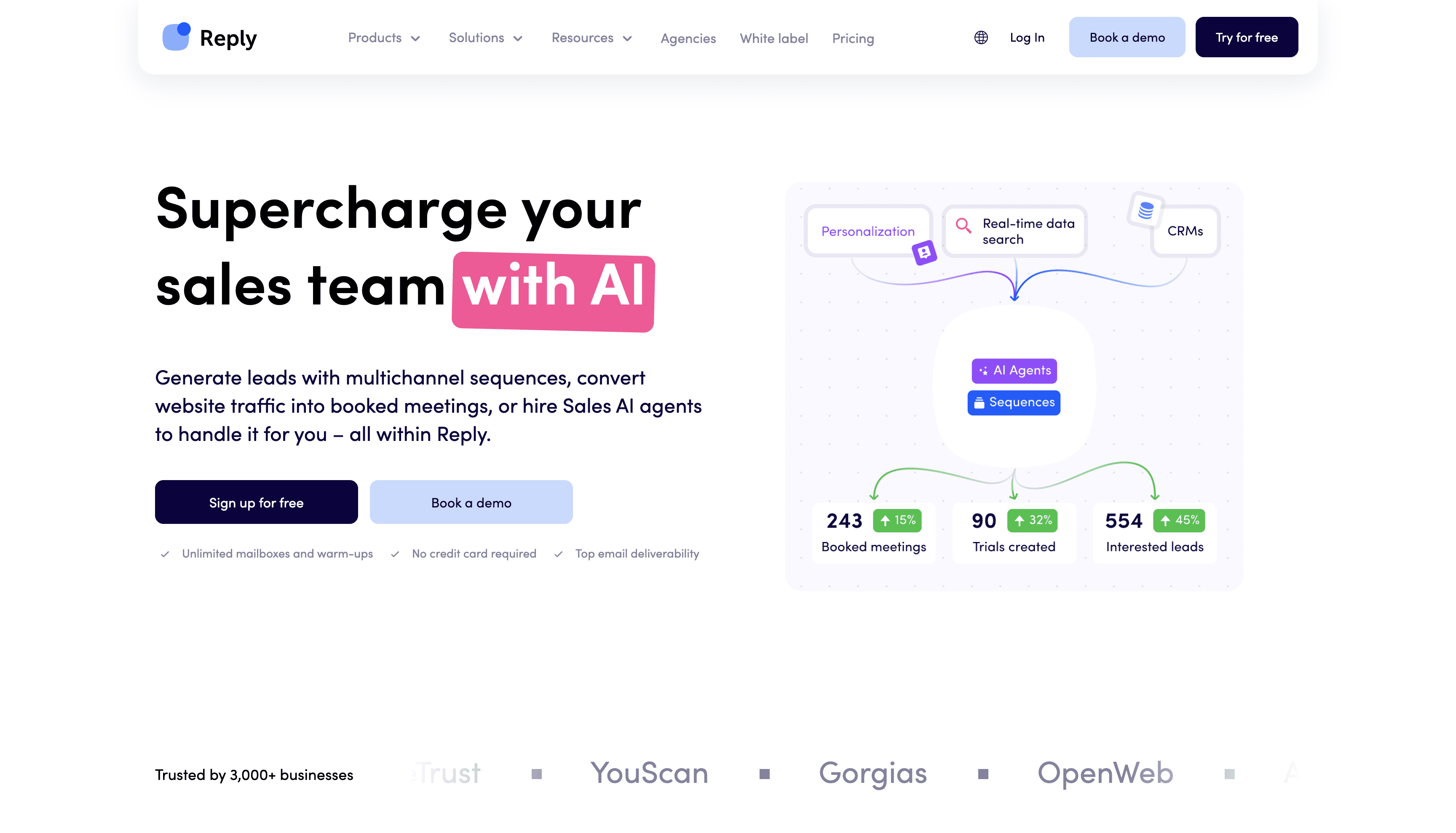
The Multichannel Advantage
Reply.io supports sequences across email, LinkedIn messages, phone calls, SMS, and even WhatsApp. It's a true sales cadence tool, not just email automation.
Plans start at $49/user/mo for email-only, or $89/user/mo for full multichannel. That $89 plan gives you nearly all the channels and features at a fraction of enterprise platform costs.
What Makes It Stand Out
Jason AI – sequence generator – Tell Reply.io your goal, and it drafts entire multi-step campaigns automatically. Great for overcoming writer's block and launching campaigns fast.
Full multichannel automation – Email, LinkedIn (connections + messages), calling tasks, SMS, all coordinated in one sequence.
Agency-friendly features – White-label option, multi-account management for agencies offering outreach as a service.
Built-in warm-up and deliverability – Included at no extra charge. Set daily limits easily to maintain natural sending patterns.
The Complexity Tradeoff
Because Reply.io does more than just email, there's more to learn. Some users report the UI terminology can be confusing and setup isn't as straightforward as Lemlist's email-focused interface.
Also, the multichannel plan notes a minimum of two users for subscriptions. If you're solo, you might stick to their lower email-only plan or choose a simpler tool.
Best for: Small-to-mid sales teams or agencies that want a balanced mix of features and price. If Outreach feels too expensive but Lemlist too limited, Reply.io is the "Goldilocks" alternative. Also great if you want AI to accelerate campaign creation or need white-label service for clients.
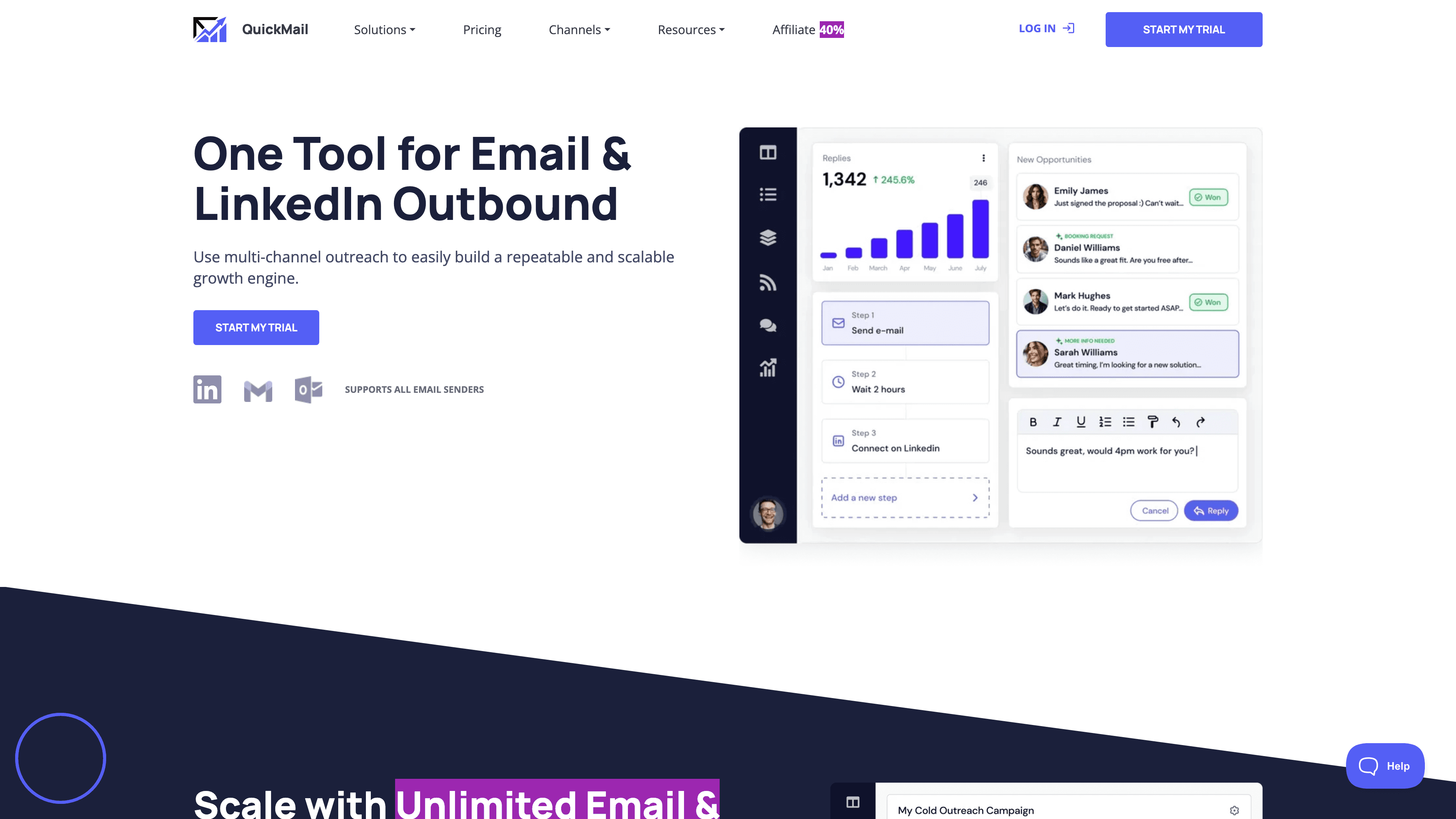
7. QuickMail – Best Low-Cost Multichannel Option
Choose QuickMail if you want the lowest possible entry point with multichannel features and you're okay with basic functionality.
The Ultra-Low Price Point
QuickMail's Starter plan costs $9/mo and includes 1 email sender, 1 LinkedIn account, 3,000 emails/month, and free warm-up via their MailFlow integration.
For nine dollars. Monthly.
This makes it incredibly easy to test cold email outreach without financial risk. The Growth plan at $99/mo adds more capacity and features.
What You Get
① Multi-inbox support – Even entry plans let you connect multiple sending accounts (limits vary by tier).
② Integrated warm-up – MailFlow automatically warms all your inboxes for free.
③ Email sequences plus LinkedIn – Basic multichannel automation without paying hundreds monthly.
④ Agency features – Higher plans support client management and team collaboration.
The Validation Step
At $9/mo, it's easy to start, but you need to verify whether QuickMail scales to meet your needs. The ultra-low price suggests limitations on advanced features, reporting depth, and integrations compared to premium tools.
Think of QuickMail as an excellent entry point or a cost-efficient tool for smaller operations. If you outgrow it, you'll know exactly what features you need in your next platform.
Best for: Individuals or small teams testing cold email outreach without major investment. Perfect if you're bootstrapping or want to validate cold email as a channel before committing to more expensive tools.
8. Snov.io – Best for Prospecting + Outreach Combined
Choose Snov.io if you need help building your outreach list from scratch and want one platform that handles finding emails, verifying them, and sending campaigns.
The All-in-One Value
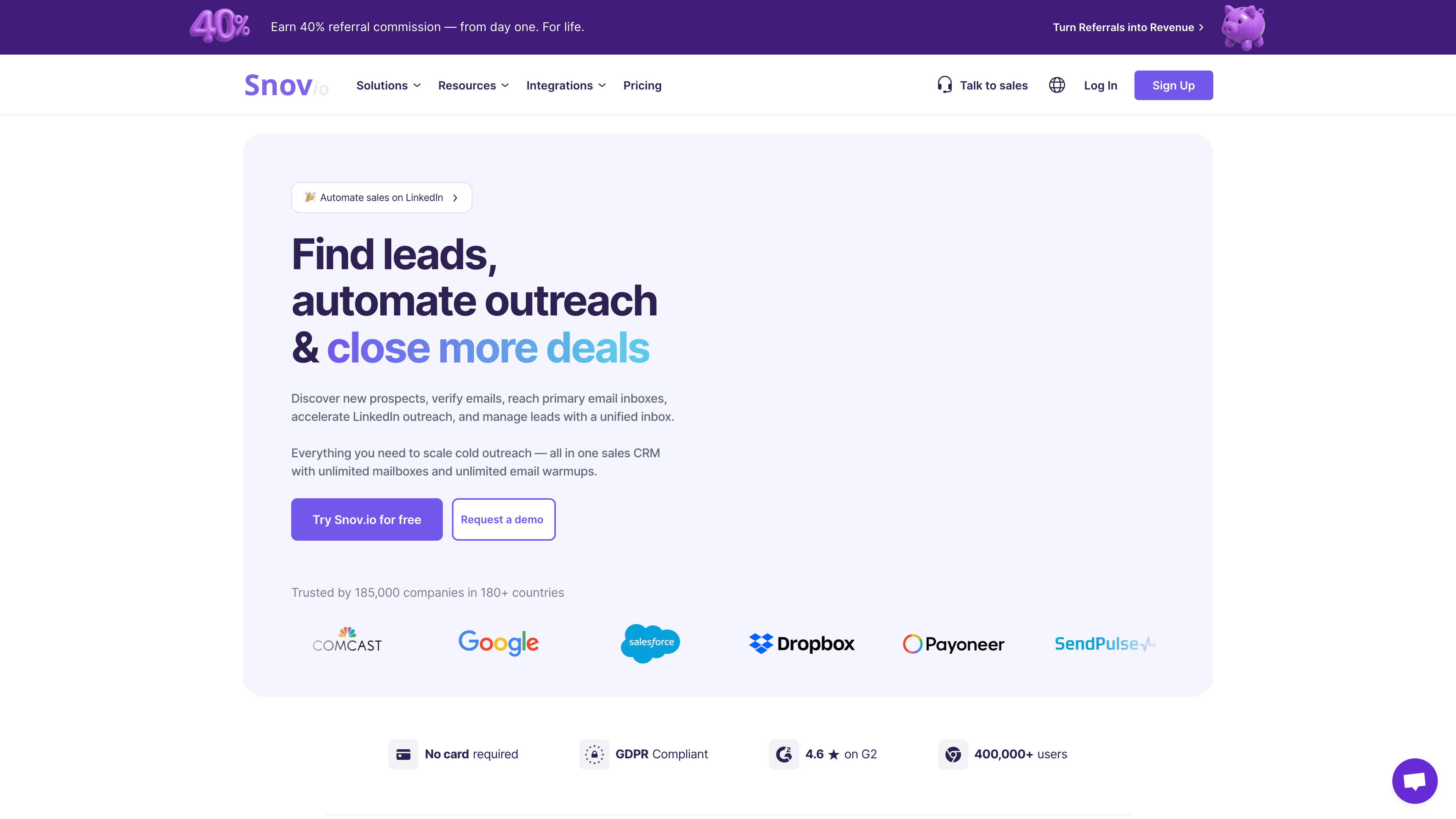
Snov.io started as an email finder tool (like Hunter.io). You can search for emails by domain, scrape LinkedIn for prospects with their Chrome extension, and enrich contacts with names, roles, and company info.
Then you verify those emails (reducing bounces), organize them into campaigns, and send automated sequences. All without leaving the platform.
Pricing starts at $29.25/mo (annual plan) and includes credits for finding emails, verifying them, and sending campaigns. There's even a free plan (150 credits/month) to test it out.
What You Get
→ Email finder and enrichment – Build prospect lists without separate data subscriptions.
→ Built-in verification – Clean your lists before sending to maintain high deliverability.
→ Drip campaigns – Automated email sequences with triggers, personalization, tracking.
→ Light CRM – Manage deals and track which leads replied or converted.
→ Integrations – Zapier, HubSpot, Pipedrive, plus API access for custom workflows.
The Credit System Reality
Snov.io uses a credit-based model: 1 credit might equal 1 email sent or 1 contact found. This flexibility is great for moderate usage, but high-volume senders can burn through credits quickly.
If you're running big campaigns and also need data constantly, you might need higher tiers or extra credits. The pay-as-you-go model requires more planning than flat-rate tools.
Also, while Snov.io does many things well, specialized tools might beat it in specific areas. For comprehensive cold email list building strategies, you'll want to combine multiple data sources regardless of which platform you use.
Best for: Entrepreneurs and small teams who need help building lists from scratch and want convenient all-in-one functionality. If you don't have a big budget for both data and an email tool, Snov.io solves both problems affordably.
9. Apollo – Best Database + Cold Email Combined
Choose Apollo if your biggest bottleneck is finding leads, not sending emails, and you want both capabilities in one platform.
The Database Advantage
Apollo provides access to over 210 million contacts and 35 million companies with advanced filters for targeting. It's like having ZoomInfo or LinkedIn Sales Navigator built into your email tool.
You can search by industry, role, tech stack, company size, and add contacts straight into sequences. For teams that struggle with list building, this is transformational.
What You Get Beyond Data
Capability | Description |
|---|---|
Multichannel sequences | Email, call tasks, LinkedIn steps all in one workflow. |
Built-in power dialer | Make calls, drop voicemails, track call outcomes. |
Light CRM functionality | Manage deals and pipeline without a separate CRM (or sync with Salesforce/HubSpot). |
Chrome extension | Capture leads from LinkedIn and enrich them automatically. |
AI sales assistance | Lead scoring, next-action recommendations, email content suggestions. |
Pricing and Tradeoffs
Annual pricing commonly cited: $49/user/mo (Basic), $79/user/mo (Professional), $119/user/mo (Organization).
Given that includes both data and outreach tools, many teams find it better value than Lemlist ($69) plus a separate data subscription. For a single rep who needs both, Apollo can actually save money.
But Apollo is per-seat like Lemlist, so costs multiply with team size. And while it has deliverability features, it's not as specialized on cold email deliverability as tools built specifically for that (you need to follow best practices carefully).
Best for: Sales teams and startups that need both lead data and outreach tools together. Perfect if you're constantly building new prospect lists and want efficiency from "I need contacts" to "I emailed them" in one workflow.
10. Klenty – Best for SDR Team Cadence Workflows
Choose Klenty if you want sales engagement platform capabilities (cadences, tasks, multichannel) optimized for SDR teams.
The SDR-Focused Design
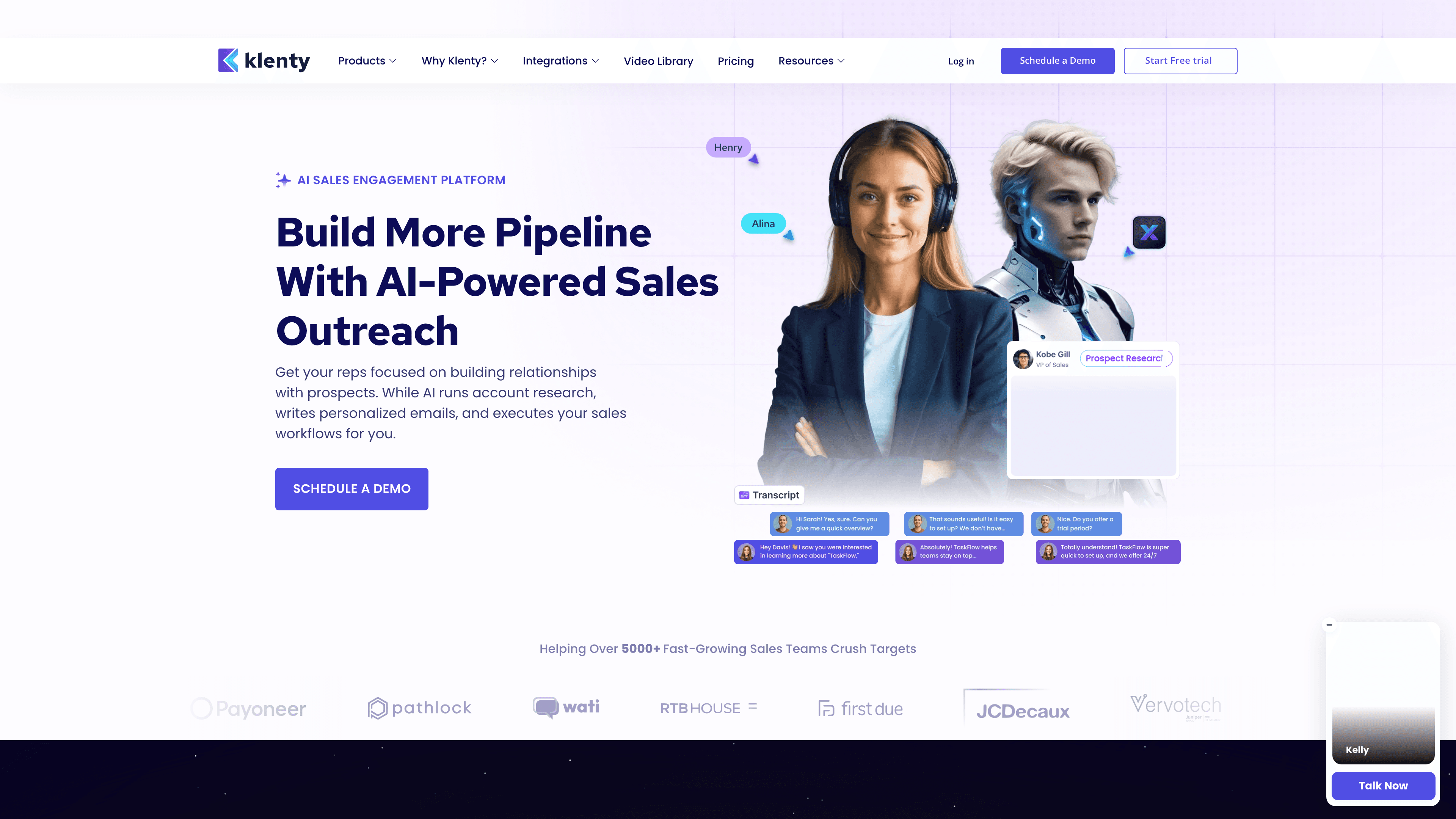
Klenty is built around the idea of sales cadences: multi-step, multi-channel sequences that guide reps through exactly who to contact and when.
It supports email, calls, LinkedIn, SMS, and manual tasks. Reps get a daily to-do list of who to reach out to next, making it easier to execute consistent outbound motions.
Pricing starts at $50/user/mo (annual billing) and scales up with more advanced features.
What You Get
• Full sales cadences – Not just email sequences, but coordinated outreach across channels.
• Task management – Assign manual touches (like personalized LinkedIn messages or research tasks) alongside automated steps.
• Team collaboration – Shared playbooks, templates, and performance tracking for managers.
• CRM integration – Deep sync with Salesforce, HubSpot, Pipedrive for seamless data flow.
When It Works Best
Klenty shines when you have process maturity: defined ICPs, proven cadences, reps who need structure. If you're still experimenting with messaging or have ad-hoc outreach, simpler tools might fit better.
Also, it's per-seat pricing, so costs scale with team size like Lemlist (and unlike unlimited-inbox tools).
Best for: SDR teams and sales organizations with defined processes. If you want to standardize outbound execution across multiple reps and need multichannel coordination, Klenty delivers.
11. GMass – Best Gmail-Native Mail Merge Tool
Choose GMass if you live in Gmail and want to send campaigns directly from your inbox without learning a separate platform.
The Gmail Integration Advantage
GMass is a Chrome extension that turns Gmail into a cold email platform. You compose emails in Gmail and send them to lists as individual emails (mail merge).
It uses Gmail's servers to send, which can improve deliverability for small campaigns since it mimics manual sending. All your sent emails and replies stay in your Gmail folders, which some people strongly prefer.
What You Get
① Send campaigns inside Gmail – No separate interface to learn. Everything happens in your familiar inbox.
② Automatic follow-ups – Multi-stage sequences managed through Gmail labels. If someone doesn't reply, follow-ups send automatically.
③ Google Sheets integration – Build your prospect list in a spreadsheet, connect it to GMass, and personalize with merge tags.
④ Work around Gmail limits – Normal Gmail caps you at ~500 emails/day (2,000 on Workspace). GMass can distribute campaigns over multiple days or accounts to maximize throughput.
⑤ Basic tracking – Open tracking, click tracking, reply detection with simple dashboards.
Pricing and Limitations
Plans start at $25/mo (Standard) and go up to $55/mo (Professional). Even the highest tier is cheaper than Lemlist's base price.
But GMass is Gmail-only. If you use Outlook or custom SMTP, it won't work. And it lacks team features, multi-channel capabilities, or multi-account management dashboards that other tools provide.
Best for: Solo entrepreneurs, freelancers, or small outreach projects that want ultra-simplicity and a Gmail-integrated solution. Perfect if your sending volume fits Gmail's limits and you value staying in one interface.
12. Mixmax – Best Gmail Productivity + Cold Email Sequences
Choose Mixmax if you want to improve your overall email efficiency (scheduling, templates, CRM sync) while also doing outreach sequences.
More Than Just Cold Email
Mixmax works as a Chrome extension layered on Gmail. It adds a sidebar and buttons for sequencing, templates, tracking, and calendar integration.
You can insert calendar availability into emails (like Calendly), embed polls or surveys, schedule follow-ups, and track engagement. All without leaving Gmail.
What You Get
→ Sequences and mail merge – Multi-stage email campaigns with personalization, managed inside Gmail.
→ Calendar integration – Let prospects book meetings directly from your emails. Replaces separate scheduling tools.
→ CRM sync – Higher plans automatically log emails and sync data with Salesforce.
→ Team features – Shared templates, sequences, visibility into colleague availability.
The Pricing and Focus
Basic plans start around $24/user/mo. Full-featured plans with Salesforce integration run $65+/mo.
Mixmax is broader than cold email tools. It's designed to make your entire email workflow more efficient. The cold email features are good, but not as specialized as platforms built specifically for cold outreach at scale.
Best for: Gmail power users and sales teams that want overall email productivity improvements alongside outreach capabilities. Excellent if you mix cold emailing with regular sales follow-ups and want everything in your inbox.
13. Outreach – Best Enterprise Sales Engagement Platform
Choose Outreach if you're an enterprise sales organization that needs governance, forecasting integration, and standardization across many reps.
The Enterprise Platform
Outreach enables complex sequences across email, phone, LinkedIn, SMS with branching logic and conditional steps. It's designed for SDR teams handling thousands of prospects with tailored cadences.
Deep CRM integration means all activities log automatically and pipeline data flows both ways. You get features for opportunity management, forecasting, and even AI coaching (Kaia AI can join sales calls and provide real-time suggestions).
What Makes It Powerful
Feature | Value |
|---|---|
Advanced multi-channel sequencing | Automate entire outbound playbooks across all channels. |
Enterprise reliability | Used by Adobe, Shopify, and other major companies. Proven at massive scale. |
AI-driven insights | Sentiment analysis, performance benchmarking, sequence optimization recommendations. |
Team management | Role-based permissions, shared playbooks, comprehensive analytics for managers. |
The Cost and Complexity Reality
Outreach doesn't publish pricing publicly. It's quote-based and commonly estimated at $100-150+/user/month for larger teams (with minimum seat requirements).
You're also looking at implementation costs, training time, and potentially a dedicated ops person to manage the platform. It's a major investment.
Best for: Large B2B sales teams (10+ reps) that need scalable, multi-channel sales engagement tightly integrated with their CRM. Perfect for organizations with sales ops functions and sophisticated pipeline management. Overkill for startups and small teams.
14. Salesloft – Best Enterprise Platform with Coaching
Choose Salesloft if you want a mature sales engagement platform with analytics, coaching features, and enterprise support.
The Mature Platform Advantage
Salesloft offers comprehensive sales cadence management, deep CRM integration, and extensive add-ons for coaching, conversation intelligence, and revenue operations.
It's built for sales organizations that need to standardize processes, coach reps at scale, and tie outreach metrics to revenue outcomes.
What You Get
• Full sales engagement suite – Email, calling, social, tasks all coordinated.
• Coaching and analytics – Call recording, performance metrics, manager dashboards for rep development.
• Revenue operations tools – Forecasting, pipeline management, attribution models.
Pricing and Fit
Salesloft doesn't list public pricing. It's contact-for-quote and typically requires annual contracts.
Like Outreach, it's expensive and complex. Perfect for large sales orgs with budget and resources. Too heavy for SMB or founder-led outbound.
Best for: Enterprises standardizing outbound across large sales teams with comprehensive training, coaching, and analytics requirements.
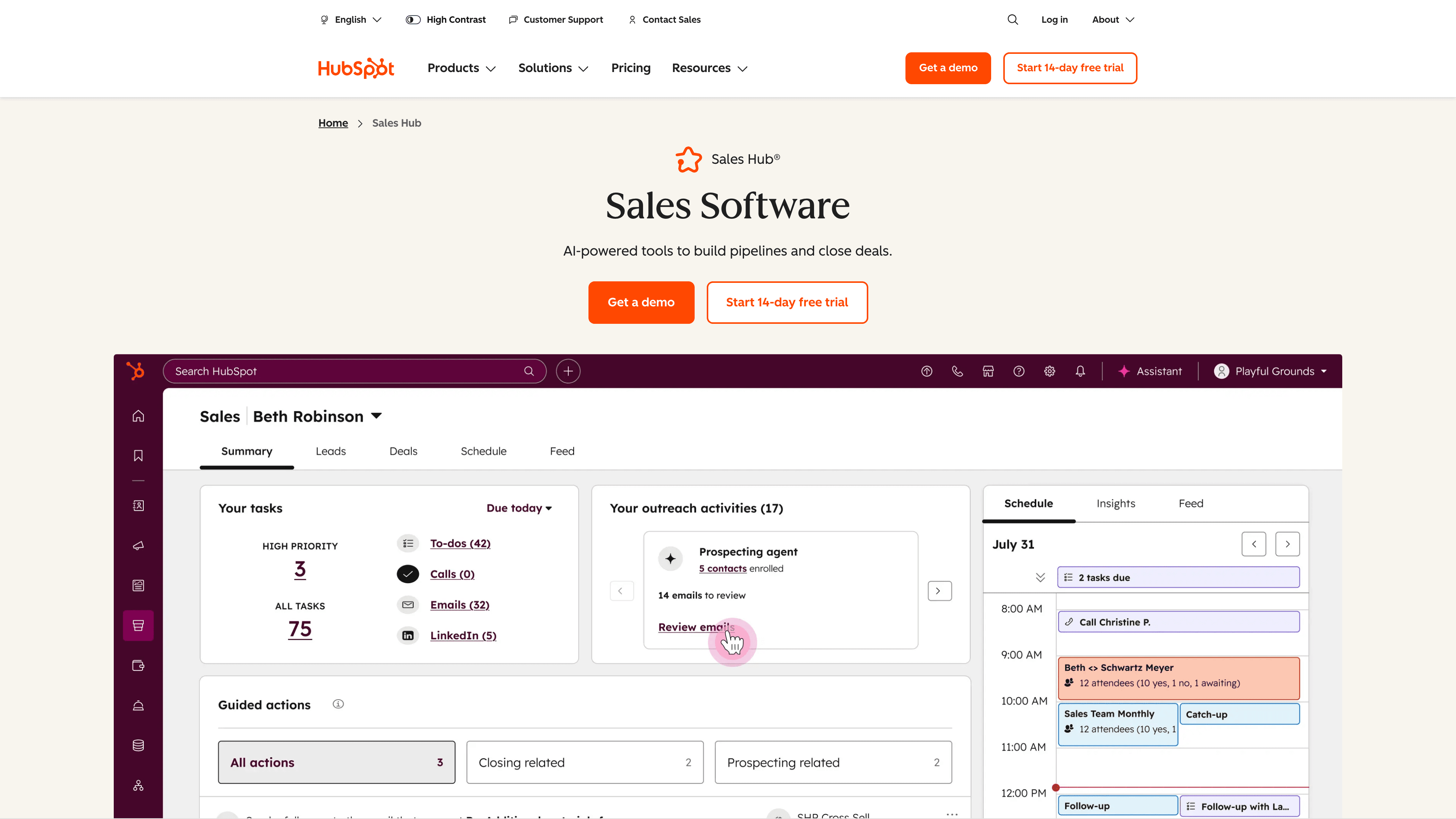
15. HubSpot Sales Hub – Best CRM-Native Sequences
Choose HubSpot Sales Hub if your team lives in HubSpot and you want sequences, pipeline management, tasks, and reporting in one integrated system.
The All-in-One CRM Advantage
If you're already using HubSpot CRM, Sales Hub adds sequencing capabilities directly inside your existing workflow. No separate tool to learn, no data syncing issues, complete visibility from first touch to closed deal.
HubSpot's Product & Services Catalog lists Sales Hub Enterprise starting at $150/month per seat (annual billing), plus a one-time $3,500 onboarding fee.
What You Get
→ CRM-native sequences – Build email cadences that automatically update deal stages and log activities.
→ Pipeline and deal management – Everything in one system. No jumping between tools.
→ Reporting and analytics – Full visibility into how outreach impacts pipeline and revenue.
→ Team features – Shared templates, playbooks, coaching tools for managers.
The Cost Consideration
HubSpot can get expensive fast with seat costs and onboarding requirements. But if you're already paying for HubSpot CRM and want to consolidate tools, Sales Hub can actually save money versus buying separate outreach software and maintaining integrations.
Best for: Teams already invested in HubSpot who want to consolidate their stack and manage everything in one system. Less ideal if you're not using HubSpot or if you want a lighter, cheaper cold email tool.
The Best Alternative: Done-For-You Cold Email Service
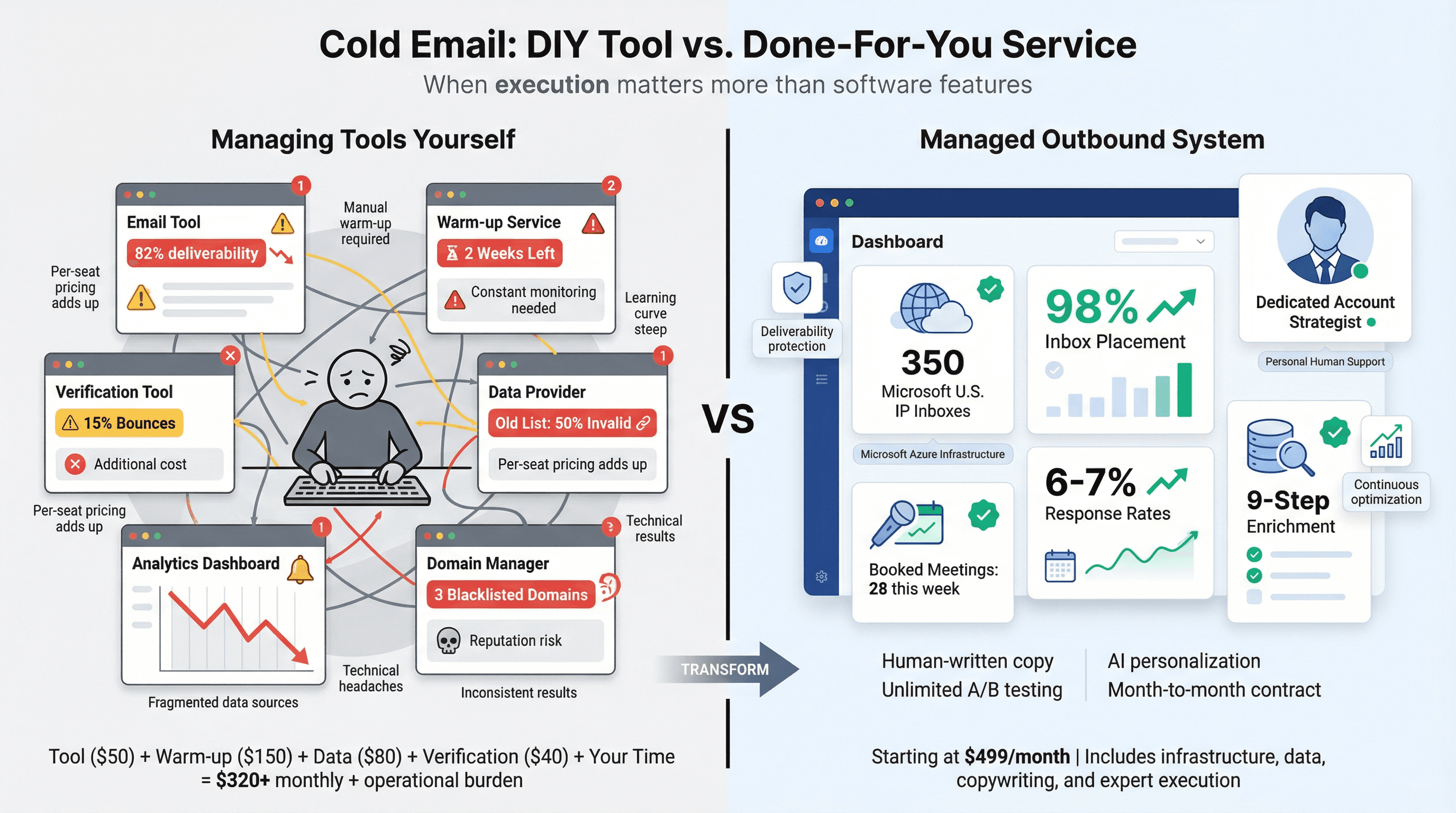
Here's something most people realize after testing 2-3 platforms:
The tool wasn't the bottleneck. Execution was.
If you don't want to manage domains, inbox provisioning, deliverability monitoring, list building, copywriting, personalization, reply handling, and meeting booking yourself, a managed outbound system might be the highest-ROI alternative.
What Managed Outbound Actually Means
Instead of paying for software and figuring it out yourself, you pay a service that handles everything. We're talking about a team that:
• Sets up and manages hundreds of warmed inboxes on private domains
• Builds and verifies prospect lists using multi-source enrichment
• Writes and optimizes email copy with AI personalization
• Monitors deliverability across all sending infrastructure
• Handles replies and books qualified meetings on your calendar
For teams considering whether to build in-house or outsource, our guide on cold email agency vs in-house SDR breaks down the real costs and tradeoffs.
How We Approach It at Outbound System
We run cold email, LinkedIn outreach, and calling campaigns as a fully managed service for B2B companies. Our plans start at $1,499/month and include:
Hundreds of dedicated Microsoft U.S. IP inboxes – All warmed and maintained automatically
9-step waterfall enrichment – Triple-verified data to minimize bounces and maximize reply probability
AI personalization with human copywriting – We blend human-written sales copy with AI-driven prospect-specific lines
Unlimited campaigns and A/B testing – We continuously optimize messaging and targeting
Dedicated account strategist – Real person analyzing your results and refining approach
We've sent 52M+ cold emails, generated 127K+ leads, and helped close $26M in revenue for 1,000+ B2B clients. The core insight: deliverability engineering matters more than tool features.
Our private Microsoft Azure infrastructure achieves 98% inbox placement and 6-7% response rates because we control the entire sending stack, not just the software layer.
When Managed Outbound Makes Sense
If you're spending more time managing deliverability, warming domains, and troubleshooting campaigns than you are closing deals, managed outbound can deliver better ROI.
The cost ($1,499-$3,999/mo) is higher than a Lemlist subscription, but it includes software, data, infrastructure, and expert execution. For companies that value results over learning curves, it's often the smarter investment.
We offer month-to-month contracts with no long-term commitments. If it's not working, you can cancel. But if it is working (like it does for our 1,000+ clients), you're getting qualified meetings without the operational headache.
Learn more about our managed outbound system or book a free 15-minute consultation to see if it's a fit.
How to Choose the Right Lemlist Alternative (Decision Framework)
Step 1: Decide Your Outbound Operating Model
Pick one:
① Rep-led outbound (low volume) – Inbox-native tools like GMass or Mixmax work fine
② Growth outbound (moderate volume) – Platforms like Lemlist, Mailshake, Woodpecker
③ Scale outbound (multi-inbox) – Instantly, Smartlead, Saleshandy
④ Enterprise engagement – Outreach, Salesloft, HubSpot
⑤ Done-for-you – Managed service like Outbound System
Step 2: Do the Deliverability Math
Simple rule of thumb (varies by industry and domain health):
If you want to send X emails/day, and you keep inboxes around 20-40 new contacts/day (conservative), you'll need roughly:
X ÷ 30 = number of active sending inboxes
Example: Want to send 600 emails/day? You need roughly 20 inboxes to maintain safe per-inbox volume.
If a tool makes it easy to add 100 inboxes, that doesn't mean you should. It means you can scale while keeping per-inbox volume low enough to maintain deliverability.
Learn more about how many cold emails you can send per day without hurting deliverability.
Step 3: Pick the Platform Matching Your Constraints
Quick filters:
• Need unlimited/very high mailbox counts → Instantly, Smartlead, Saleshandy
• Need multichannel → Mailshake, Reply.io, Klenty, Woodpecker (with add-ons)
• Need built-in prospecting → Apollo, Snov.io, Lemlist database access
• Need enterprise governance → Outreach, Salesloft, HubSpot
• Want lowest cost to start → QuickMail Starter ($9/mo)
• Want someone else to handle everything → Outbound System (managed service)
Lemlist Alternatives: Common Questions
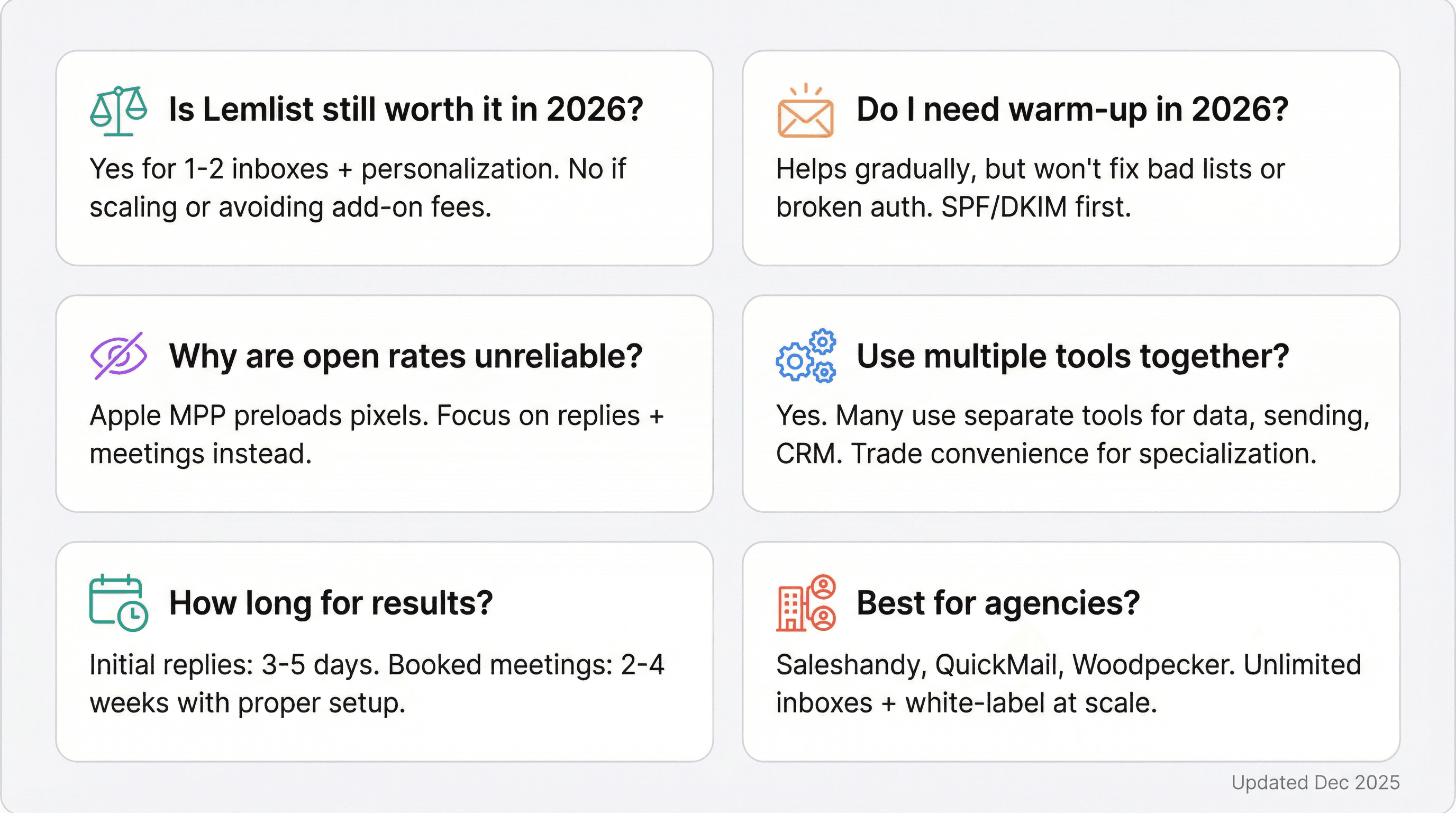
Is Lemlist still worth it in 2026?
Yes, if you value personalization features (custom images, videos) and you're a small team using 1-2 inboxes. Lemlist does personalization better than most alternatives.
But if mailbox caps, pricing model, or workflow don't match your outbound motion, alternatives can deliver better value. Most teams outgrow Lemlist when they need to scale beyond a few inboxes or when the add-on fees (warm-up, verification) make total costs uncomfortable.
Do I actually need a warm-up tool in 2026?
Warm-up can help new mailboxes build sender reputation gradually. But it won't fix bad lists, spammy offers, or broken authentication.
Make sure your SPF, DKIM, and DMARC records are configured correctly first. Follow modern sender requirements (especially at higher volume). Warm-up is useful, but it's not a magic solution if fundamentals are wrong.
Learn more about email warmup services for cold outreach and when you actually need them.
Why are open rates unreliable now?
Apple's Mail Privacy Protection preloads email pixels and masks IP addresses. This means emails can show as "opened" even when the person never actually read them.
Focus on replies, positive replies, and meetings booked instead. Those metrics tell you what's actually working. Our article on why you shouldn't always track cold email open rates explains this in detail.
Can I use multiple tools together?
Absolutely. Some teams use one tool for prospecting (Apollo, Snov.io), another for sending (Instantly, Smartlead), and a third for CRM (HubSpot, Salesforce).
The tradeoff is integration complexity and managing multiple subscriptions. All-in-one platforms are more convenient but sometimes more expensive or less specialized in each area.
How long does it take to see results from cold email?
With proper setup (warmed domains, verified lists, good copy), most teams see initial replies within 3-5 days of launching campaigns.
Meaningful pipeline development and booked meetings typically show up within 2-4 weeks of consistent outreach. If you're not seeing any positive replies after two weeks, your list quality, copy, or deliverability needs work.
For proven approaches, check out our cold email best practices and cold email copywriting tips.
What's the best alternative for agencies specifically?
Saleshandy, QuickMail, Woodpecker, and Reply.io all offer strong agency features (multi-client management, white-label reporting, unlimited inboxes).
Saleshandy and QuickMail typically have the best pricing for agencies needing many inboxes across multiple clients. Woodpecker offers superior deliverability controls if that's your priority.
To understand the real economics, see our breakdown of how much does a cold email agency cost.
Final Recommendation: Quick Decision Guide
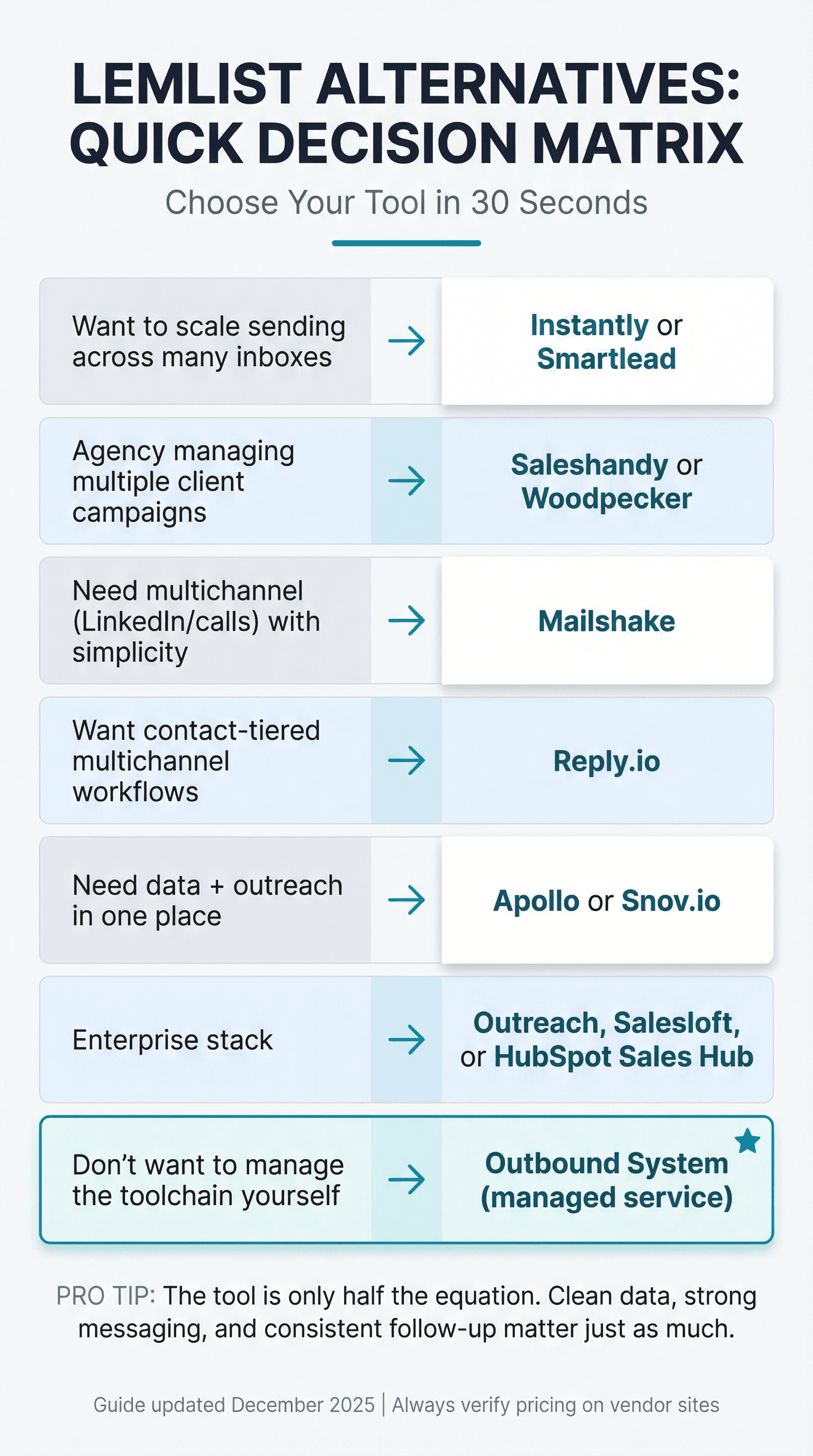
If you want a simple "choose this" mapping:
Your Situation | Recommended Tool |
|---|---|
Want to scale sending across many inboxes | Instantly or Smartlead |
Agency managing multiple client campaigns | Saleshandy or Woodpecker |
Need multichannel (LinkedIn/calls) with simplicity | Mailshake |
Want contact-tiered multichannel workflows | Reply.io |
Need data + outreach in one place | Apollo or Snov.io |
Enterprise stack | Outreach, Salesloft, or HubSpot Sales Hub |
Don't want to manage the toolchain yourself | Outbound System (managed service) |
The right choice depends on your volume needs, budget constraints, technical comfort level, and whether you want to DIY or outsource execution.
Whatever you choose, remember: the tool is only half the equation. Clean data, strong messaging, and consistent follow-up matter just as much as which platform you use.
Get those fundamentals right, pair them with the tool that matches your operating model, and you'll be generating qualified meetings regardless of which Lemlist alternative you pick.
For comprehensive guidance on building effective campaigns, explore our resources on cold emailing strategies, email outreach strategies, and lead generation for sales.
This guide was researched using pricing and specifications available as of December 2025. Vendor pricing, limits, and packaging change frequently. Always confirm details on each provider's pricing page before purchasing.