Your cold email list is only as good as the data behind it.
You've probably experienced this: you spend hours building a prospect list, craft the perfect outreach sequence, hit send on thousands of emails, and then watch your bounce rate climb. Maybe you get a few replies, but most of them are variations of "wrong person" or "I don't work there anymore."
The problem isn't your messaging. It's your data.
Over 20% of B2B contact data becomes outdated within a year. Job titles change, people switch companies, email addresses get deactivated, and suddenly yesterday's carefully built list is mostly garbage. This is where lead enrichment tools come in. They automatically fill in missing information and update stale data so you're not wasting time (and damaging your sender reputation) on contacts that don't exist anymore.
In this guide, we'll walk through what lead enrichment actually is, why it matters for your outbound campaigns, and how to pick the right tool for your specific needs. We'll also cover the top options available in 2025, with real pricing and feature breakdowns.
What Is Lead Enrichment and Why Does It Matter?
Lead enrichment is the process of taking a basic contact record and adding more information to it. You might start with just a name and email address, then enrich it to include job title, company size, direct phone number, LinkedIn profile, technology stack, and recent company news.
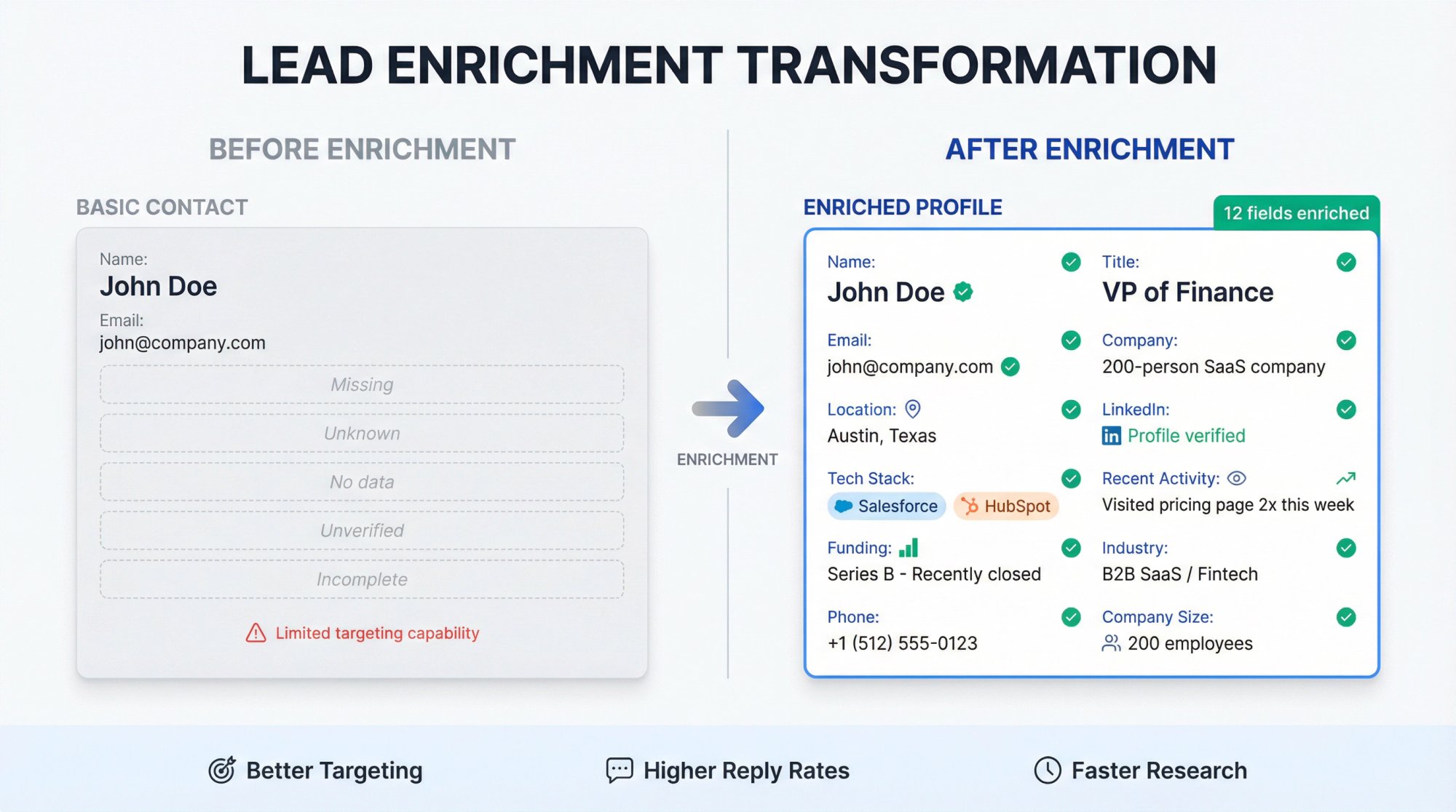
Think of it like this: you have "John Doe, john@company.com" and that's it. After enrichment, you know John is the VP of Finance at a 200-person SaaS company in Austin, they use Salesforce and HubSpot, they just raised a Series B, and John visited your pricing page twice last week.
That's the difference between generic spray-and-pray outreach and targeted, relevant messages that actually get replies.
It's important to understand that enrichment is not the same as lead generation. Lead generation is about finding new prospects. Enrichment is about making the prospects you already have more useful. You typically enrich leads after you've collected them (from LinkedIn, a trade show, your website, wherever) to fill in the gaps before you start outreach.
At Outbound System, we see teams struggle with this constantly. They'll export a list from Sales Navigator with 1,000 names and companies, but half the email addresses are missing or unverified. Running that through an enrichment process before the campaign can be the difference between a 3% bounce rate and a 30% bounce rate.
The core value proposition is simple: enriched data lets you personalize better, target smarter, and waste less time on dead ends.
Why Use Lead Enrichment Tools?
You might be thinking, "Can't I just Google each prospect and fill this in manually?" Sure, if you have infinite time and patience. For everyone else, here's why enrichment tools are worth it:
How Lead Enrichment Improves Reply Rates
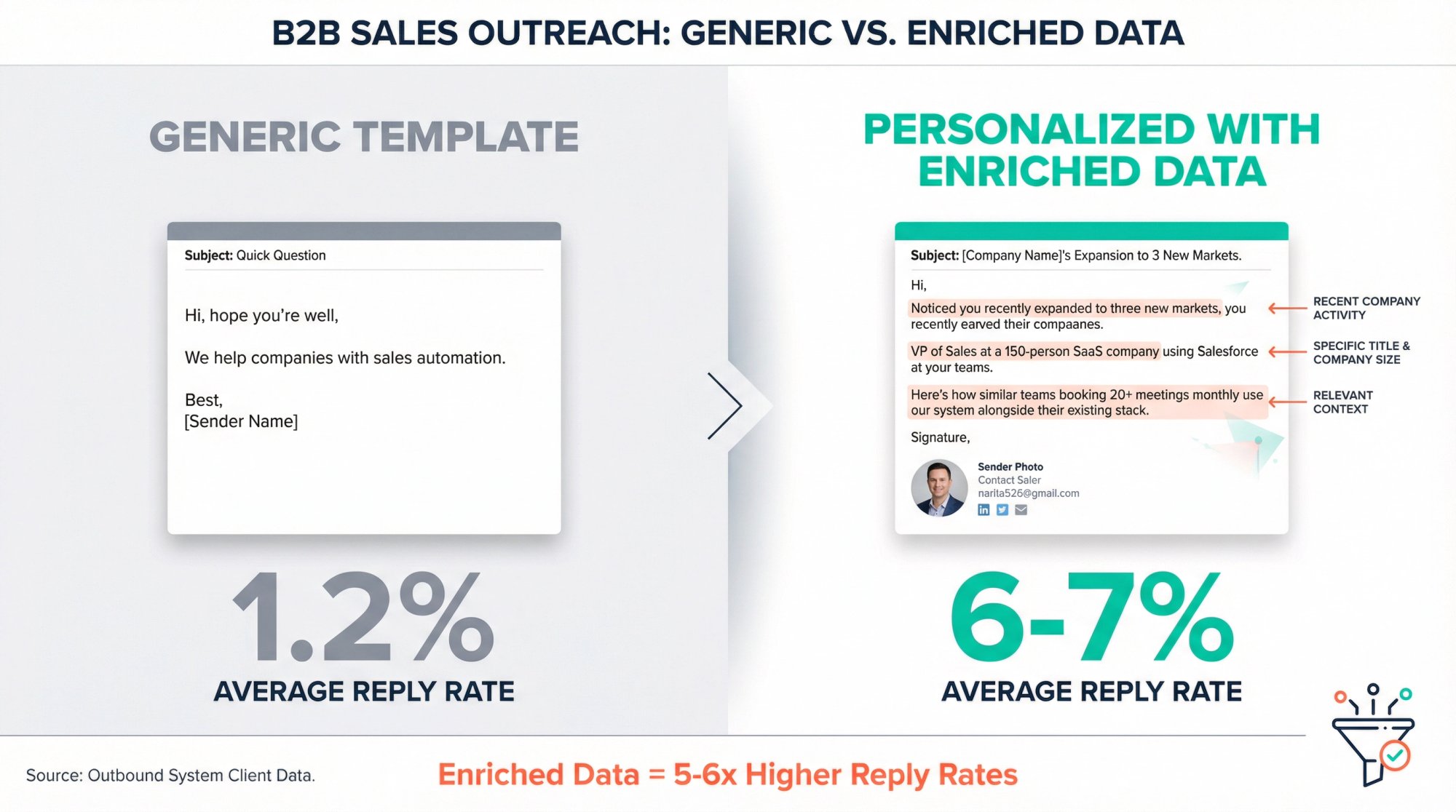
When you know specifics about a prospect (their role, their company's tech stack, recent funding rounds), you can reference those details in your outreach. Instead of "Hi, hope you're well," you can say "Noticed you recently expanded to three new markets, here's how companies in similar growth phases use our solution..."
That specificity gets replies. Generic templates get ignored. Our cold email copywriting guide dives deeper into how to use enriched data for personalization that converts.
How to Reduce Bounce Rates with Data Verification
A big part of enrichment is verification. These tools check that email addresses are valid, phone numbers are current, and companies haven't been acquired or shut down.
When you're sending cold emails, a bounce rate over 3% damages your sender reputation. Good enrichment keeps you well below that threshold.
We built Outbound System's 9-step waterfall enrichment specifically for this reason. Instead of relying on one data source (which might have outdated info), we check multiple providers sequentially until we find verified contact details. The result? 98% inbox placement and response rates that consistently hit 6-7%.
Why Enriched Data Makes Lead Scoring More Accurate
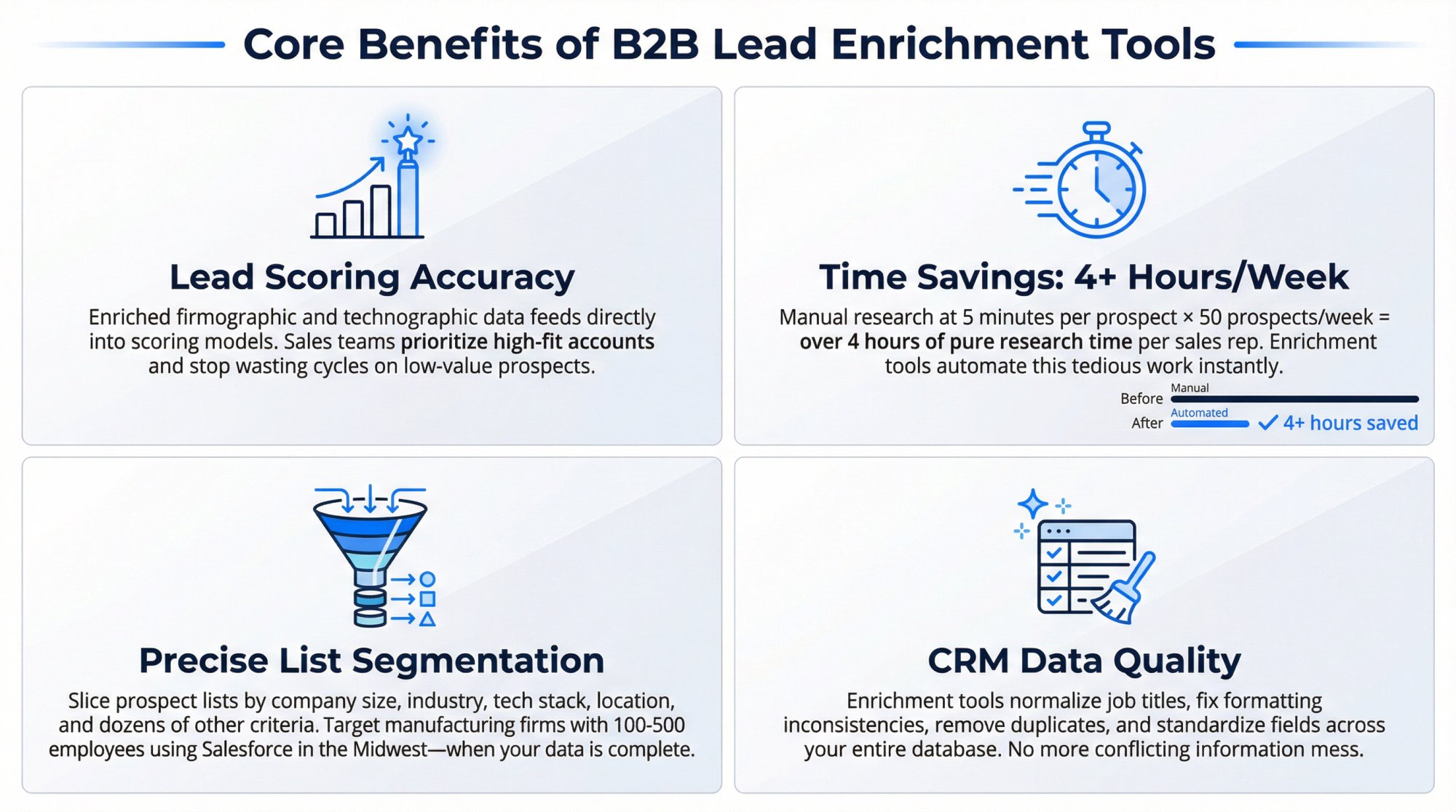
Enriched data feeds into lead scoring models. When you know company size, industry, tech stack, and recent activity, you can prioritize which prospects are most likely to convert. Your sales team stops wasting time on low-value leads and focuses on the accounts that actually fit your ICP.
This is critical for B2B lead generation strategies where targeting precision makes or breaks campaign ROI.
How Much Time Do Lead Enrichment Tools Save?
Sales reps shouldn't spend hours researching prospects manually. Data enrichment tools automate that tedious work, freeing up your team to actually sell.
One study found reps can recover several hours per week by offloading data gathering to software. Think about it: if each rep is manually researching 50 prospects a week at 5 minutes per prospect, that's over 4 hours of pure research time. Multiply that across your entire sales team, and you're looking at hundreds of wasted hours monthly.
How to Segment Your Lists Using Enriched Data
Enriched data lets you slice your prospect list into precise segments. Want to target only manufacturing companies with 100-500 employees using Salesforce in the Midwest? You can do that when your data is complete. This level of targeting ensures your campaigns hit the right people with the right message.
Proper email outreach segmentation powered by enriched data dramatically improves conversion rates.
Why Lead Enrichment Keeps Your CRM Clean
Enrichment tools don't just add data. They also clean it. They normalize job titles, fix formatting inconsistencies, remove duplicates, and standardize fields across your entire database. This keeps your CRM from turning into a mess of conflicting information.
Best Lead Enrichment Tools Compared (2025)
Dozens of tools claim to enrich your leads. Some are excellent. Some are overpriced. Some have great data but terrible UX. Here's our take on the top options, with real pricing and what they're actually good for.
ZoomInfo: The Enterprise Heavyweight
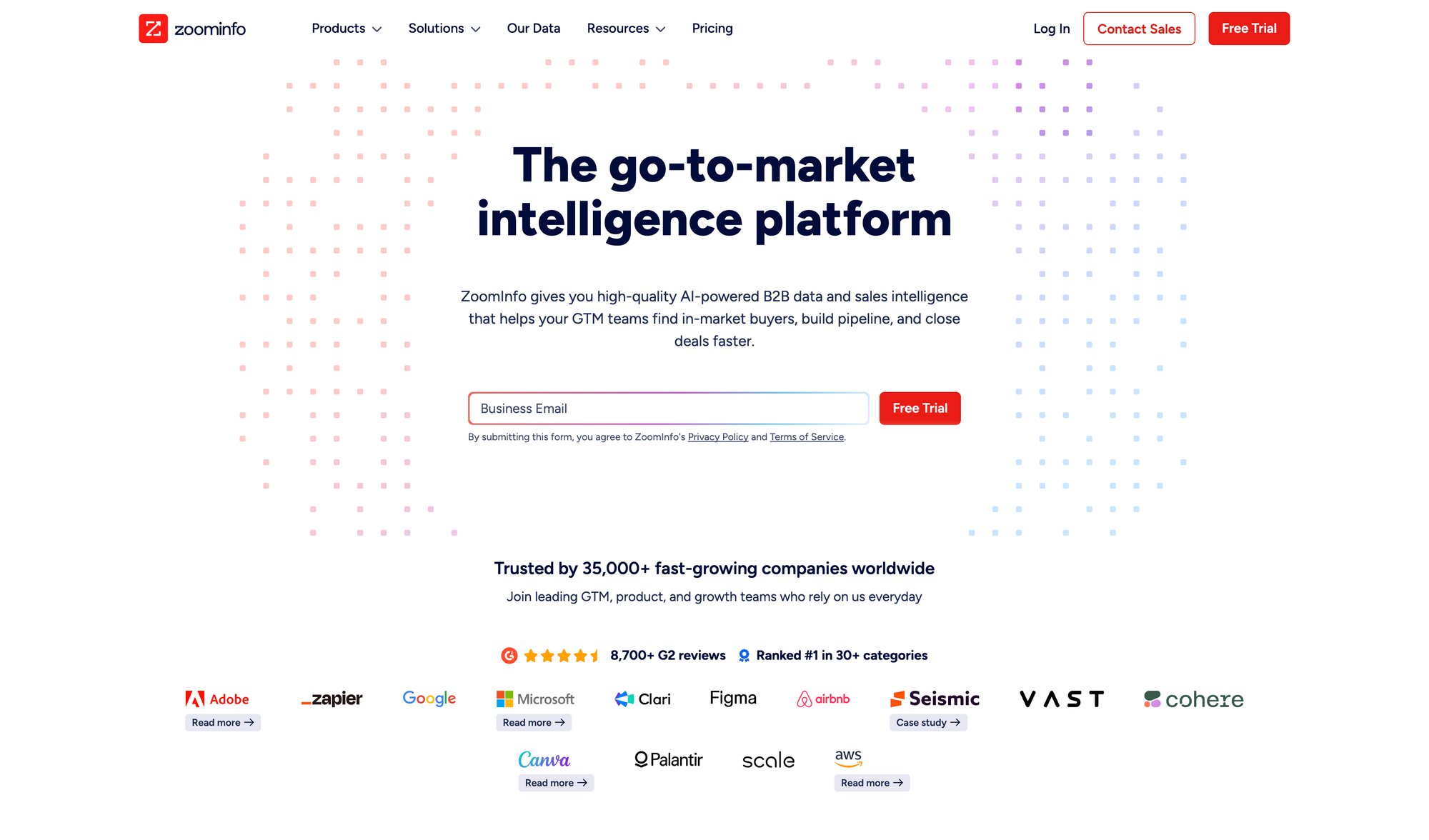
What it is: The 800-pound gorilla of B2B data. ZoomInfo has hundreds of millions of contacts and companies in their database, with deep firmographic and technographic details.
Best for: Mid-to-large enterprises that need comprehensive data at scale and can afford enterprise pricing.
Plan | Pricing | Contract |
|---|---|---|
SalesOS (Basic) | ~$15,000/year minimum | Annual only |
With add-ons | Often much higher | Annual only |
The good: Massive database. Excellent integrations with CRM and marketing automation. Continuously updated data. If you need intent signals, organizational charts, and buying committee mapping, ZoomInfo has it.
The bad: Expensive. Really expensive. Overkill for small teams. Data accuracy can still be hit-or-miss in certain industries or regions despite the vast database. No month-to-month option.
Real talk: If you're a startup or SMB, ZoomInfo is probably too much too soon. But if you're a larger org with budget and you need the full sales intelligence suite, it's the industry standard for a reason.
Apollo.io: The All-in-One Value Play
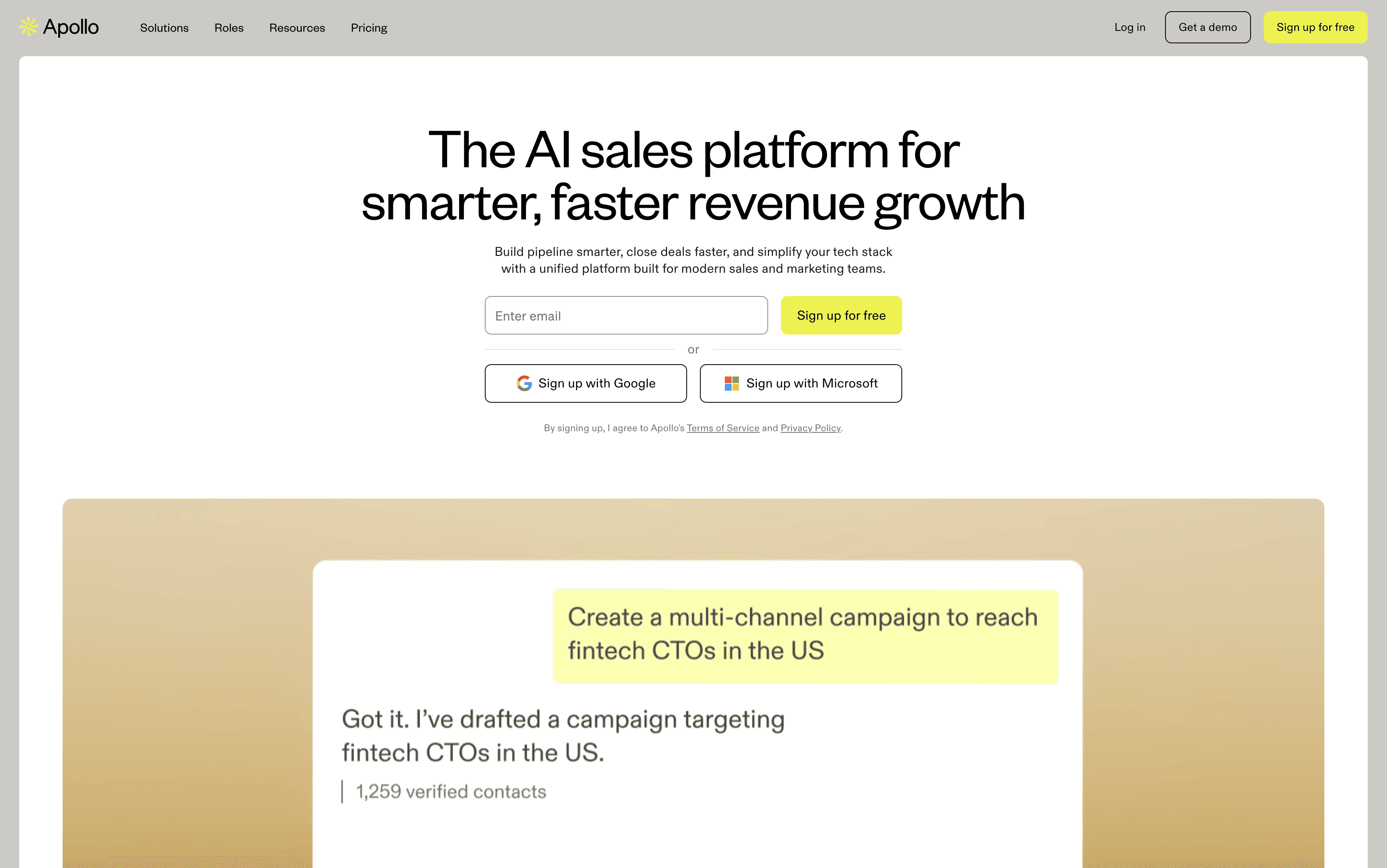
What it is: B2B database combined with sales engagement tools. Think of it as a more affordable ZoomInfo alternative that also includes email sequencing and dialing.
Best for: Growing teams that want database access and outreach capabilities in one platform.
Pricing: Freemium model. Paid plans start at $49/user/month (Basic) with popular tiers around $79-$99/user/month (Pro).
The good: Excellent value for the price. Access to 200+ million contacts. Integrates with Salesforce and HubSpot. User-friendly interface. You can build a list and start emailing without exporting to another tool.
The bad: Data quality isn't quite as deep as premium providers. Credit-based pricing for mobile numbers and exports can get unpredictable. If you only need enrichment (and already have outreach tools), you're paying for features you might not use.
Real talk: For most SMBs and mid-market teams, Apollo hits the sweet spot of "good enough data at a price we can actually afford." The all-in-one nature simplifies your tech stack significantly.
Clearbit: The Real-Time Enrichment Specialist
What it is: API-first enrichment platform that adds firmographic and demographic data in real-time as leads enter your system. Now owned by HubSpot.
Best for: Marketing teams that want to enrich inbound leads instantly (form fills, demo requests) to route them intelligently.
Pricing: Volume-based, contact for quote. Rough estimates: hundreds to low thousands per month for moderate volumes. Free tier available for testing.
The good: Excellent data quality. Developer-friendly APIs. Real-time enrichment is fantastic for speed. Great for personalizing landing pages and auto-routing leads based on ICP fit. Modular and lightweight.
The bad: Pricing can get expensive at scale. Less focused on phone numbers compared to sales intelligence tools. Not a full outreach platform, so you'll need other tools for engagement.
Real talk: If you're heavy on inbound marketing and want to instantly know "is this a good lead?" when someone fills out a form, Clearbit is gold. For pure outbound list enrichment, there might be simpler options.
Cognism: The International Data Powerhouse
What it is: Enterprise-grade B2B data provider known for verified phone numbers ("Diamond Data") and GDPR-compliant European coverage.
Best for: Large organizations operating internationally, especially teams that do cold calling.
Pricing: Custom enterprise pricing. Plans typically start around $1,000-$2,000/month minimum, scaling up significantly with volume.
The good: Excellent data quality, especially for EMEA regions. Phone-verified mobile numbers. Strong compliance focus for GDPR. Intent data and hiring trends included. Great customer support.
The bad: Expensive. Not self-serve pricing (you have to negotiate). Might be overkill if you only sell in the US and only need emails.
Real talk: If your sales team calls prospects (not just emails) and you operate globally, Cognism's verified phone data can dramatically improve connect rates. But you need the budget for it.
If you're focused on B2B cold calling, verified phone data becomes mission-critical.
Lusha: The Simple Contact Finder
What it is: Chrome extension and platform that pulls direct phone numbers and email addresses for B2B contacts, often used on LinkedIn.
Best for: Individual reps and small teams doing one-off prospecting on LinkedIn.
Plan | Monthly Cost | Features |
|---|---|---|
Free | $0 | Limited credits |
Basic | ~$36/user | Basic contact access |
Premium | ~$59/user | Full features |
The good: Super easy to use. Low barrier to entry. Great for quick contact lookups while browsing LinkedIn. Very affordable compared to enterprise tools.
The bad: Narrower data coverage than larger databases. Credit model means costs can add up if you're pulling thousands of contacts. Limited advanced features (no intent data, no complex filtering).
Real talk: If you're a solo SDR or small team that lives in LinkedIn and just needs phone numbers and emails quickly, Lusha is perfect. For bulk enrichment of 10,000+ lead lists, look elsewhere.
Hunter.io: The Email Specialist
What it is: Tool focused specifically on finding and verifying professional email addresses by domain or name.
Best for: Teams that primarily need email addresses verified and want to avoid bounces.
Pricing: Freemium. 25 free searches/month. Paid plans start at €49/month (~$52) for 500 searches, up to €399/month for 30,000 searches.
The good: Simple and reliable. High email finding accuracy. Bulk verification reduces bounce rates significantly. Clean interface. Nonprofit discount available (30% off).
The bad: Limited scope beyond emails. Won't give you deep firmographics or phone numbers. Coverage varies (great for common domains, weaker for small private companies).
Real talk: If your main pain point is "I have names and companies, I just need valid email addresses," Hunter is a top choice and very affordable.
Email verification is fundamental to maintaining strong email sender reputation and avoiding deliverability issues.
UpLead: The Budget-Friendly Database
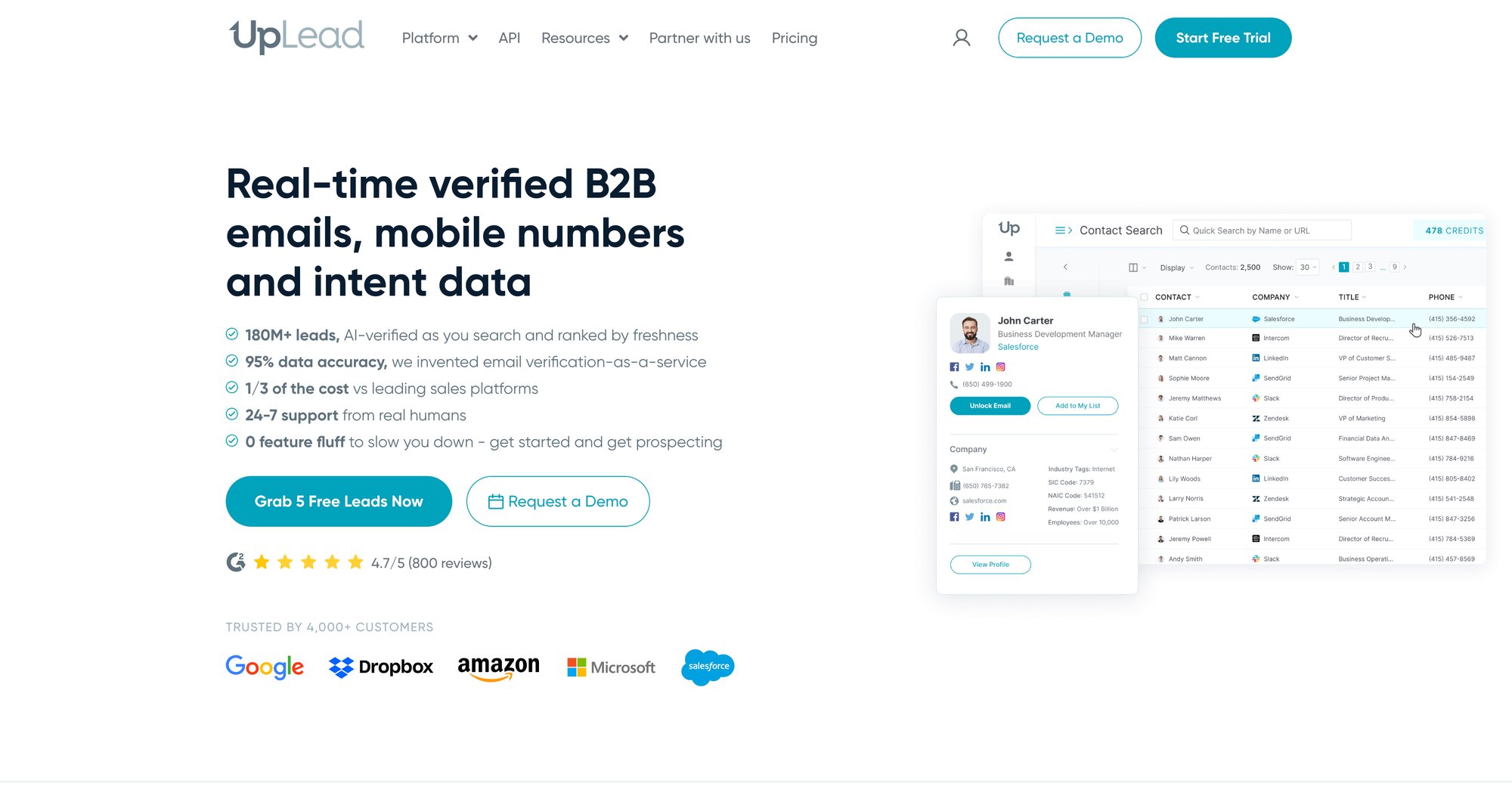
What it is: B2B contact database positioned as a cost-effective ZoomInfo alternative with real-time email verification.
Best for: SMBs and mid-market companies that need reliable data without enterprise pricing.
Pricing: Plans start at $99/month (Essentials, 170 credits) to $199/month (Plus, 400 credits). Professional tier around $399/month (1,000 credits). 7-day free trial available.
The good: Strong data accuracy for the price. Real-time email verification means you only pay for deliverable emails. Technographic filtering. Easy-to-use interface. Month-to-month billing (no annual lock-in).
The bad: Not as feature-rich as enterprise platforms. Credit caps can be limiting for large-scale users. Less depth in niche markets.
Real talk: UpLead is the "Goldilocks" option for teams that find ZoomInfo too expensive but need more than basic tools like Hunter. The real-time verification is a huge value-add.
Clay: The Power User's Toolkit
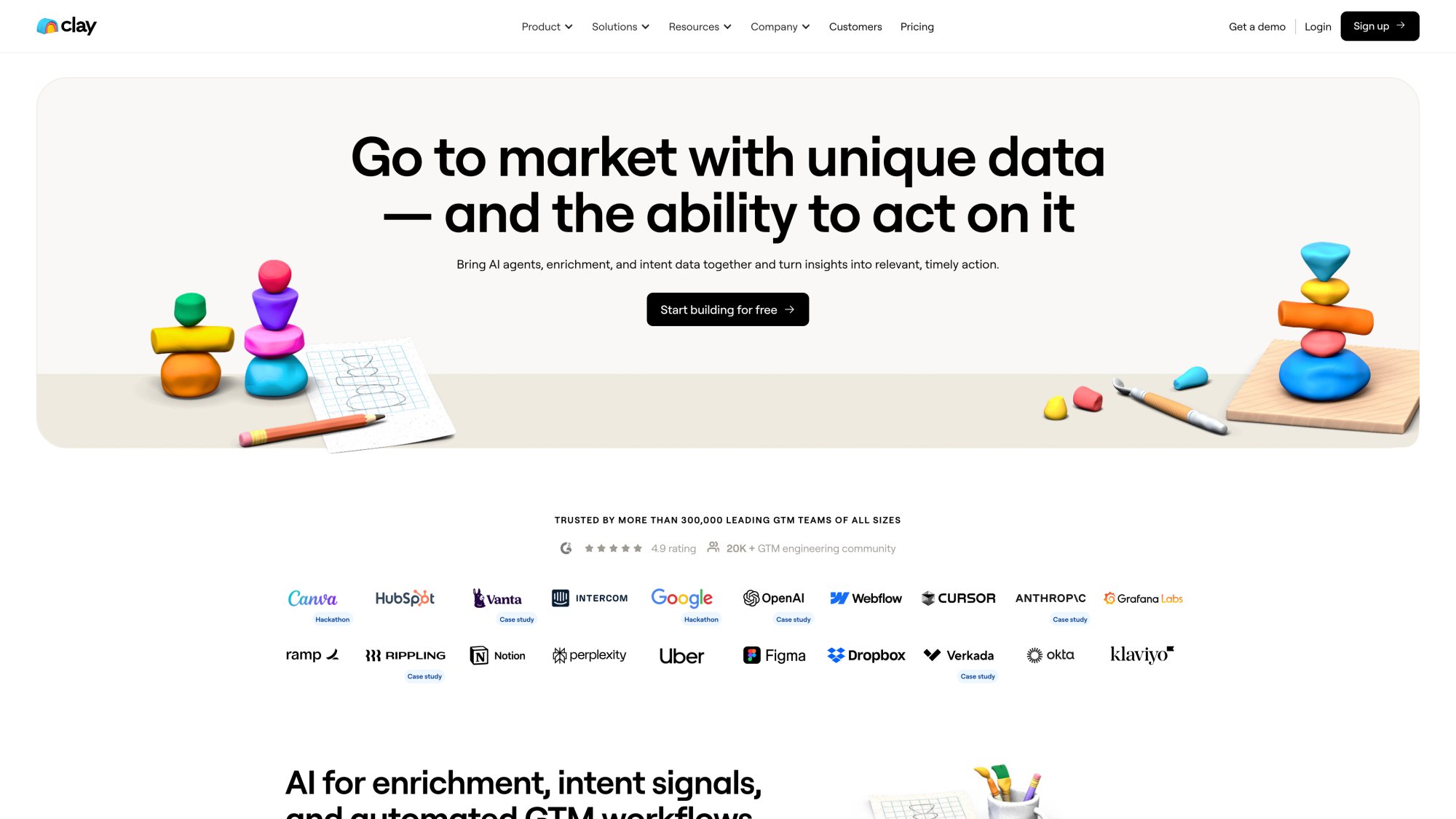
What it is: AI-driven enrichment platform that aggregates data from 75+ sources and lets you build custom enrichment workflows.
Best for: Growth hackers and ops teams that want maximum flexibility and coverage through waterfall enrichment.
Pricing: Free basic tier (100 credits/month). Paid plans from $149/user/month (Starter) to $800/user/month (Pro). Enterprise custom.
The good: Extreme flexibility. Combines multiple data sources to maximize coverage. ClayGPT AI agent can research leads automatically. Great for complex multi-step data tasks. Integrates with Google Sheets, Airtable, CRMs.
The bad: Steeper learning curve. Not plug-and-play for non-technical users. Higher pricing at volume tiers. May require subscriptions to other data services.
Real talk: Clay is revolutionary if you're willing to invest the time to build workflows. No single data provider has everything, so Clay's approach of using all of them makes a lot of sense. But it's best suited for power users and larger teams with ops support.
At Outbound System, our enrichment approach is conceptually similar to Clay's waterfall methodology. We run leads through multiple data providers sequentially until we find verified contact info. This multi-source strategy is why we consistently achieve such high deliverability.
Leadfeeder (Dealfront): The Website Visitor Identifier
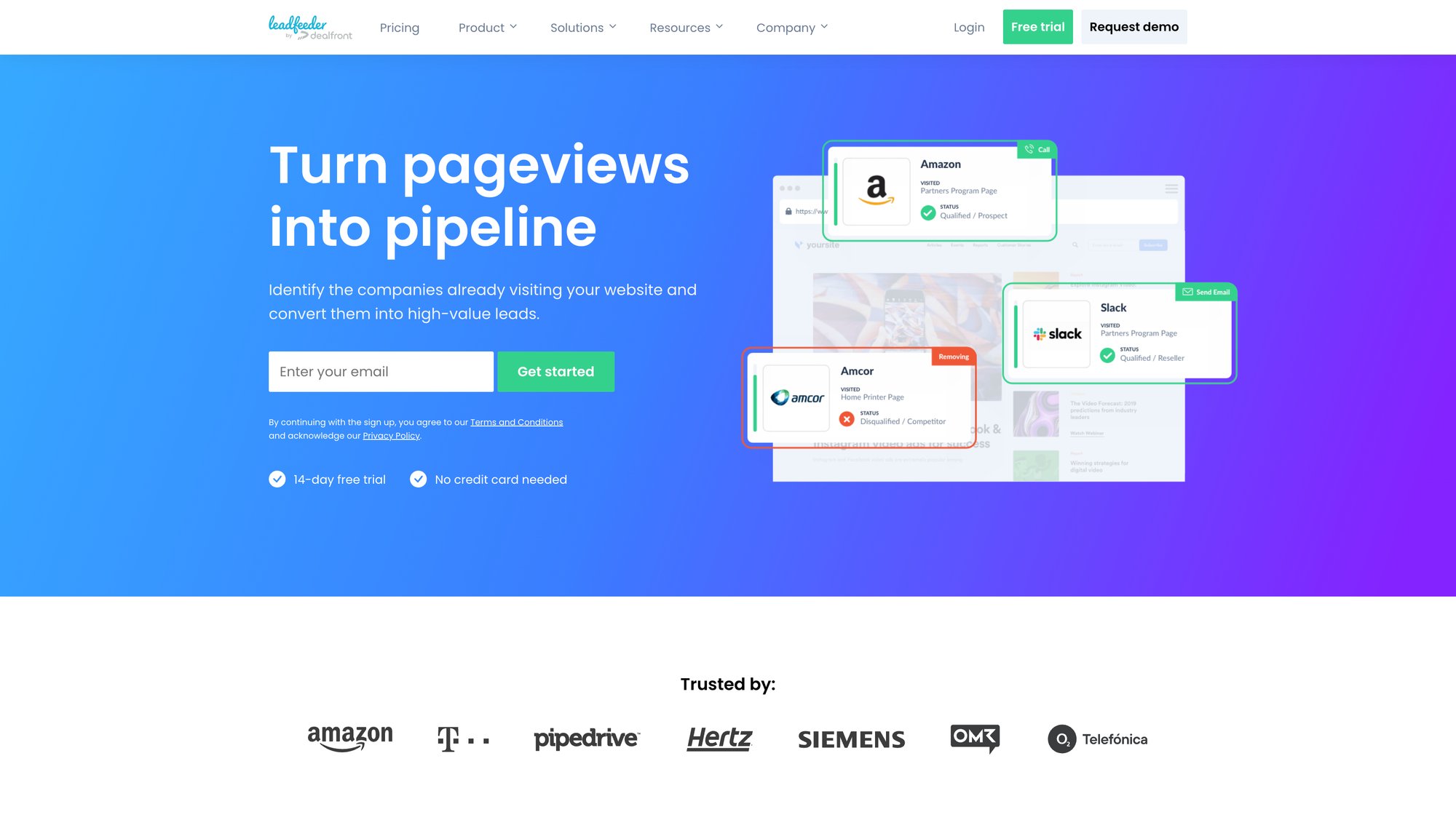
What it is: Tool that identifies which companies visit your website (even if they don't fill out forms) and provides firmographic info.
Best for: Account-based marketing and sales teams that want to turn anonymous web traffic into actionable leads.
Pricing: Free plan (limited to 100 identified companies, last 7 days). Paid plan starts at $99/month (annual billing) or $165/month (monthly).
The good: Turns invisible visitors into warm leads. Great for proactive outreach ("noticed your team checked out our site"). Increases ROI of inbound marketing efforts. Privacy-friendly (company-level identification).
The bad: Identifies companies, not individuals initially (you have to research the actual person). Limited value if your website has low traffic. Basic firmographic info (might need other tools for deep enrichment).
Real talk: If you get decent B2B website traffic, Leadfeeder can feed your outbound pipeline with interested accounts. Just one extra deal closed can pay for a year of the service.
Kaspr: The LinkedIn Chrome Extension
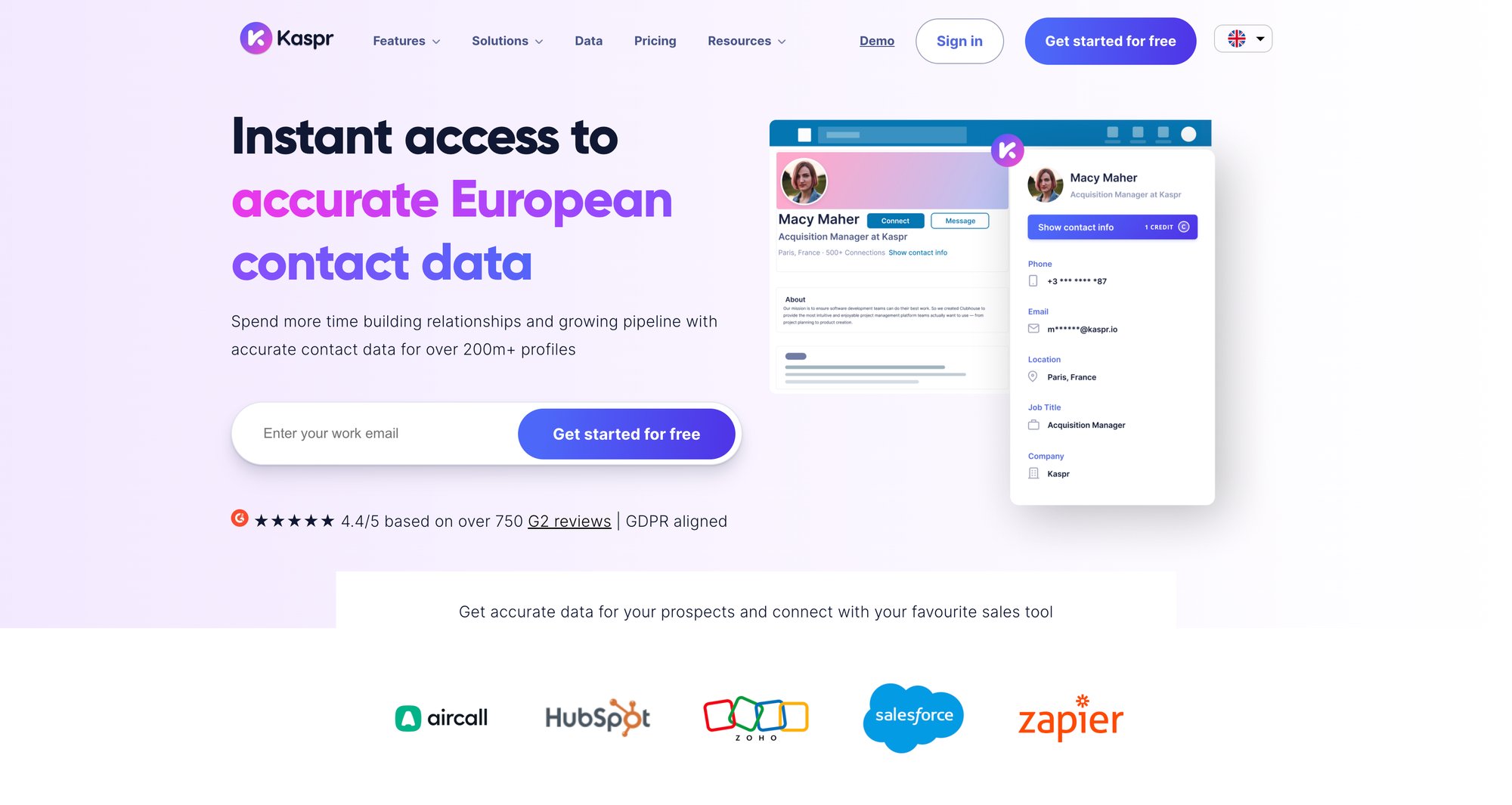
What it is: LinkedIn-focused contact enrichment via Chrome extension, providing emails and phone numbers directly in LinkedIn's interface. Owned by Cognism but operates standalone.
Best for: Sales reps who source leads primarily from LinkedIn.
Pricing: Freemium. Paid plans start around €45/month/user for basic access.
The good: Great for LinkedIn power users. Time-saver for getting contact info right where you find prospects. Relatively affordable. Unlimited email finds on some plans.
The bad: Niche tool (specialized for LinkedIn workflows). Credit limits on phone numbers. Not ideal for bulk enrichment outside of LinkedIn context.
Real talk: If you live in LinkedIn Sales Navigator, Kaspr makes your workflow much smoother. If you're building lists from other sources, you'll need something else too.
For comprehensive LinkedIn lead generation strategies, enrichment is just one piece of the puzzle.
Quick Comparison: Which Tool When?
Your Situation | Best Tool |
|---|---|
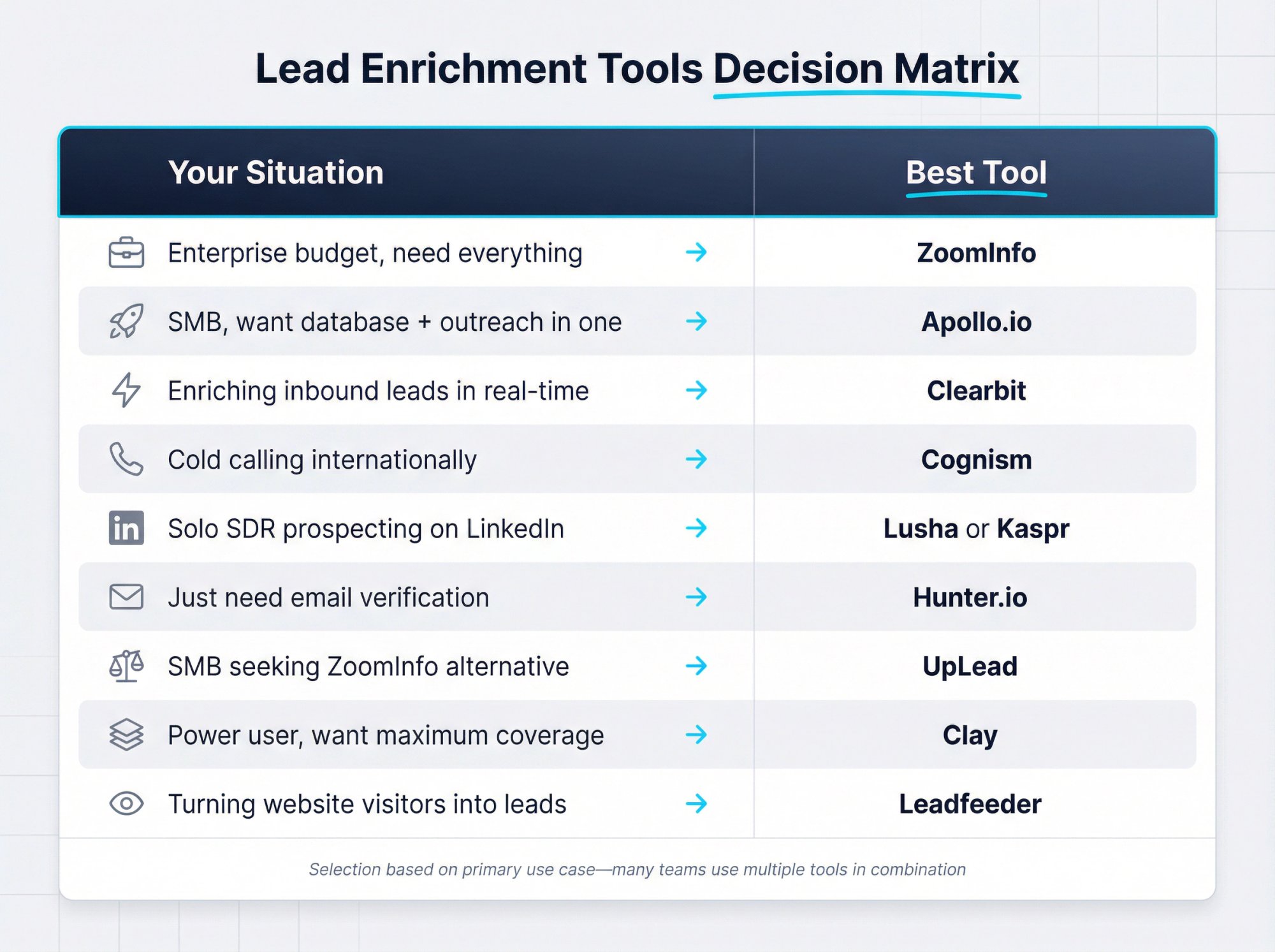
Enterprise budget, need everything | ZoomInfo |
SMB, want database + outreach in one | Apollo.io |
Enriching inbound leads in real-time | Clearbit |
Cold calling internationally | Cognism |
Solo SDR prospecting on LinkedIn | Lusha or Kaspr |
Just need email verification | Hunter.io |
SMB seeking ZoomInfo alternative | UpLead |
Power user, want maximum coverage | Clay |
Turning website visitors into leads | Leadfeeder |
How to Choose the Right Lead Enrichment Tool
With so many options, how do you actually decide? Here's a systematic approach:
Step 1: What Data Do You Actually Need to Enrich?
Start with clarity about what you actually need enriched and why.
Make a list:
• Do you need email addresses, phone numbers, or both?
• Do you need firmographic data (industry, revenue, company size)?
• Do you need technographic data (what software they use)?
• Do you need intent signals (signs they're actively researching solutions)?
• What volume are we talking about? (50 leads/month vs. 10,000 leads/month)
• What's your workflow? (Bulk uploads occasionally? Real-time enrichment? One-by-one lookups?)
If you only care about verifying emails and getting job titles, a simple tool like Hunter or Lusha might suffice. If you need complex signals and millions of records, you're in enterprise territory.
Step 2: How to Test Data Quality with Free Trials
This is the most important step.
Don't just trust marketing claims. Most tools offer free trials or demos. Run a sample of your actual leads through and check the results:
• Are the email addresses valid?
• Are job titles current (or from three jobs ago)?
• Do phone numbers connect?
• Is company information accurate?
Look for tools that verify data through multiple sources or have verification steps built in. Read reviews on G2 or Capterra focusing specifically on data accuracy mentions.
A cheap tool that gives you garbage data is more expensive than a premium tool with accurate information.
Step 3: Calculate Your Cost Per Lead Enriched
Prices range from free to six figures annually. Be realistic about what you can actually invest.
Calculate your cost per lead enriched:
Tool | Monthly Cost | Leads | Cost/Lead |
|---|---|---|---|
Tool A | $100 | 1,000 | $0.10 |
Tool B | $1,000 | 10,000 | $0.10 |
Same per-lead cost, different total commitment. Also consider:
• Is it credit-based or flat rate?
• Are there setup fees?
• Annual contracts or month-to-month?
• What's the ROI if conversion rates improve?
Don't forget the opportunity cost. If a more expensive tool yields significantly higher conversion rates, it can pay for itself quickly.
At Outbound System, we offer transparent month-to-month pricing starting at $499/month with no long-term contracts, making budgeting predictable.
Step 4: Will It Actually Fit Your Workflow?
The best tool is one that actually fits into your process.
Questions to ask:
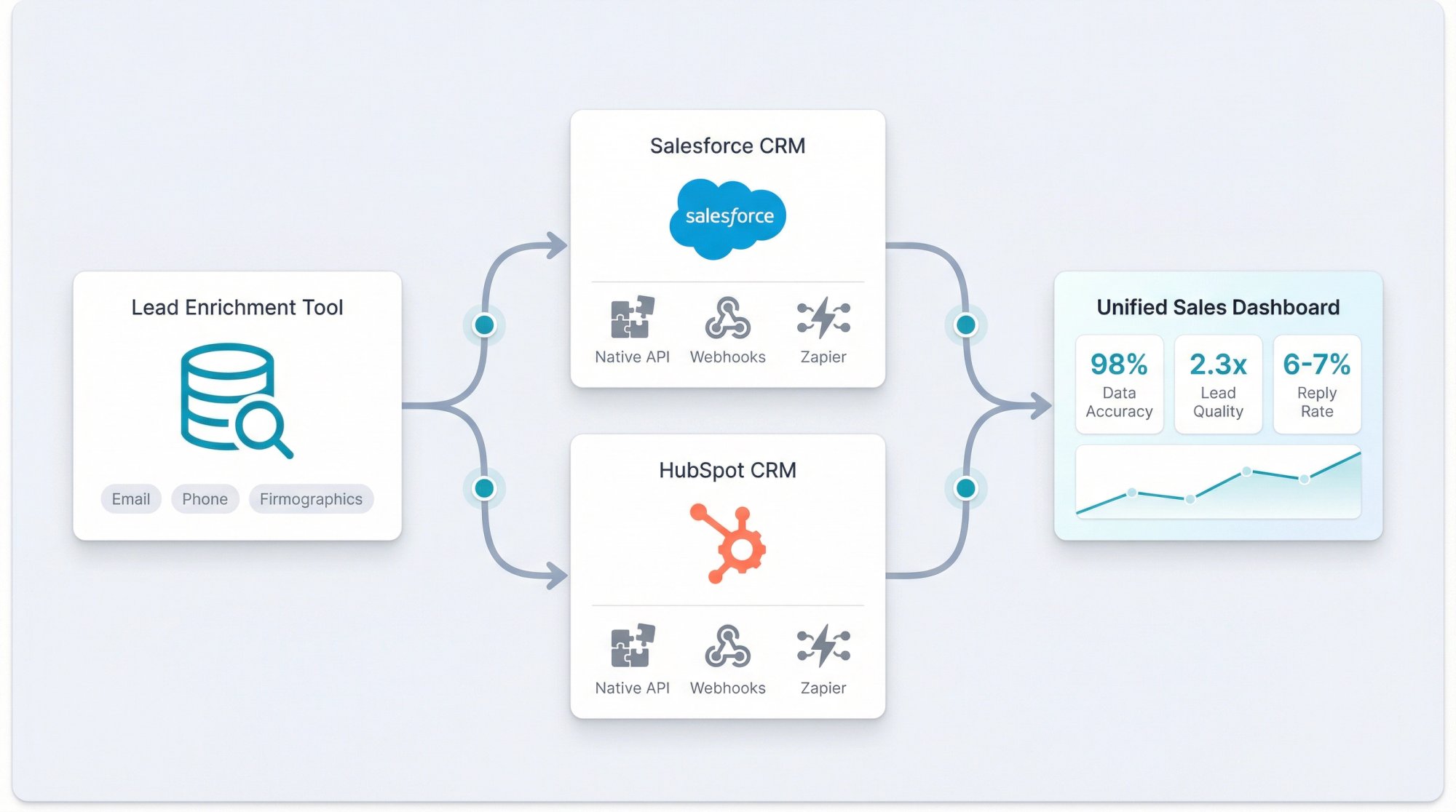
• Does it integrate with our CRM (Salesforce, HubSpot, etc.)?
• Do we need an API or are webhooks/Zapier enough?
• For real-time enrichment, does it support that?
• Is the interface actually usable for our team?
Sometimes a simpler tool that your team actually uses beats a complex one that's theoretically better but sits unused because it's too complicated.
Step 5: What Do Other Companies Say About Data Quality?
Learn from others' experiences. Look for reviews from companies similar to yours in size and industry.
For example:
• Many SMB tech companies favor Apollo or UpLead
• Enterprise financial services lean toward ZoomInfo or Cognism
• Marketing-heavy teams often use Clearbit
Talk to colleagues or network contacts. Ask specific questions like "How's the data quality for X industry?" or "How responsive is their support when there are issues?"
Check out our client testimonials to see how companies handle data enrichment at scale with our managed approach.
Should You Use Multiple Lead Enrichment Tools?
Here's something most vendors won't tell you: in many cases, no single tool covers everything perfectly.
Some companies use a layered approach:
• ZoomInfo for core database + Hunter for email verification
• Apollo for prospecting + Clearbit for inbound enrichment
• Multiple smaller tools in a waterfall sequence to maximize coverage
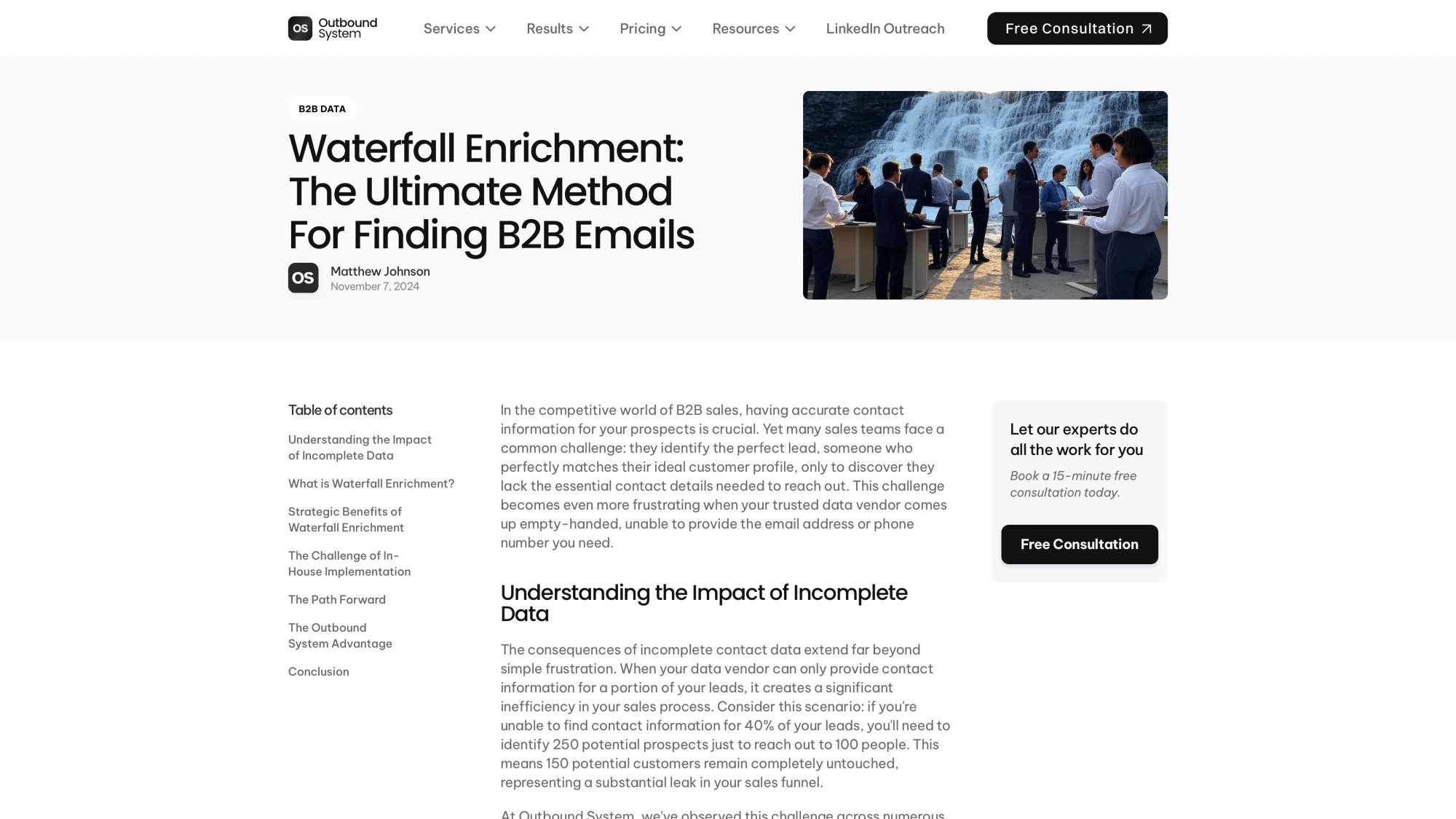
This is exactly the approach we take at Outbound System. Our 9-step waterfall enrichment uses multiple data providers sequentially because different databases rarely have significant overlap. One provider might have 40% of the contacts you need, another has a different 40%, and only by checking multiple sources do you get close to 100% coverage.
The tradeoff is added complexity and cost. But if you have the resources, combining tools can yield the best results.
Frequently Asked Questions About Lead Enrichment
What's the difference between lead generation and lead enrichment?
Lead generation is about finding new prospects (identifying who to contact). Lead enrichment is about adding more information to prospects you already have.
For example: you export 500 contacts from LinkedIn Sales Navigator (that's generation). Then you run them through an enrichment tool to add verified emails, phone numbers, company size, and tech stack (that's enrichment).
They complement each other. Most tools do both, but the processes are distinct.
Are there free lead enrichment tools?
Yes, several tools offer free tiers:
• Hunter.io: 25 free searches/verifications per month
• Lusha: Limited free credits monthly
• Apollo: Free plan with limited credits
• Leadfeeder: Free version for up to 100 visitor IDs
• Clay: Free tier with 100 credits/month
LinkedIn itself is technically a free source if you manually research profiles. But completely free unlimited enrichment doesn't really exist because data is valuable. Use free trials to test quality, then invest in what works.
How often should we enrich our lead database?
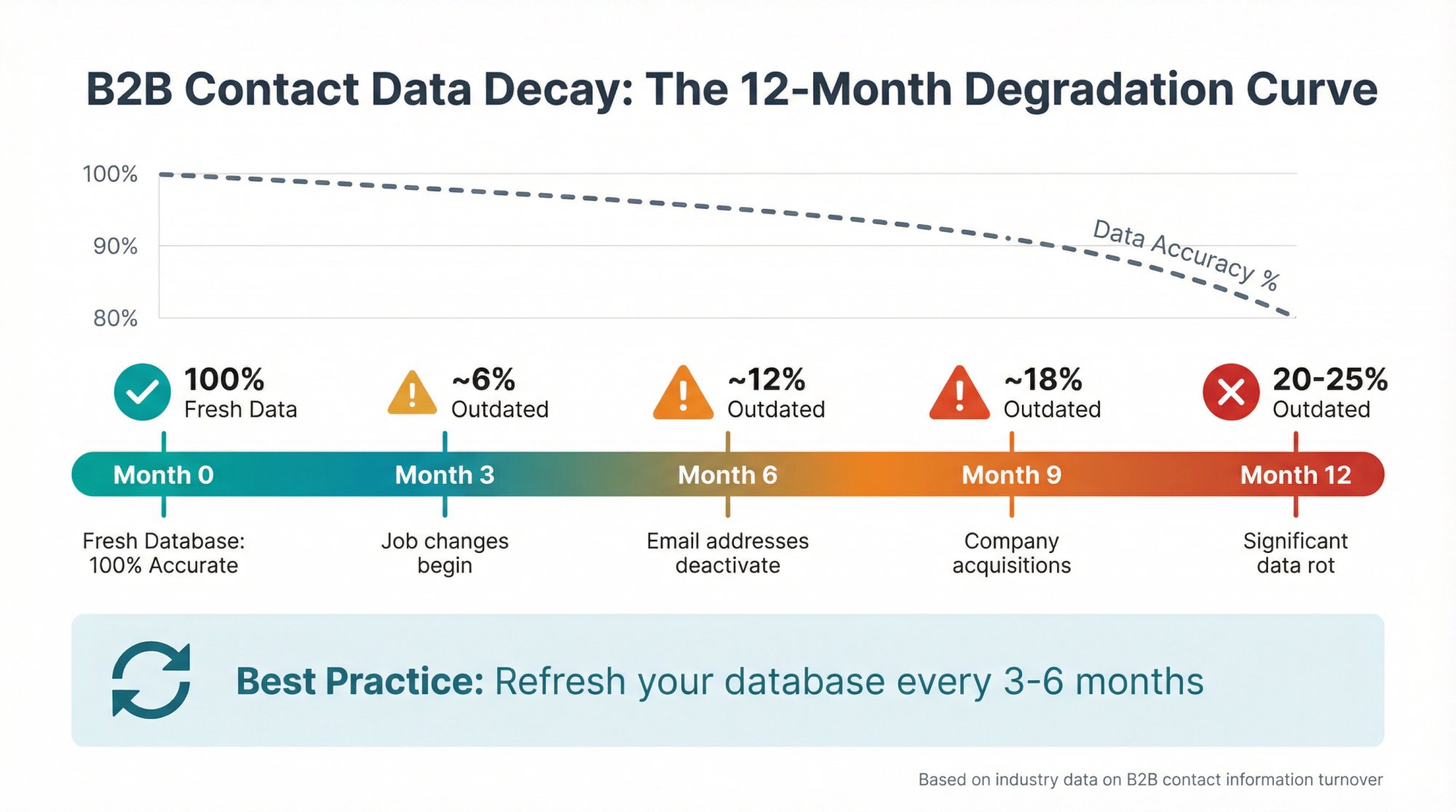
Roughly 20-25% of B2B data becomes outdated every year (about 2% per month). So:
• For new leads: Enrich in real-time or immediately as they enter your system
• For existing database: Refresh at least quarterly, ideally before major campaigns
• For static lists: Update every 3-6 months minimum
Many teams do an annual or semi-annual CRM cleanup and enrichment sweep. The key is not letting your data age into uselessness.
Consistent enrichment is part of effective cold email list building strategies that drive results.
Can lead enrichment actually improve our email reply rates?
Absolutely. Enriched data is one of the main drivers of effective personalization.
When you know a prospect's specific title, industry, technology stack, or recent company news, you can tailor your message to their exact situation. For example:
Generic: "Hi, we help companies with sales automation."
Enriched: "Noticed you're the VP of Sales at a 150-person SaaS company using Salesforce. Here's how similar teams booking 20+ meetings monthly use our system alongside their existing stack."
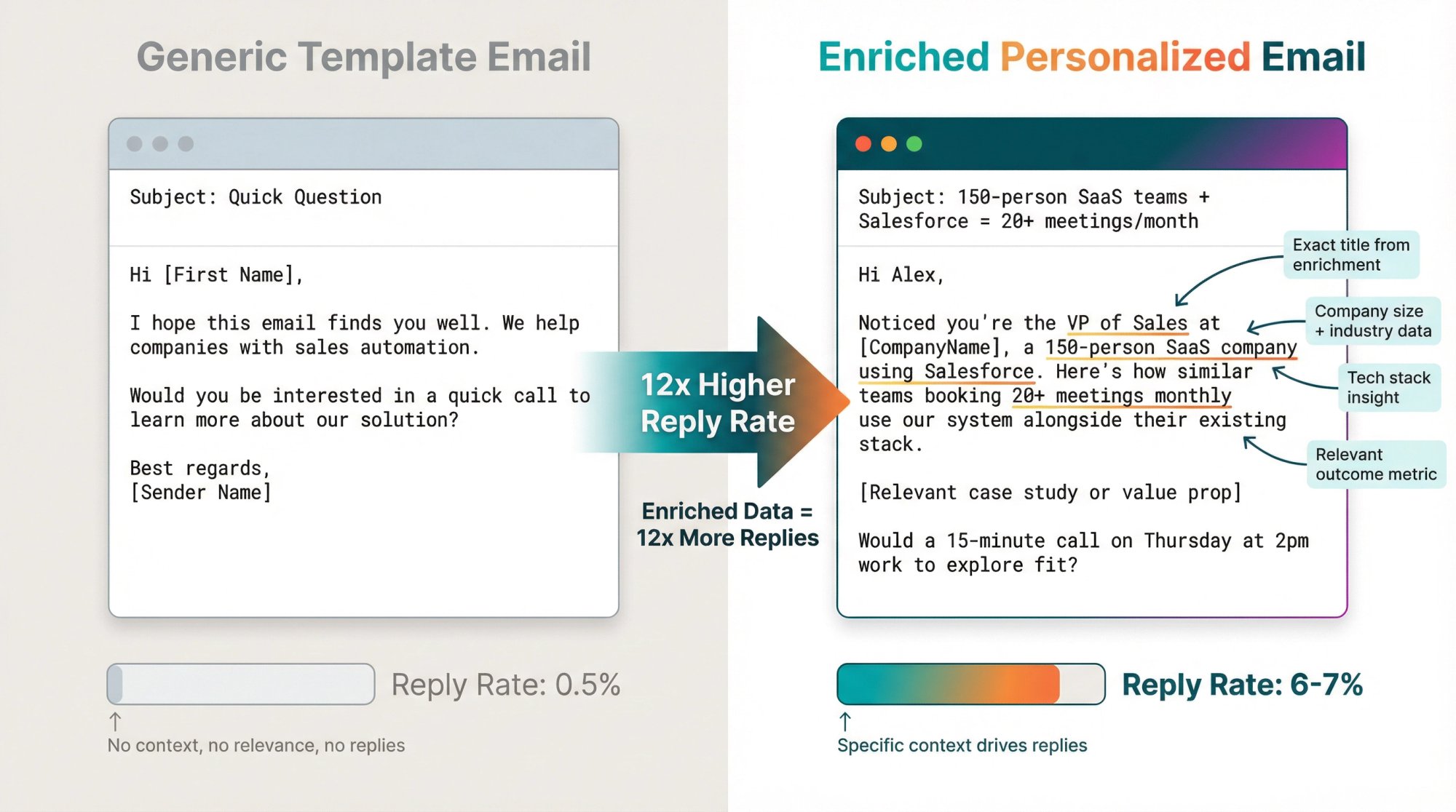
That specificity gets replies. According to our data at Outbound System, this kind of personalization (powered by enriched data) can boost reply rates several-fold compared to generic outreach.
Just be smart about it. Personalization should feel helpful, not creepy. Stick to business-relevant insights.
Learn more about how to write effective sales emails using enriched data for personalization.
Is using lead enrichment tools compliant with GDPR and privacy regulations?
It can be, but you need to use the tools properly.
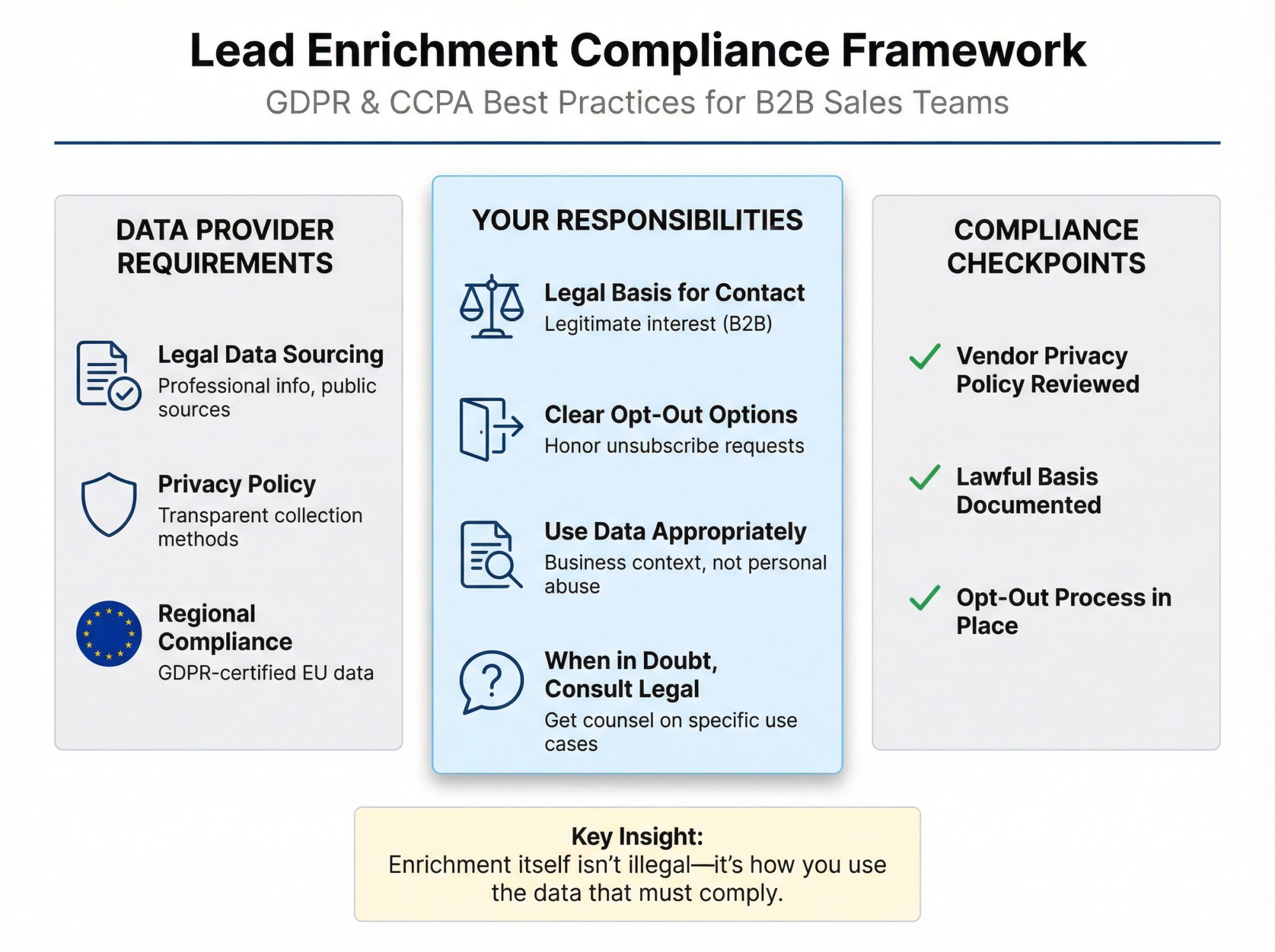
Most reputable B2B enrichment providers source data legally (professional information, publicly available data). Many offer compliance features like GDPR/CCPA status fields. For example, Cognism heavily markets its GDPR-compliant EU data.
But here's the critical part: compliance also depends on how you use the data.
If you're enriching EU leads, you still need a legal basis to contact them (legitimate interest for B2B in many cases, with clear opt-out options). If a tool provides personal emails or mobile numbers, use discretion and honor do-not-contact requests.
Check each vendor's privacy policy. Some won't provide certain data for EU leads without certification of lawful use.
When in doubt, consult legal counsel on your specific use case. Enrichment itself isn't illegal. It's what you do with the enriched data that must comply with regulations.
For guidance on compliance, see our email outreach compliance rules guide.
The Bottom Line: Quality Data Drives Results
Lead enrichment isn't a luxury. It's a fundamental requirement for effective outbound sales in 2025.
Generic, incomplete prospect lists lead to high bounce rates, low reply rates, and wasted effort. Enriched lists with verified contact information and relevant firmographics enable personalized outreach that actually converts.
The tools exist at every price point:
• Budget-conscious: Hunter, Lusha, Apollo free tier
• Mid-market sweet spot: Apollo, UpLead, Kaspr
• Enterprise grade: ZoomInfo, Cognism, LeadGenius
• Power users: Clay for waterfall multi-source enrichment
The best approach? Match the tool to your specific needs, test data quality with trials, and don't be afraid to use multiple tools if that's what it takes to get complete coverage.
At Outbound System, we've built our entire infrastructure around this principle. Our 9-step waterfall enrichment process uses multiple data providers sequentially, verifying emails through syntax checks, SMTP pings, historic bounce data, and engagement signals. The result is triple-verified contact data that delivers 98% inbox placement.
We handle the complexity of multi-source enrichment, domain setup, IP warming, and sending infrastructure so you can focus on closing deals instead of managing data quality. Our clients send 52M+ cold emails annually, generate 127K+ leads, and close $26M+ in revenue because the foundation (clean, enriched data) is rock solid.
Whether you build your own enrichment system or partner with an agency that's already solved it, the principle remains the same: invest in data quality, and the results will follow.
Want to see how we handle lead enrichment and cold email delivery at scale? Book a free consultation and we'll walk you through our 9-step process. Or explore our comprehensive case studies to see real results from companies that prioritized data quality.